Brello for Mac › Launcher
A launcher for your Mac, with an agent in it.
Press Option-Space in any app. Open an app, do the math, paste what you copied last week, snap a window to half the screen, or hand the same words to Brello PI’s agent.
$29.99 for a limited time, then $49.99 · 30-day money-back guarantee, no reason needed
Everything you reach for, one key away.
- AppsA few letters, even with a slip.
- CalculatorSums, percents and units.
- Clipboard historyEncrypted, on your Mac.
- SnippetsTyped in any app.
- WindowsHalves, thirds, quarters, displays.
- The agentThe same words, as a request.
Apps
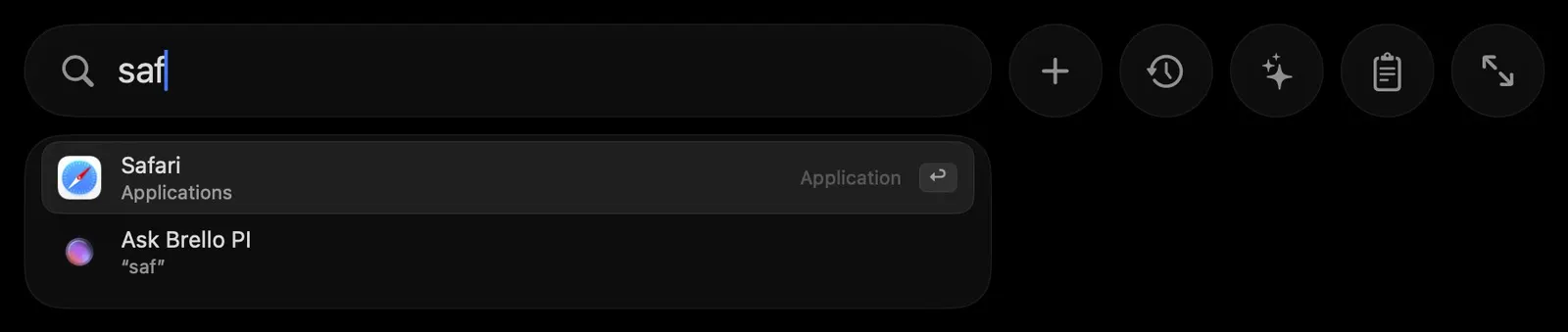
Open any app in a few letters.
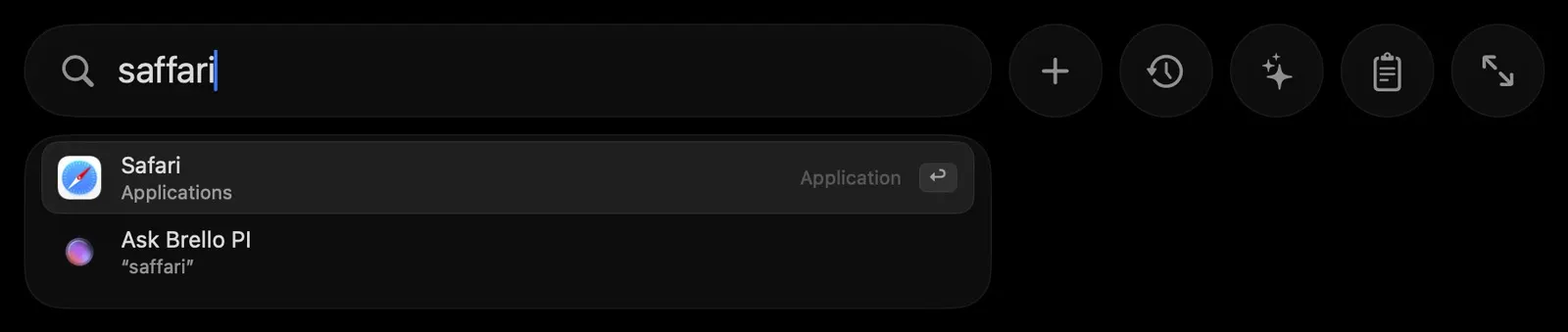
The start of its name, the start of a word in it, or its initials, so “vsc” is Visual Studio Code. A slip such as “saffari” still finds Safari. Choose an app for “s” once and “s” brings it first next time.
- System Settings by name. Type “bluetooth”, “battery” or “login items”, and Return opens that pane.
- Files after the apps. Pause, and the files whose names hold your words appear below, with Return to open one.
- As fast as you type. Each key turns into rows in under a frame, tested with more than 1,500 apps.
Calculator
Do the math without opening an app.
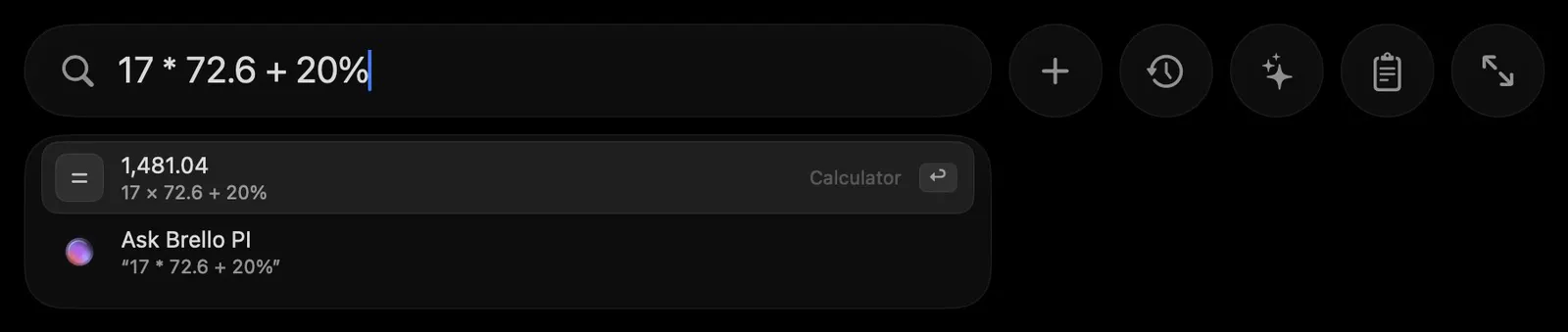
Type a sum the way you’d write it, such as 17 × 72.6 + 20% or 20% of 150, or a conversion such as 5 km in miles. The answer comes first, and Return copies it.
- Units people use. Length, weight, temperature, volume and cooking measures, speed, area, data sizes, time and energy. A unit alone goes to your region’s own, miles or kilometers.
- Your number format. Read and written as your Mac’s region writes numbers, so 2,5 means two and a half on a German Mac.
- No currencies. Their rates would have to come from the internet, and the calculator never goes online.
Clipboard history
Find what you copied last week.
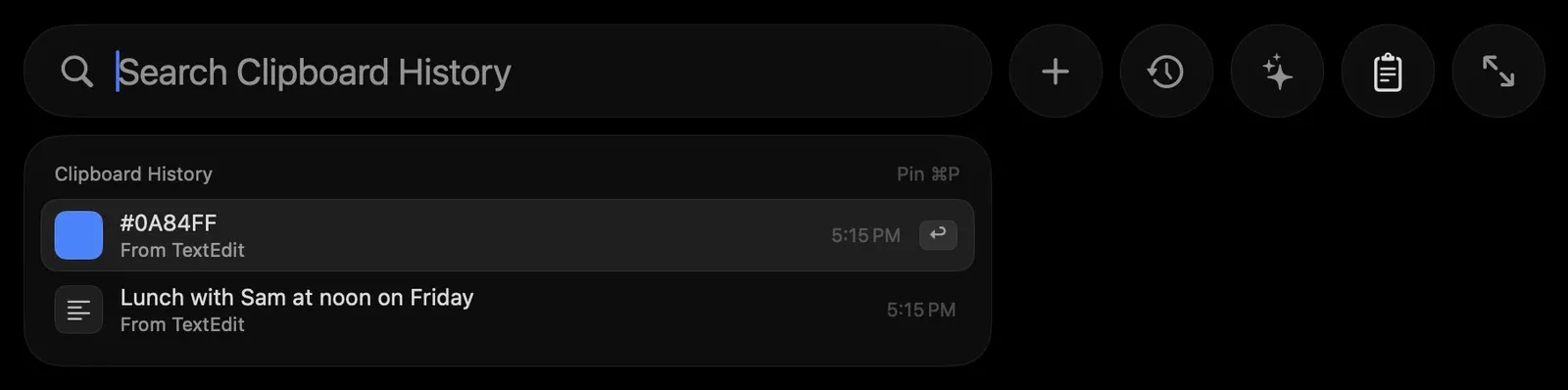
Text, links, images, files and colors, each with the app it came from and when. Search them, press Return, and the copy is pasted into the app you’re in.
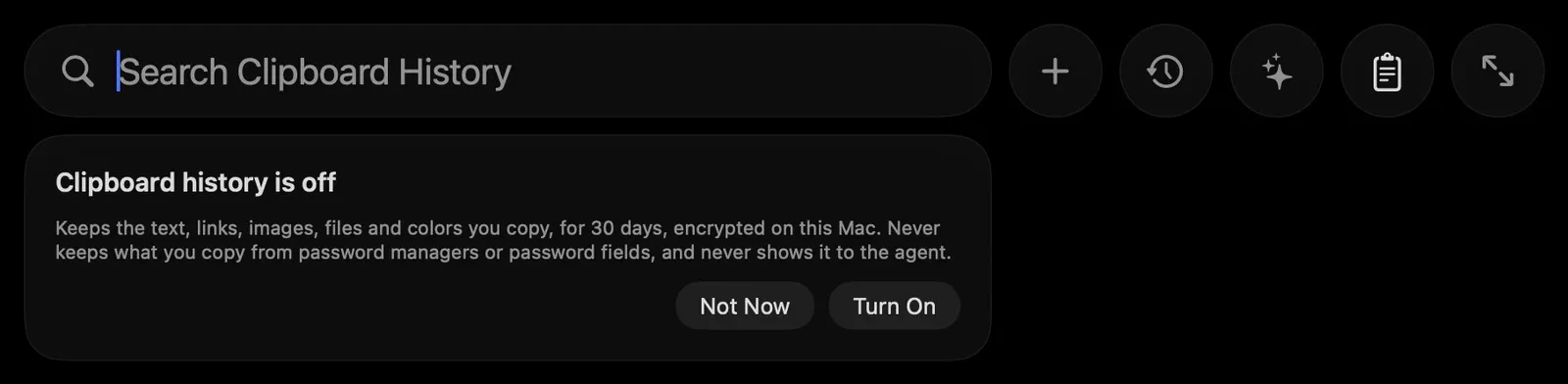
- Off until you say. While it’s off, nothing you copy is read. Once on, only what you copy from then.
- Passwords left out. Never Passwords, Keychain Access, 1Password or Bitwarden, nor anything an app marks secret, nor apps you add.
- Sealed on your Mac. Encrypted with AES-GCM, its key in your login keychain. Copies stay 30 days unless you choose from 7 days to forever.
Snippets
Type it once. Paste it anywhere.
Keep words you write often under a name and a keyword: an address, a sign-off, meeting notes. Find one in the bar and Return pastes it, or type its keyword in any app and it turns into the snippet.
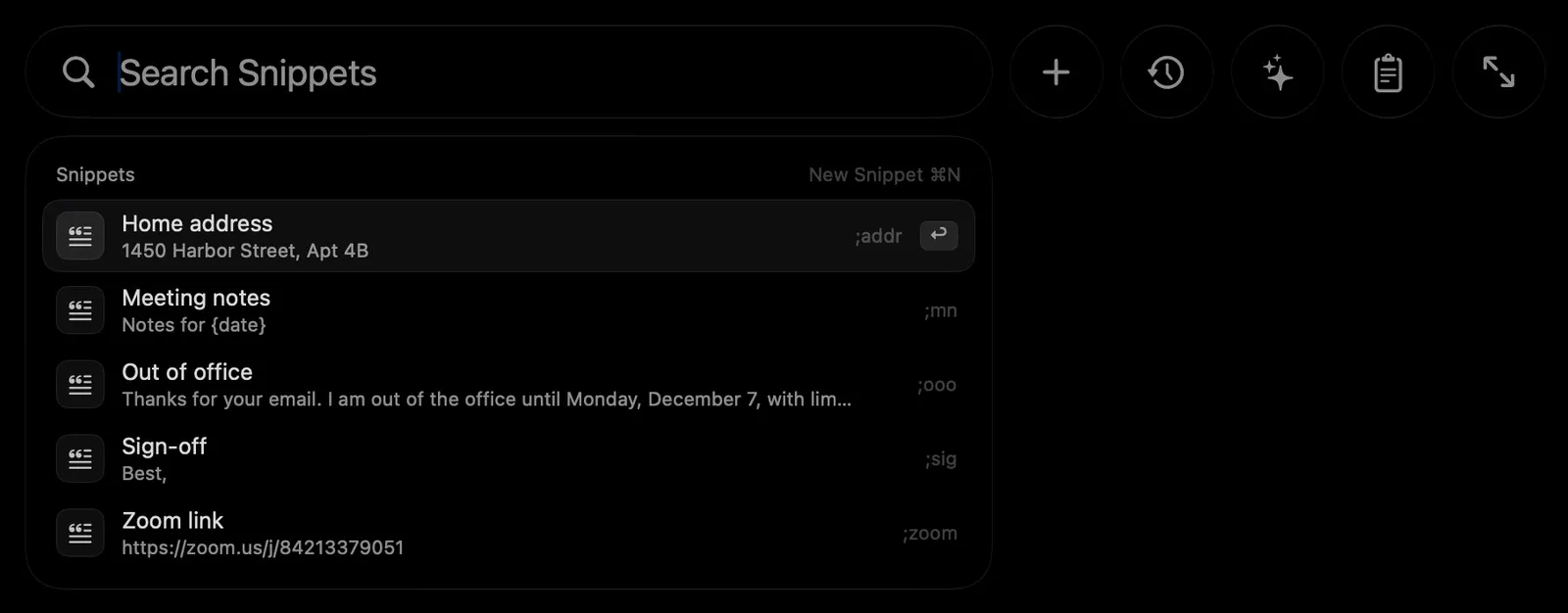
- Filled in for you. {date}, {time}, {weekday} and {clipboard} are filled in as your region writes them, and {cursor} puts the cursor where you want to type next.
- Expands as you type. Once you turn it on and allow Input Monitoring and Accessibility. A keyword such as “;mn” expands as soon as it’s typed.
- Never in password fields. macOS hides typing there from every app, so nothing expands, and Settings says so.
Windows
Put a window where you want it.
Type “half”, “third” or “center” and the window in front moves there, on whichever display it’s on. Turn on Window keys and each move has its own shortcut from any app.
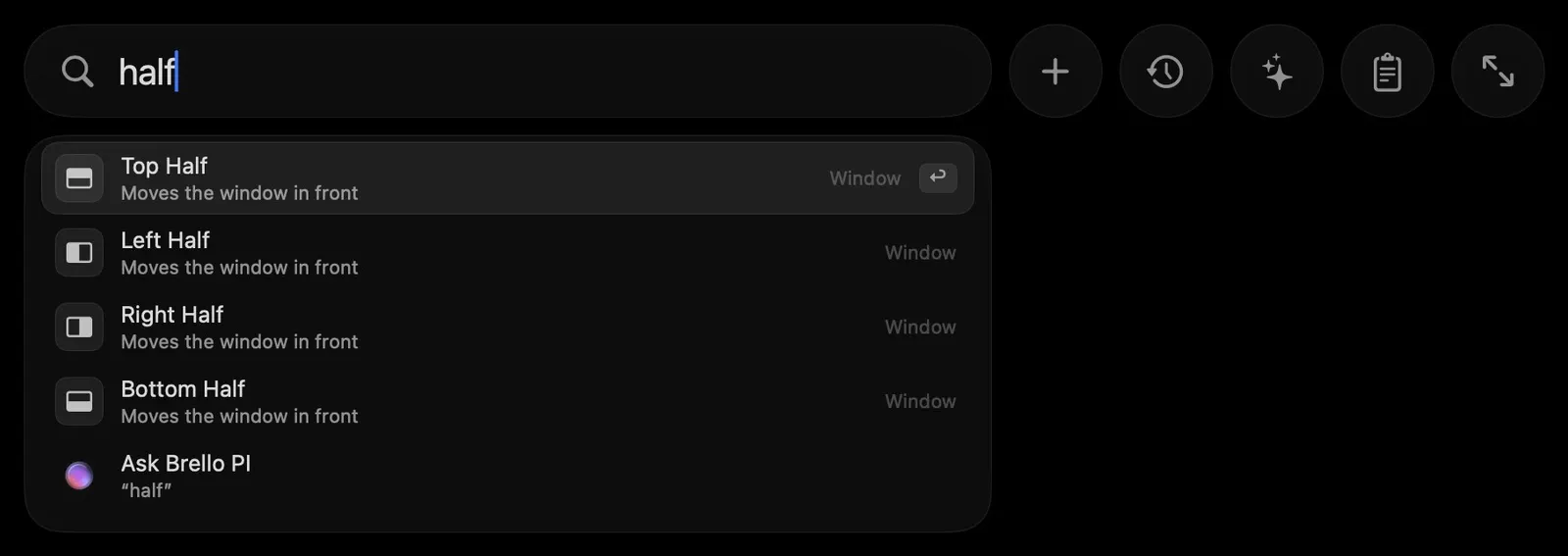
The window keys
| Keys | Where the window goes |
|---|---|
| ⌃⌥←⌃⌥→ | Left and right half |
| ⌃⌥↑⌃⌥↓ | Top and bottom half |
| ⌃⌥D⌃⌥F⌃⌥G | First, center and last third |
| ⌃⌥E⌃⌥T | First and last two thirds |
| ⌃⌥U⌃⌥I⌃⌥J⌃⌥K | Top left, top right, bottom left and bottom right quarter |
| ⌃⌥C⌃⌥↩ | Center, and maximize |
| ⌃⌥⌘←⌃⌥⌘→ | Previous and next display |
| ⌃⌥⌫ | Restore the size it had before |
Off until you turn on Window keys in Settings ▸ Launcher, so they never take Control-Option from your other apps unasked. Change any of them there.
Quit
Quit an app without hunting for it.
Type “quit” and part of its name. Brello PI asks first, then quits it as its own Quit does, so the app still asks about anything not saved. “force quit” ends one that’s stuck.
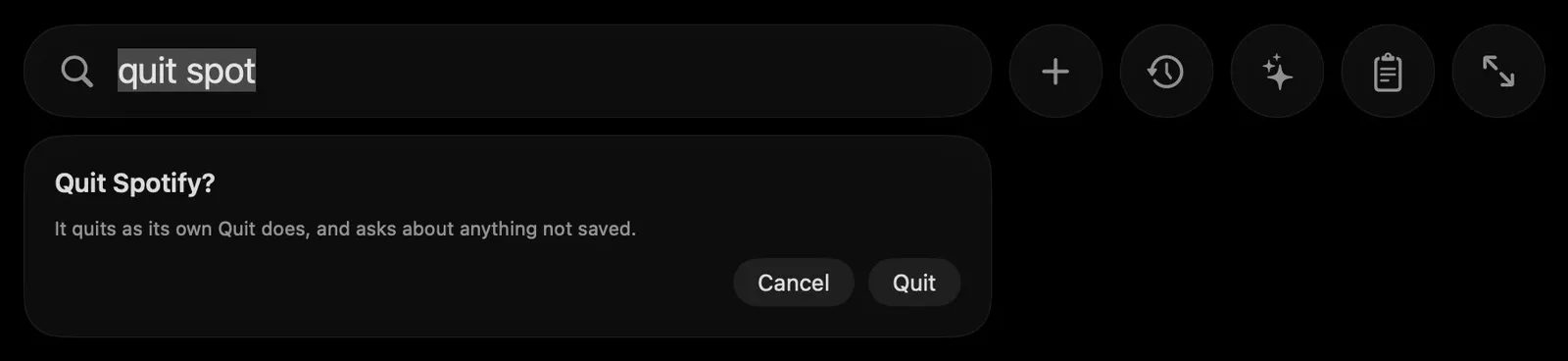
Brello’s commands, and the agent
Look after your Mac from the same bar.
Brello’s own pages are commands here. And whatever you type, the last row, Ask Brello PI, hands the same words to the agent, whose reply grows below the bar.
- Health CheckupYour Mac’s score and what to do about it
- What’s Slowing My MacWhat is using the processor and memory now
- Free Up SpaceWhat takes your space, and what is safe to remove
- Uninstall an AppAn app and everything it left behind, to the Trash
- TemperaturesThe Mac’s temperatures and fans
- Clear JunkCaches and logs that are safe to remove
- Settings by name, with the agent. Turn On Dark Mode, Mute, Keep Mac Awake, Hide the Dock, Show Hidden Files, each changed and read back, with Undo. Empty Trash, Sleep, Restart and Shut Down ask first.
- Work, from a sentence. “Make an expense report from my receipts” or “file my Downloads by what’s in them”. The agent asks before it changes anything.
- Your own names. Give any command an alias, or a shortcut that works from any app, in Settings ▸ Launcher.
The shortcut, and the keys in the bar
Option-Space opens the bar from any app. If another app already holds it, Brello PI takes Control-Option-Space instead, and Settings ▸ Ask from anywhere offers Option-Space, Control-Option-Space, Shift-Command-Space or none.
| Keys | What they do |
|---|---|
| ⌥Space | Open the bar from any app, in the middle of the screen you’re on |
| ↩ | Run the lit row: open the app, copy the answer, paste the clip |
| ⌘↩ | The other way: show an app or a file in Finder, copy a clip without pasting it |
| ↑↓ | Move between rows |
| ⌘P | Pin a copy in clipboard history, or unpin it |
| ⌘⌫ | Delete a copy from clipboard history |
| ⌘N | A new snippet, from the snippets list |
| esc | Close a question, then a list, then clear the words, then fold the bar |
What it keeps, and where
Everything the bar finds as you type is worked out on your Mac, with no model and no network: apps, the calculator, commands, settings panes, windows. What it keeps stays in Brello PI’s own folder on your Mac and is never sent to us:
- Which row you chose for the letters you typed, and how often, so it comes first next time.
- Clipboard history, only once you turn it on: encrypted with AES-GCM, its key in your login keychain for Brello PI alone, in a file left out of backups. Never indexed, and never shown to the agent.
- Snippets, aliases and shortcuts, as you made them.
Only the last row leaves the bar’s own work: Ask Brello PI sends your words to the agent, which runs on Apple’s on-device model. Pasting and moving windows use Accessibility, asked once, and expanding snippets as you type uses Input Monitoring, asked only when you turn it on.
Brello PI, Raycast, Alfred and Spotlight
As each maker’s own pages listed them on November 26, 2026.
| Brello PI | Raycast | Alfred | Spotlight | |
|---|---|---|---|---|
| Price, as each maker lists it | $29.99 for a limited time, then $49.99, once | Free; Pro $10 a month or $96 a year | Free core; Powerpack £40 once | Part of macOS |
| Macs | macOS 14 or later, Apple silicon and Intel | macOS Tahoe, Apple silicon | macOS 12 or later, Intel and Apple silicon | Every Mac |
| Calculator | Sums and units in your Mac’s number format; no currencies | Yes | Yes, in the free core | Yes, with unit and currency conversions |
| Clipboard history | 7 days to forever, encrypted on your Mac; off until you turn it on | Up to 3 months free; unlimited on Pro | Powerpack | Command-4 in Spotlight |
| Snippets | Yes, expanded as you type | Yes | Powerpack | No |
| Window commands | Halves, thirds, quarters, center, displays | Free; custom ones on Pro | Not listed | macOS’s own tiling |
| Extensions | None | A store of extensions | Workflows you build | Apps’ own actions |
| Mac health and space | Built-in commands | Through extensions | No | No |
| AI | An agent on Apple’s on-device model, on the same words | Paid plans, cloud models | Through workflows | Siri, with Siri AI on |
More in Raycast and its alternatives, Raycast vs Alfred, and Spotlight, Alfred, Spotlight, Maccy and Rectangle. Raycast is a trademark of Raycast Technologies Ltd, Alfred of Running with Crayons Ltd, and Spotlight of Apple Inc.; Brello PI isn’t affiliated with any of them.
Where it works
The bar, with apps, the calculator, clipboard history, snippets, windows, quitting and Brello’s commands, works on any Mac with macOS 14 or later, Apple silicon or Intel. Ask Brello PI and the Mac’s settings by name need the agent: a Mac with Apple silicon, macOS 27 and Apple Intelligence. Where the agent can’t run, those rows simply aren’t there.
Questions
Is Brello PI a good Raycast alternative?
If you want a launcher, a clipboard manager, snippets and window keys in one app you pay for once, yes. It also has what Raycast leaves to extensions: your Mac’s health, what’s using space, and an agent on Apple’s on-device model, with no AI credits. It has no extension store, no cloud sync and no themes, so if you live in Raycast’s extensions, keep Raycast. Raycast and its alternatives.
Does it replace Spotlight?
It can sit beside it. Keep Command-Space for Spotlight and Option-Space for Brello PI. Spotlight converts currencies and Brello PI’s calculator doesn’t; Brello PI has snippets, window commands and the agent, which Spotlight doesn’t. Brello and Spotlight.
Is the clipboard history private?
It’s off until you turn it on, and it reads nothing while it’s off. Once on, what you copy is encrypted on your Mac, its key in your login keychain for Brello PI alone, in a file left out of backups. Copies from Passwords, Keychain Access, 1Password and Bitwarden, and copies an app marks as concealed, are never kept. It’s never sent anywhere and never shown to the agent.
How long does it keep what I copy?
30 days unless you choose 7 days, 3 months, 1 year or forever in Settings ▸ Launcher. Pinned copies stay until you unpin them. Erase Clipboard History deletes every copy and the key they were sealed with.
What if Option-Space is already taken?
When another app holds Option-Space, as Alfred does by default, Brello PI takes Control-Option-Space on its own. In Settings ▸ Ask from anywhere you can choose Option-Space, Control-Option-Space, Shift-Command-Space or no shortcut.
Does the launcher need Apple Intelligence?
No. Apps, the calculator, clipboard history, snippets, window commands, quitting and Brello’s own commands work on any Mac with macOS 14 or later, Apple silicon or Intel. The last row, Ask Brello PI, and the Mac’s settings by name need the agent: Apple silicon, macOS 27 and Apple Intelligence.
Why does it ask for Accessibility?
To paste into the app in front and to move its windows. Brello PI says why in one sentence the first time, then macOS asks once. Without it, a clip or snippet you choose is copied and you press Command-V yourself. Snippets that expand as you type also need Input Monitoring.
Can I quit an app from it?
Yes. Type “quit” and an app’s name, or “force quit”. It asks first, then quits the app as its own Quit does, so the app can ask about anything not saved. macOS’s own processes and Brello PI itself are refused.
Is there a subscription?
No. Brello PI is $29.99 for a limited time, then $49.99, once, on up to 3 Macs, with refunds within 30 days.
Compare
Everything you reach for, one key away.
One-time purchase · $29.99 for a limited time, then $49.99 · 30-day money-back guarantee, no reason needed