Brello for Mac › Privacy
Your files stay on your Mac.
Brello PI’s agent thinks with Apple’s on-device model. There’s no account, no cloud AI, and every request that leaves your Mac is listed, with what it carried.
$30 at launch, then $50 · 30-day money-back guarantee, no reason needed
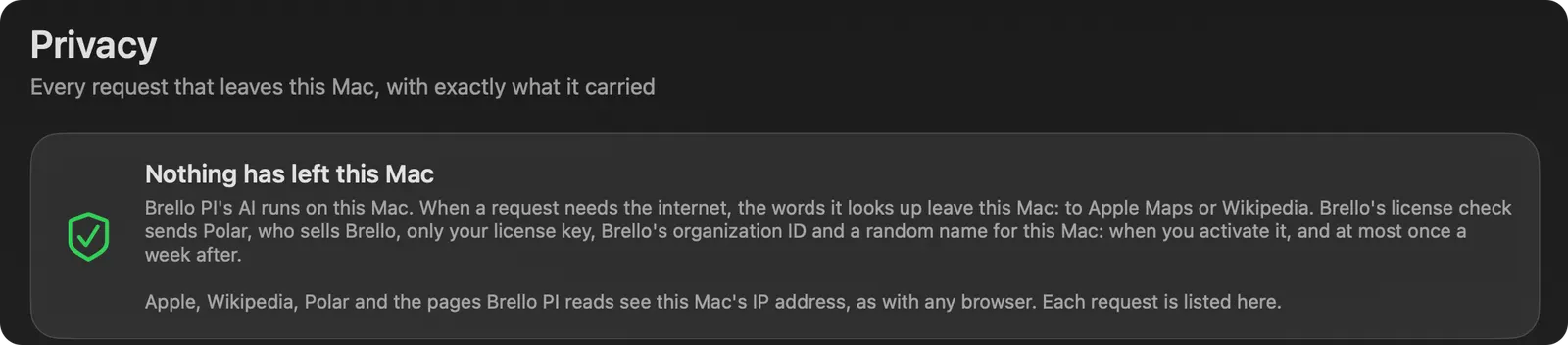
Only your words leave.
When a request needs the internet, such as a place on Apple Maps or a person on Wikipedia, only the words you typed leave your Mac. Your files and their names never do.
It asks once.
The first request that needs the internet asks, saying exactly what will leave and where. Change your answer any time in Settings.
Every request, listed.
The Privacy page (⌘6) lists every request that left your Mac, with what it carried. Each is written there before it’s sent; if it can’t be written, it isn’t sent.
Built that way.
One part of Brello PI may reach the network, and a test reads every source file on every build to keep it so. How it’s built.
How it works
Brello PI does its work on your Mac. The agent reads your requests with Brello PI’s own code and Apple’s on-device model, which is part of macOS 27 and runs on your Mac’s chip. Home, Health, Clean up and Quick Search read your files and your Mac where they are. There is no Brello PI server for any of it to go to, and no account.
Some requests need the outside world: a place on Apple Maps, or an article on Wikipedia. The first time, Brello PI asks, saying exactly what will leave and where. Only the words you typed leave, never your files or their names, and a request that holds an email address, a file path, your user name, a long number or something like a password is refused. Every request is written to Brello PI’s Privacy page before it’s sent, with exactly what it carried; if the line can’t be written, the request isn’t sent.
What stays, and what can leave
| What | |
|---|---|
| Stays on your Mac | Your files and their names, your requests, the private index, Health’s record, your routines, what Undo needs, images you make |
| Can leave, after you say yes once | The words you typed, to Apple Maps or Wikipedia; the map and pictures for that answer |
| Leaves on your click | Your words to Safari with Search in Safari; a place to the Maps app; a page’s address to your browser |
| Leaves about once a week | Your license key, Brello’s organization ID and a random name for your Mac, to Polar, while Brello PI may use the internet |
| Never leaves | Analytics, crash reports, anything to us |
Built so, not just promised
Only one part of Brello PI may contain network code, and a test reads every source file on every build and fails if network code appears anywhere else. The same test fails if Apple’s cloud model is named anywhere. Risky actions wait for your yes in Brello PI’s code, not in the model, and with nobody at the Mac nothing goes online. The trust center and the privacy policy have every detail.
Where it works
On every Mac Brello PI runs on. The agent’s on-device model needs a Mac with Apple silicon, macOS 27 and Apple Intelligence.
Questions
Can I turn the internet off entirely?
Yes. Turn off Use the internet in Brello PI’s Settings. Brello PI then sends nothing, not even the license check, and a request that needs the internet says so. Your license keeps working.
Where is the list of what was sent?
Open Privacy in Brello PI’s sidebar, or press ⌘6. On a new Mac it says nothing has left it.
Does Brello PI use a cloud AI?
No. Never Apple’s cloud model or any other company’s AI. The agent thinks with Apple’s on-device model, on your Mac.
Do you see my files?
No. We never receive your files, and Brello PI doesn’t learn from them. There’s no account and no analytics.
What does Brello PI send at all?
The lookups you say yes to, and your license check with Polar, at most once a week while Brello PI may use the internet. Each is listed on the Privacy page.
Read more
Newsroom ›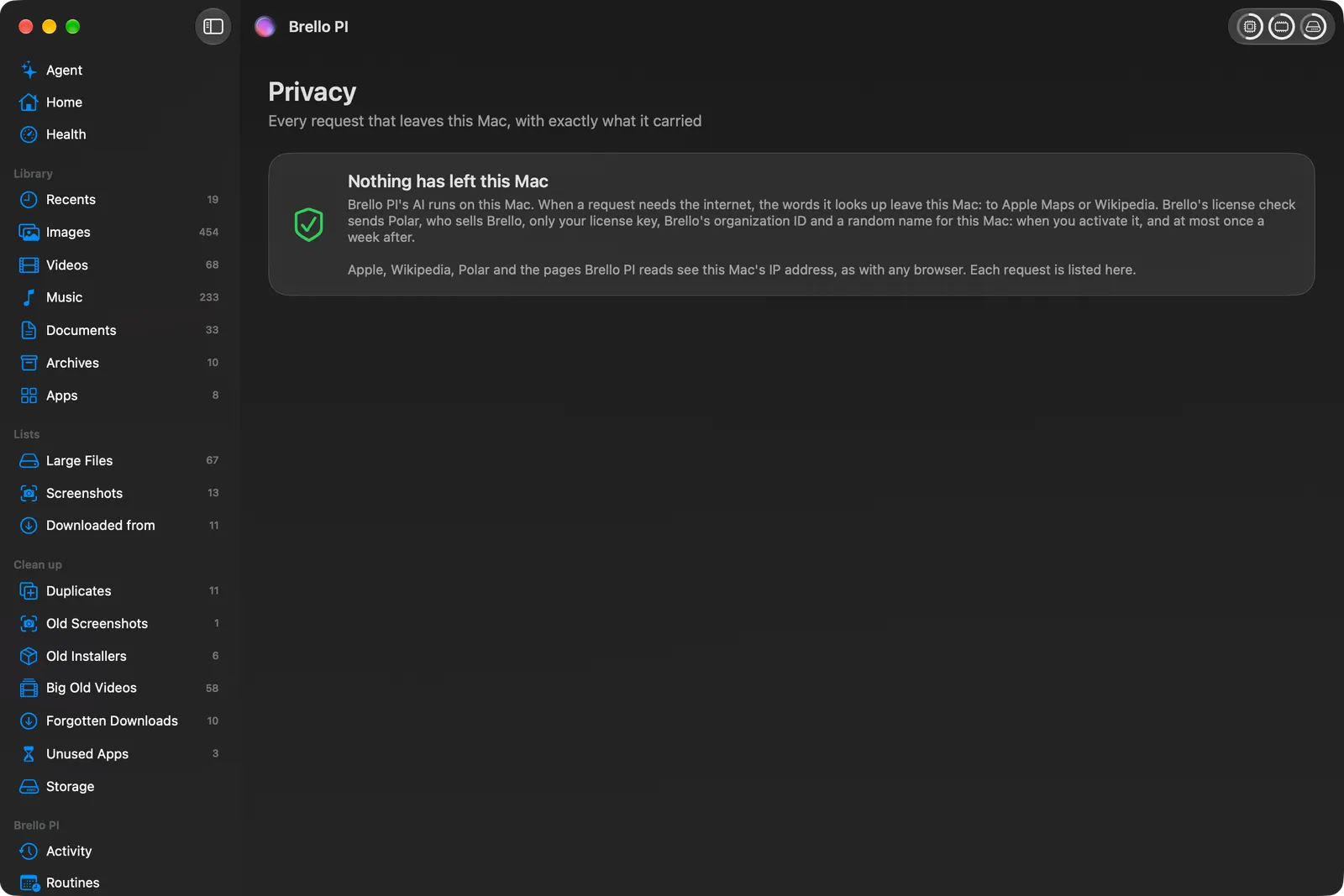
Every request that leaves your Mac, written down first
Brello PI thinks with Apple’s on-device model and keeps your files, their names and your Mac’s history on your Mac. When it does go online, its Privacy page lists the request before it leaves.
4 min read
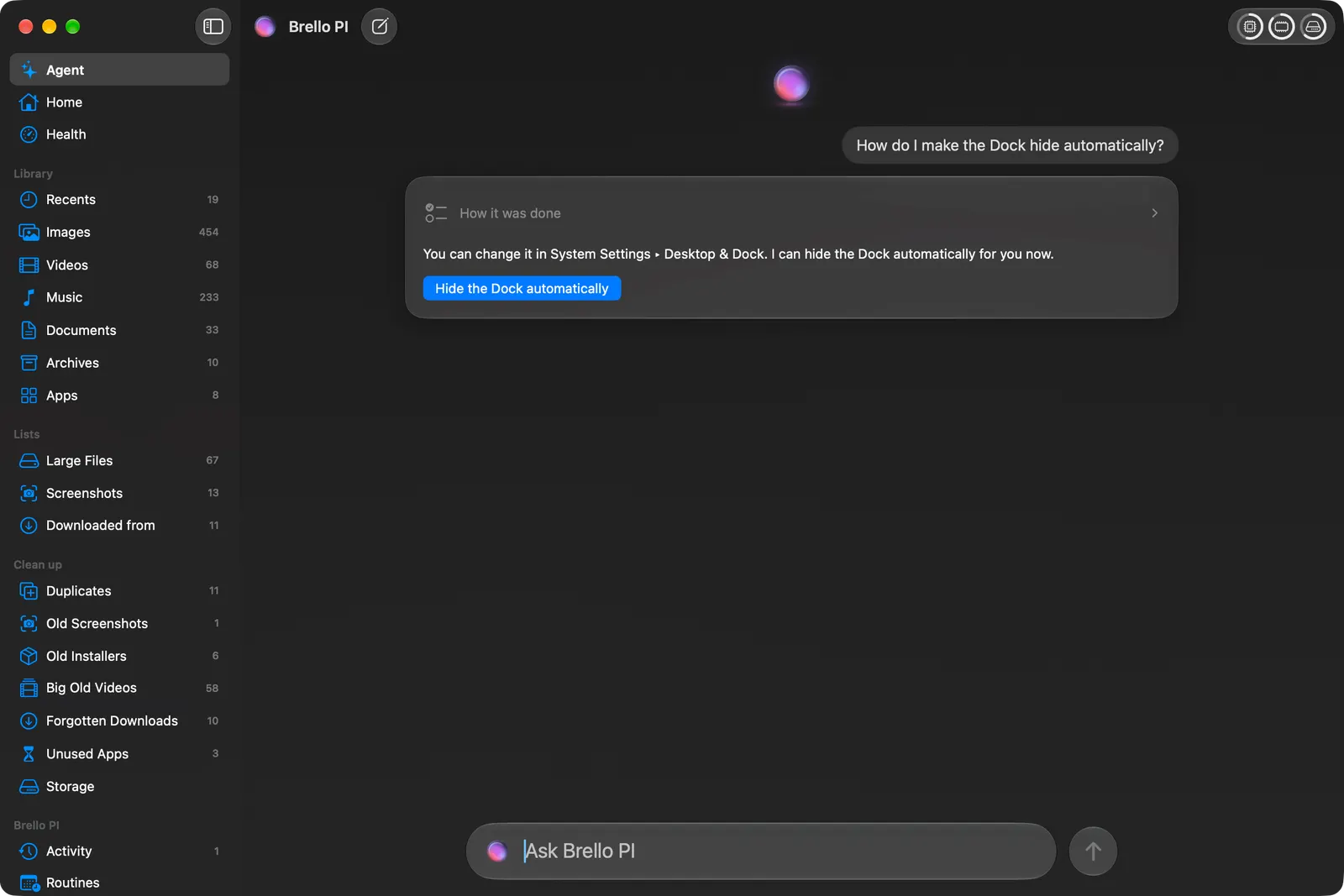
What Brello PI answers itself, and when Safari takes over
Most of what you ask Brello PI is about your Mac, and it answers on your Mac. For the open web, it hands your words to Safari and your own search engine, and writes that down first.
4 min read
Private intelligence for your Mac.
One-time purchase · $30 at launch, then $50 · 30-day money-back guarantee, no reason needed