Brello for Mac › Balance the load
A smoother Mac, in one click.
Brello moves your own heavy background work to the efficiency cores, so the app in front stays smooth. When memory is tight, it asks before quitting apps you haven’t used for a while.
$20, one time · 30-day money-back guarantee, no reason needed
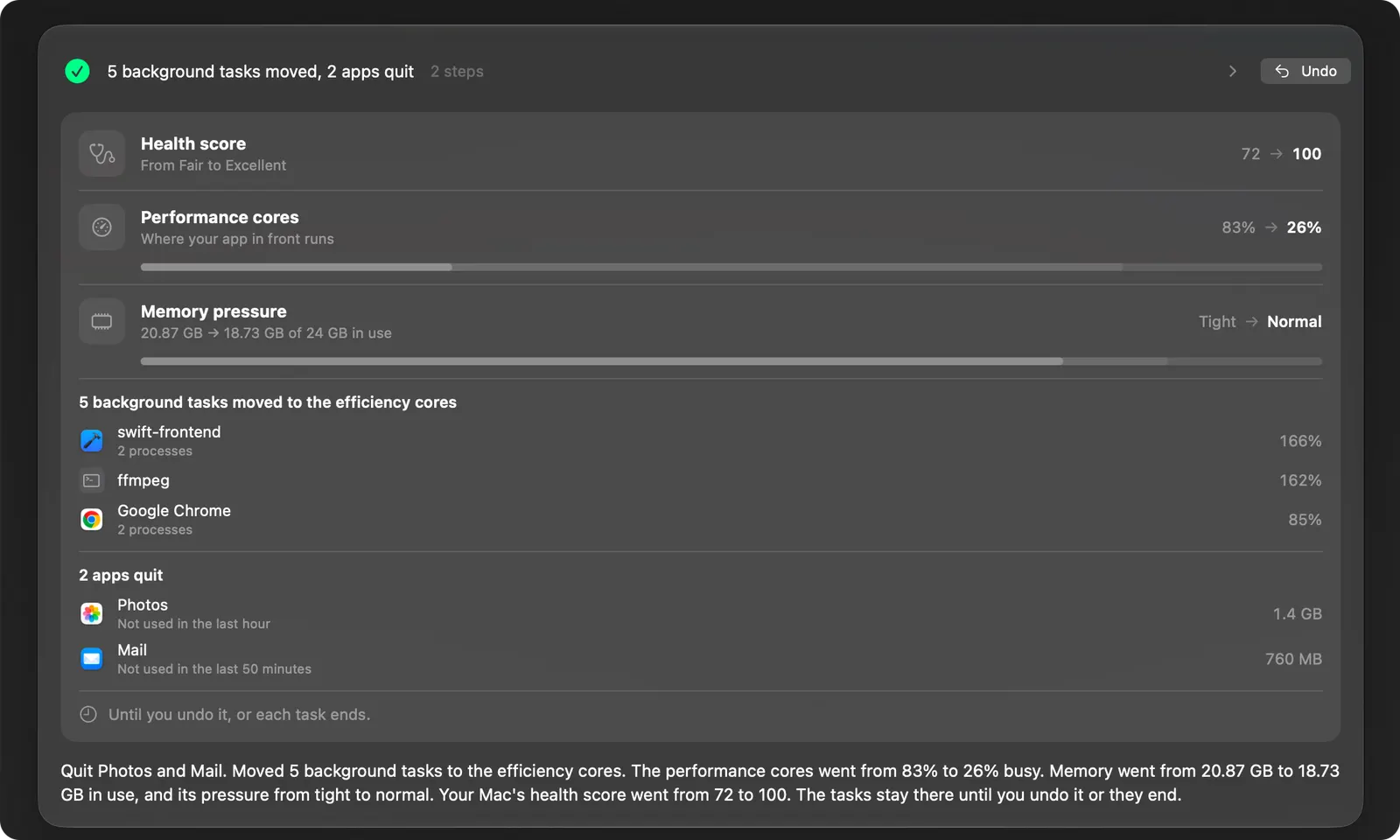
Background work, out of the way.
An export, a build, a browser’s busy helpers: your own heavy work moves to the efficiency cores, and the performance cores stay free for the app you’re using. It keeps running, just in the background.
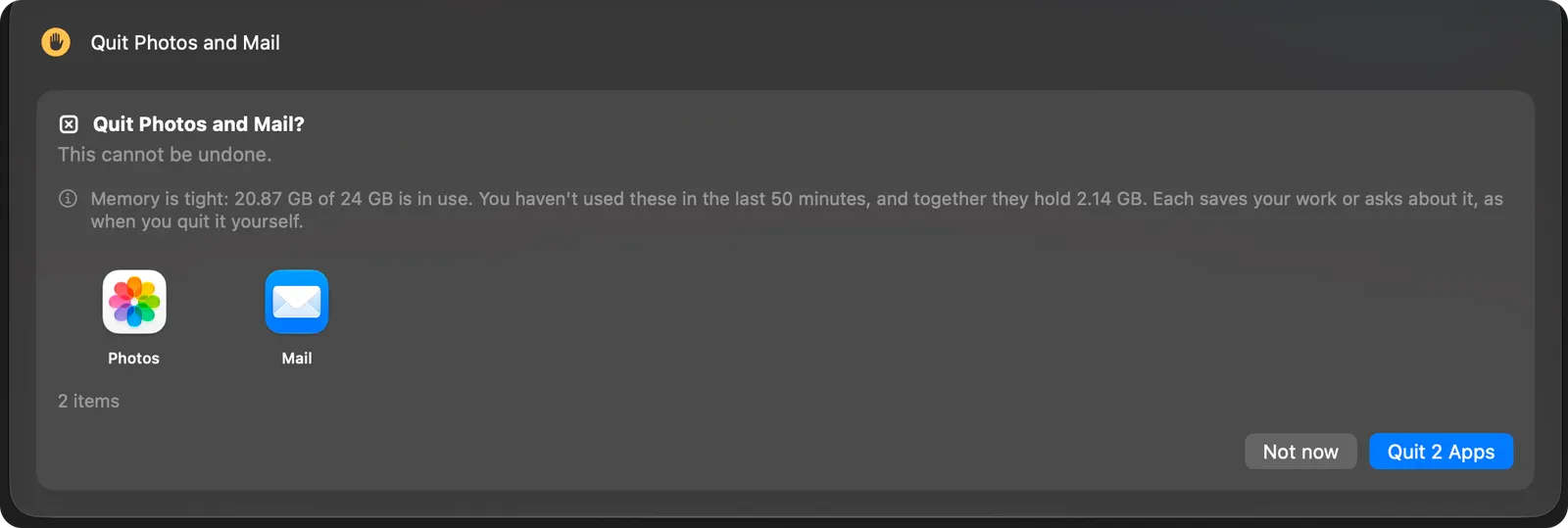
Only the apps you’re not using.
When memory is tight, Brello names the apps you haven’t used for a while and how much memory they hold, and quits them only on your yes, politely, as when you quit them yourself.
Before and after, with Undo.
One card shows the performance cores and memory pressure before and after, each task moved and each app quit. Undo puts every task back at its usual priority, and offers to reopen what was quit.
Click it, or ask.
Click Balance the load on this Mac in Health. With the agent, say “balance the load on my Mac” in the Ask bar or the popup, or say yes when an answer about your Mac offers it. “Balance the load without closing anything” moves the work and asks nothing.
How it works
A Mac has two kinds of cores: performance cores for what you’re doing now, and efficiency cores for work that can wait. When your own heavy work runs in the background, such as an export, a render or a build, it can take the performance cores from the app in front, and your Mac feels slow though nothing is wrong.
Balance the load reads the load for a few seconds, the way Health reads it, then lowers the priority of your own busy background processes, each using at least a fifth of a core, up to twelve at a time. macOS then runs them on the efficiency cores, with less of the disk and the network, and the performance cores are free for you. Each change is read back from macOS before the card says it happened.
If memory is under pressure, Brello also asks once before quitting apps you haven’t used for a while: each holding over 500 MB, not in front for 30 minutes, and not at work, such as playing, exporting or keeping the Mac awake. At most four, each named with the memory it holds.
Ask it your way
| You type, with the agent | What happens |
|---|---|
| “balance the load on my Mac”, “load balance my Mac” | Moves the work; offers to quit only under memory pressure |
| “balance the load without closing anything” | Moves the work; asks nothing |
| “free up memory by closing what I’m not using” | Offers to quit apps you haven’t used; moves nothing |
Where it works
Balance the load is a button on Health. Asking for it in words needs the agent: a Mac with Apple silicon, macOS 27 and Apple Intelligence.
Questions
Does it change any settings?
No. It changes the priority of your own processes while they run, and nothing else. Nothing is left changed after a task ends or you choose Undo.
Does it work without the agent?
Yes. The button on Health works on every Mac. Asking for it in words needs the agent.
Does it touch macOS’s own processes?
No. Only your own processes are moved, never macOS’s, and the app in front is left alone. No setting changes.
How long do the tasks stay in the background?
Until you undo it, or until each task ends.
Will it quit an app I’m using?
No. It offers to quit only apps you haven’t used for a while, when memory is tight, and only after your yes.
Guides
Read more
Newsroom ›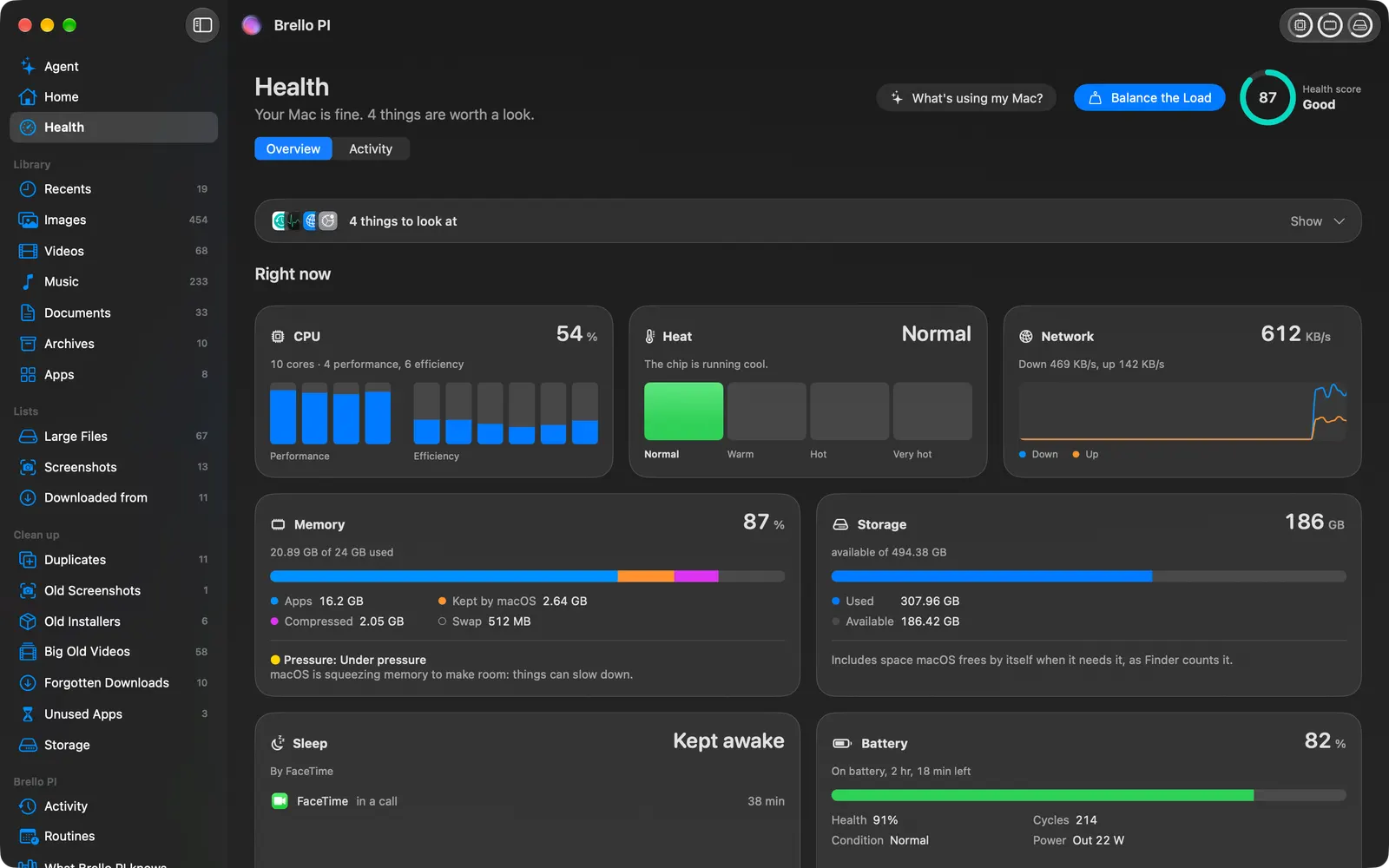
Keep your Mac healthy in the agentic era.
One-time purchase · $20, one time · 30-day money-back guarantee, no reason needed