Brello for Mac › Routines
Chores that run themselves.
Say when, in your own words, and Brello PI does the work on a schedule or when a file lands.
$30 at launch, then $50 · 30-day money-back guarantee, no reason needed
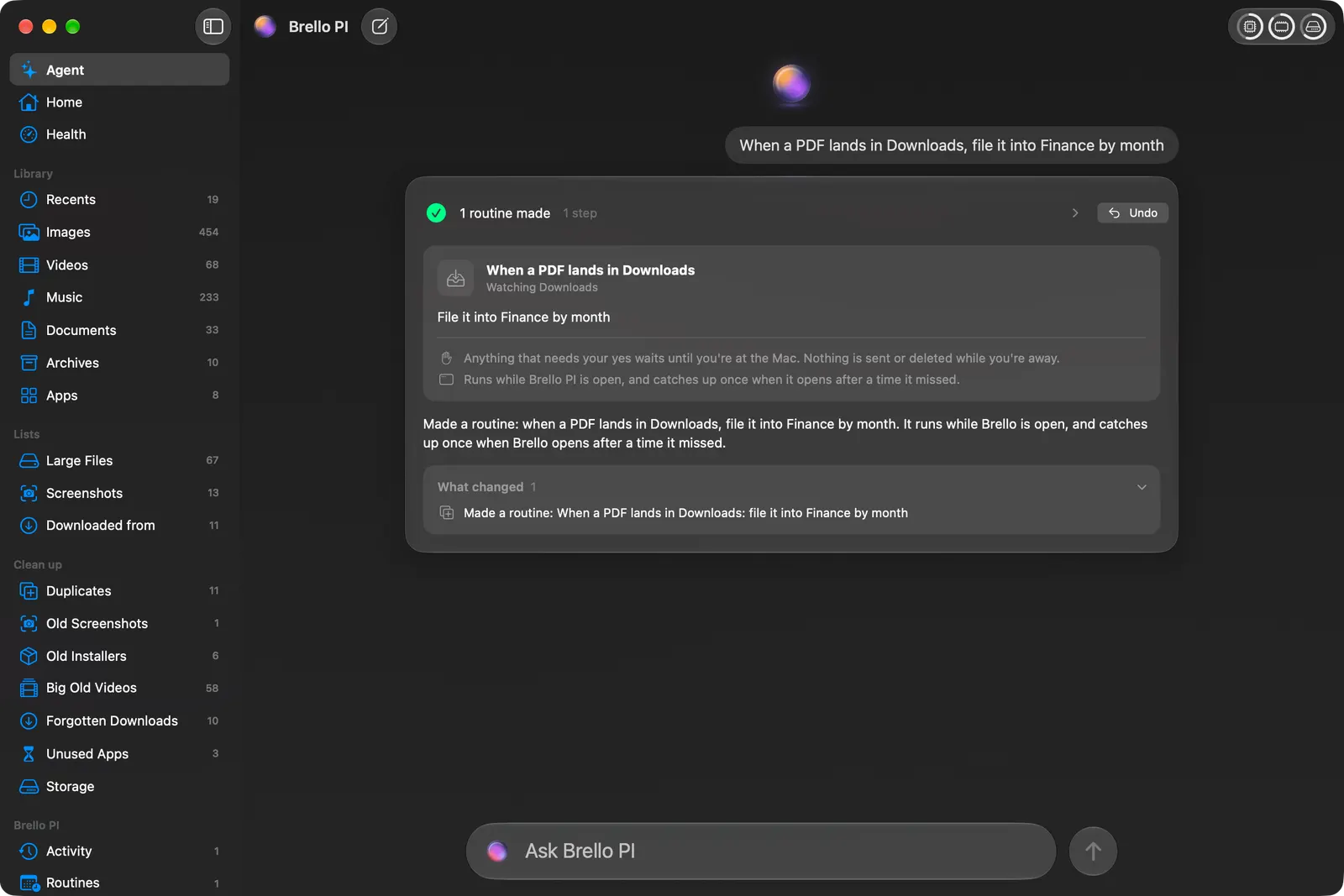
When a file lands.
“When a PDF lands in Downloads, file it into Finance by month.” Brello PI watches the folder and files each one as it arrives.
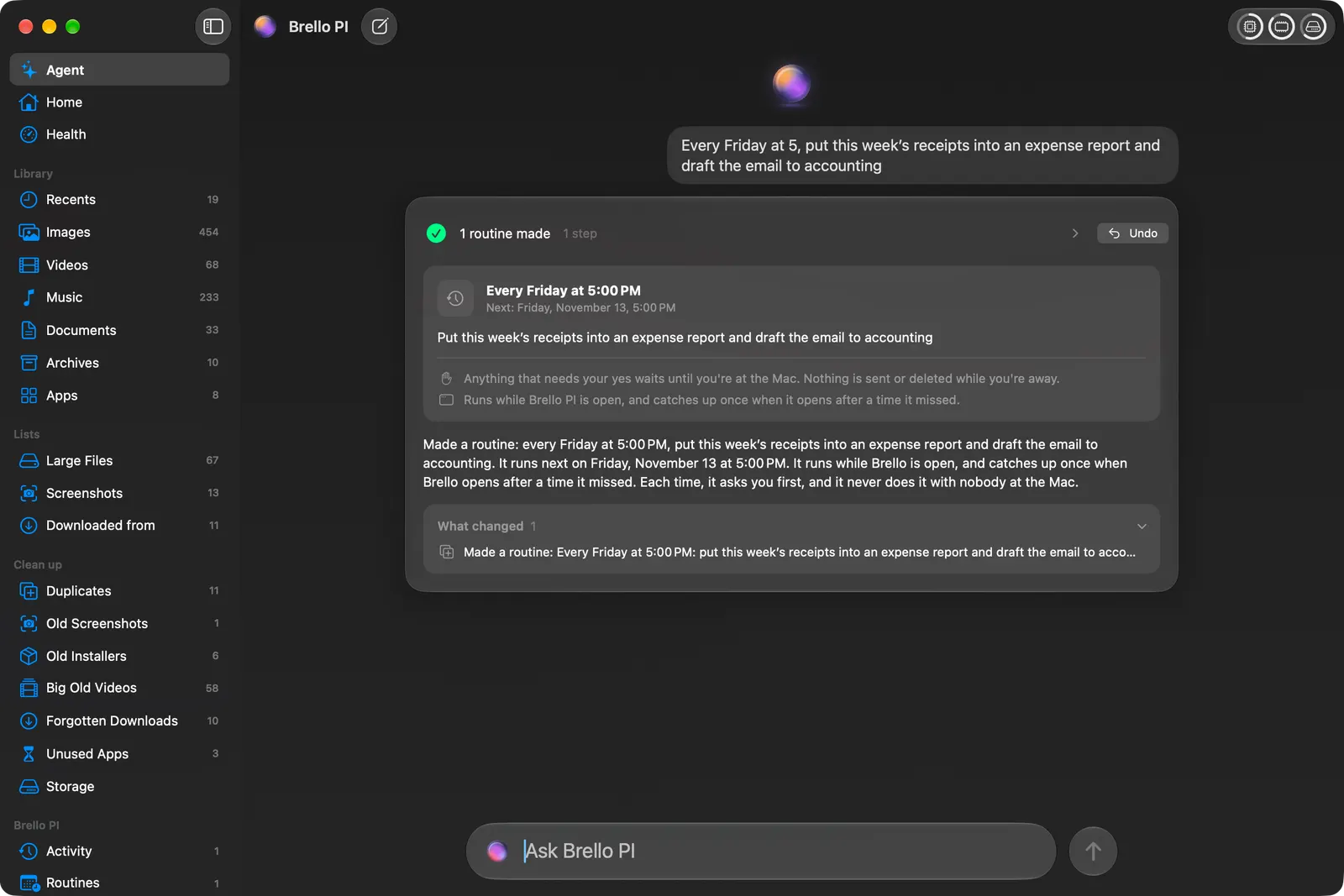
In your words, read back.
Brello PI reads the time or the trigger from your sentence and says it back before it saves the routine. If a time is unclear, it says so instead of guessing.
Missed a time? It catches up once.
If your Mac was asleep or Brello PI was closed, the routine runs once when it can, never a pile.
Safe when you’re away.
With nobody at the Mac, a routine asks nothing, and never deletes, sends or goes online. What needs you waits until you’re back.
How it works
Say when, then what. A time, such as “every weekday at 9” or “every Friday at 5”, or a folder, such as “when a PDF lands in Downloads”. Brello PI’s own code reads the time or the trigger from your words, using your Mac’s region for how times are written, and says it back before anything is set. If a sentence doesn’t say when, Brello PI says so instead of guessing.
Routines run while Brello PI is open. A time missed while it was closed is caught up once when it opens, never a pile. If you’d like them to run when Brello PI is closed, Settings can add a small helper of Brello PI’s to your Login Items. Every run is logged on the Routines page, with how it went, and in Activity with its Undo.
Routines people make
| You type | What it does |
|---|---|
| “Every Friday at 5, put this week’s receipts into an expense report” | A checked PDF each Friday, and an unsent draft if you asked for one |
| “When a PDF lands in Downloads, file it into Finance by month” | Each new PDF filed as it arrives |
| “Every weekday at 9, tidy my Desktop into folders” | A clear Desktop each morning, with Undo |
| The tidy rule for screenshots | Each new screenshot into a folder for its month |
| The tidy rule for old installers | Old disk images and installers in Downloads, asked about at 10:00 AM |
With nobody at the Mac
A routine that runs while you’re away does only what needs no one: it can move, file and write. Nothing is asked, and nothing is deleted, sent or taken online. What needs you waits, marked on the Routines page with the time it began waiting, and asks when you’re back. An email it writes is always a draft for you to send.
Where it works
Routines from a sentence need the agent: a Mac with Apple silicon, macOS 27 and Apple Intelligence. They run while Brello PI is open, or while it’s closed once you turn that on in Settings. The two tidy rules work on any Mac.
Questions
Can a routine delete files?
Only with your yes, so only while you’re at the Mac. With nobody there, a deletion waits until you’re back.
How do I stop a routine?
Choose Delete… on it, on the Routines page. It stops running; what it did stays done, and its runs stay listed.
Do routines need the agent?
Routines made from a sentence do. The two tidy rules work on any Mac.
Do routines run when Brello PI is closed?
Only if you turn on Run routines when Brello PI is closed in Settings, which adds a small helper to your Login Items.
Where do I see my routines?
On the Routines page, in the sidebar under Brello PI.
Guides
Read more
Newsroom ›Private intelligence for your Mac.
One-time purchase · $30 at launch, then $50 · 30-day money-back guarantee, no reason needed