Brello for Mac › Photos search and sharing
Find the photo you mean.
Type “photos from Goa with a yellow boat”. Brello PI reads the place, the time, the things and the colors on your Mac, and narrows your library to the photos you mean.
$30 at launch, then $50 · 30-day money-back guarantee, no reason needed
Read the way you remember it.
A place, a time, things in the picture and their colors, a trip: Brello PI reads each from your words, then looks at your photos on your Mac to find the ones that match.
Then do something with them.
Open them in Photos, make an album, copy the originals to a new folder, or share them with AirDrop or the share menu. A new album and a folder of copies each come with Undo.
All on your Mac.
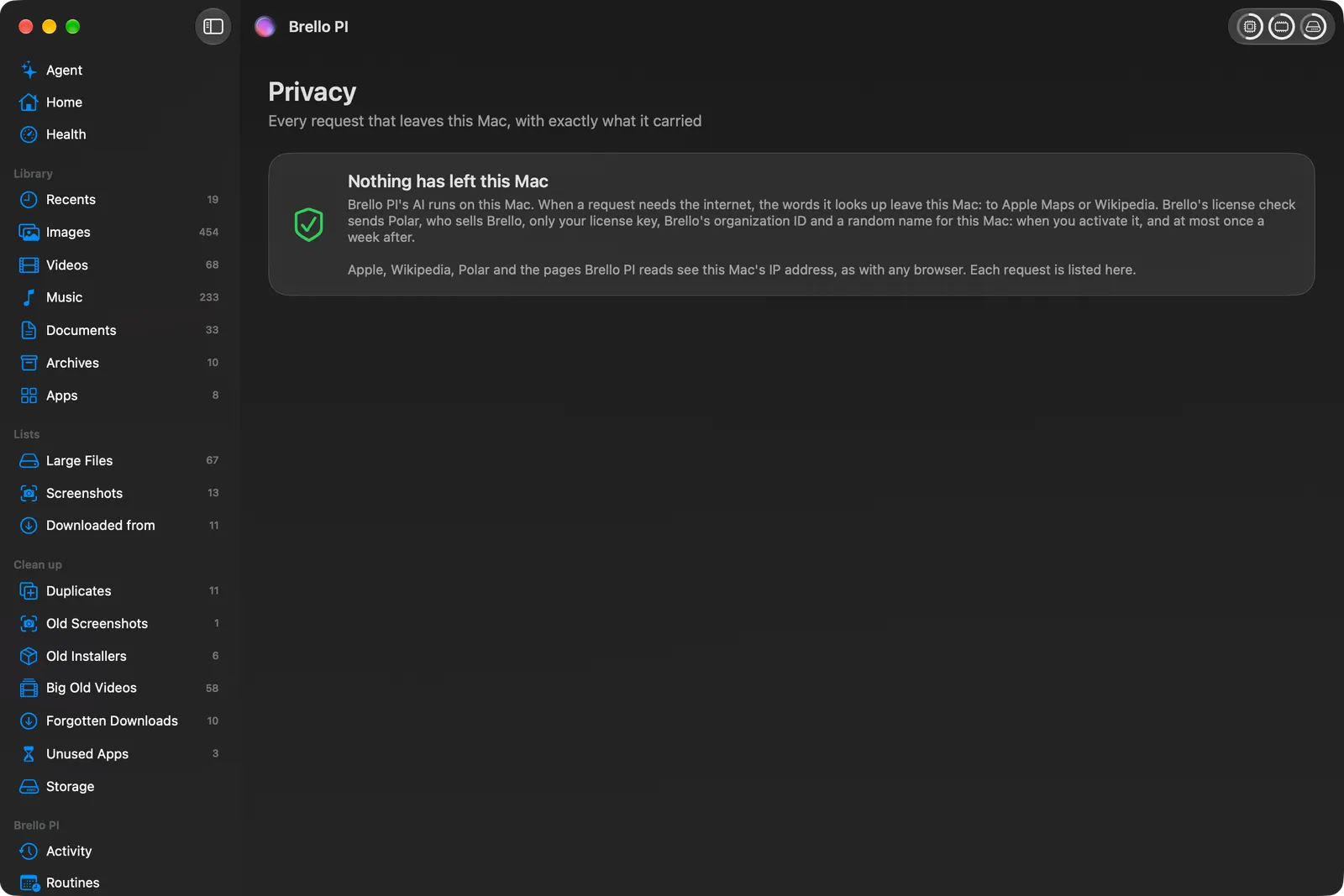
Only the place’s name goes to Apple Maps, to find the area. No photo, date or position leaves your Mac, nothing is downloaded from iCloud, and no face is ever recognized.
How it works
Brello PI’s own code reads your request whole, with no model guessing: the place, the time, the things in the photos, their colors, the kind of photo, a trip, and who you mean. “Photos from Goa last December”, “screenshots from this week”, “red cars at the beach”.
Then it searches your Photos library on your Mac. Where and when each photo was taken comes from the photo itself. What’s in it and its colors are seen on your Mac by Apple’s Vision, and, if you say yes, kept in Brello PI’s private index so the next search is quick. A place is the one thing that needs the internet: Brello PI asks Apple Maps where the place you typed is, with your words alone, then matches each photo’s position to it on your Mac.
The results show as a grid you can narrow. From there, Open in Photos, make an album, copy the originals into a new folder, or share them with AirDrop or the share menu. The album and the copies come with Undo.
What you can ask
| You type | Brello PI reads |
|---|---|
| “photos from Goa” | A place, asked of Apple Maps by its name alone |
| “pictures from last Christmas” | A time, read by code as your region writes dates |
| “photos of dogs on the beach” | Things, seen on your Mac |
| “the blue ones” | Colors, read from the pixels on your Mac |
| “screenshots from this week” | A kind of photo, and a time |
| “make an album of them called Summer” | An album in Photos, with Undo |
What it never does
It never recognizes or compares faces, so “photos of me” is answered honestly: Brello PI says it can’t tell who is in a photo. It never downloads a photo from iCloud: it works with what’s on this Mac. It sends no photo, date or position anywhere; only the words of a place you typed go to Apple Maps, after Brello PI asks once whether it may use the internet. It never shares a photo without you choosing to in AirDrop’s or the share menu’s own sheet.
Where it works
Photos search uses the agent: a Mac with Apple silicon, macOS 27 and Apple Intelligence. macOS asks once before Brello PI can read your Photos library.
Questions
Does Brello PI need access to my Photos library?
Yes, and only when you ask. Brello PI connects to Photos on your click: macOS asks once whether Brello PI may see your library, and you can change your answer in System Settings ▸ Privacy & Security ▸ Photos.
Does it work on photos in iCloud?
It works with the photos and the previews on this Mac. Brello PI never downloads from iCloud.
Can it find photos of me or of a person?
No. Brello PI never recognizes or compares faces, so it can’t find photos by who’s in them.
Does it change my Photos library?
Only when you ask for an album, which Undo removes. Finding photos changes nothing.
Guides
Read more
Newsroom ›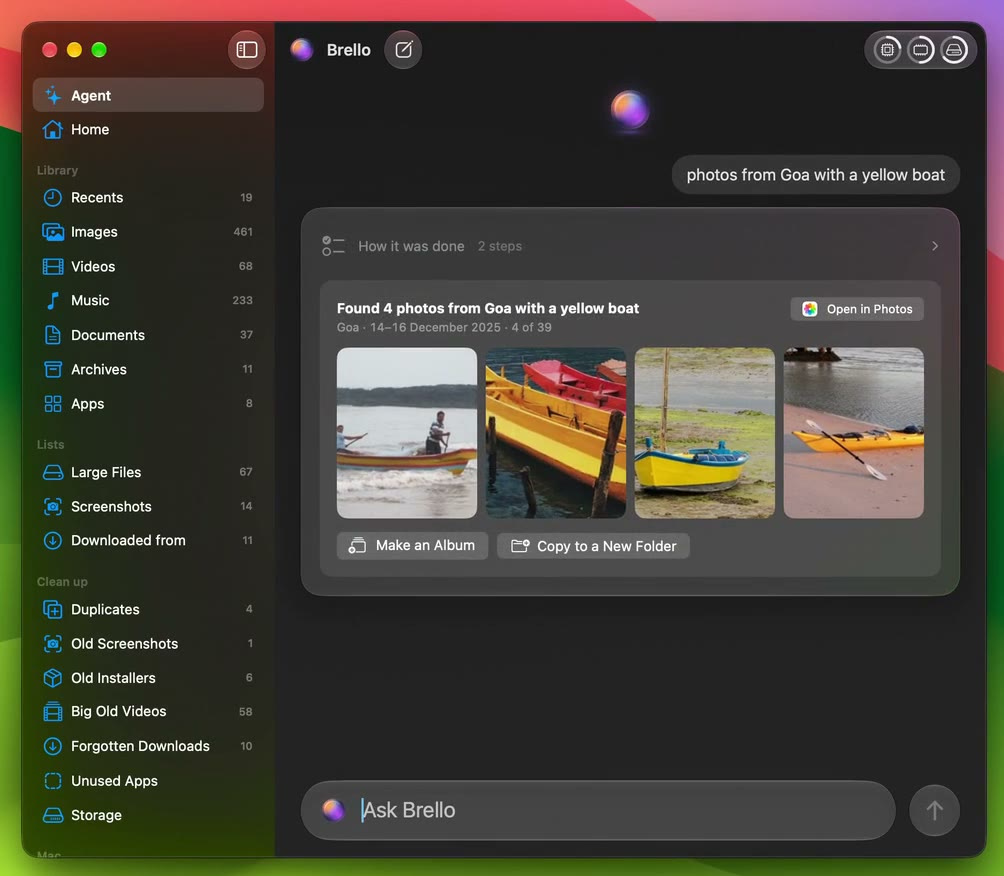
Find a photo by what was in it
Type “photos from Goa with a yellow boat” and Brello PI reads the place, the time and the things in your words, looks through your library on your Mac, and shows you the four that match.
3 min read
Every request that leaves your Mac, written down first
Brello PI thinks with Apple’s on-device model and keeps your files, their names and your Mac’s history on your Mac. When it does go online, its Privacy page lists the request before it leaves.
4 min read
Private intelligence for your Mac.
One-time purchase · $30 at launch, then $50 · 30-day money-back guarantee, no reason needed