Brello for Mac
Two apps for your Mac.
Brello keeps your Mac healthy in the agentic era, for $20, on any Mac. Brello PI adds an agent that does the busywork you ask for, on Apple’s on-device model.
$20, one time · 30-day money-back guarantee, no reason needed
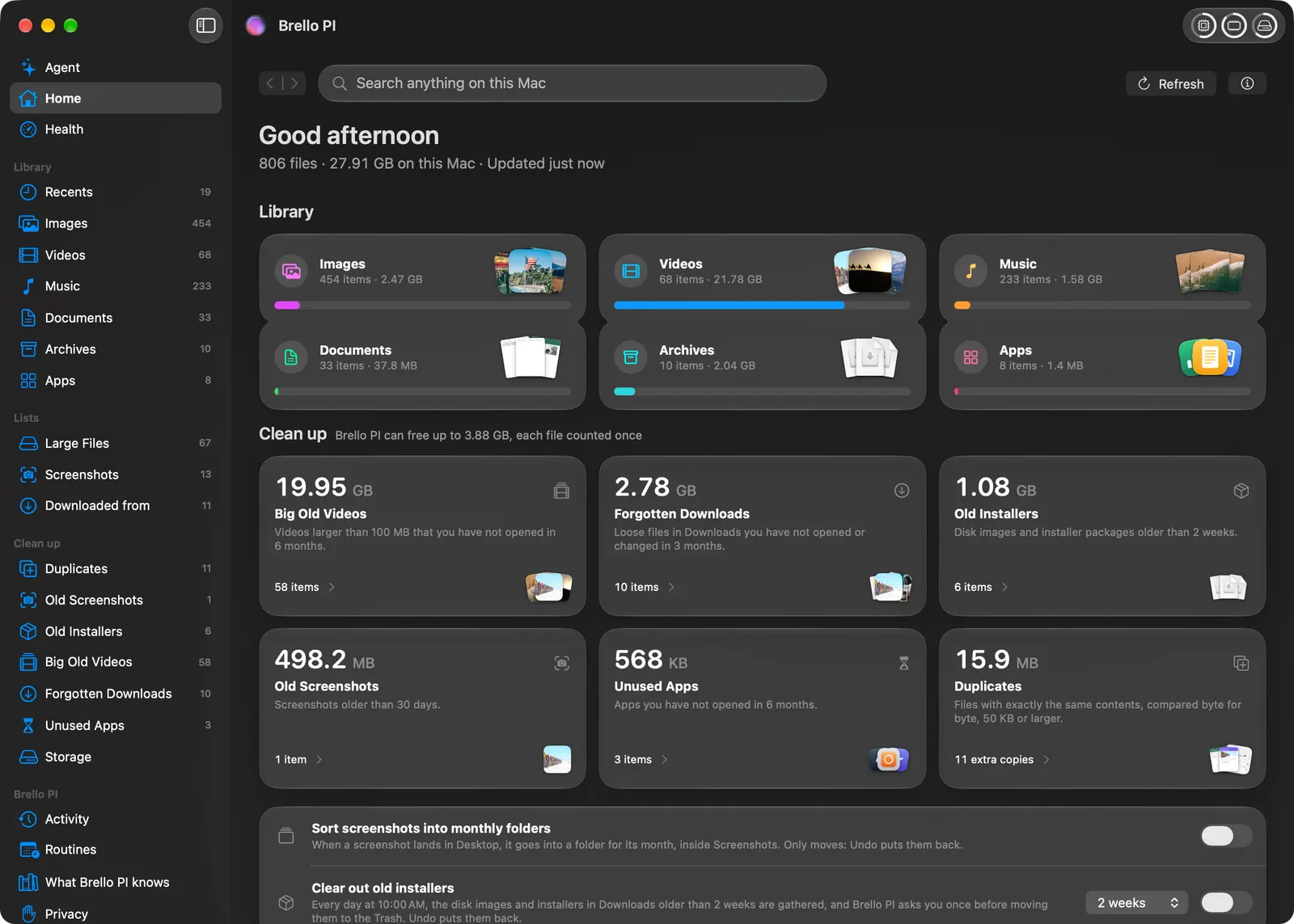
Every part of Brello.
Brello
Keep your Mac healthy in the agentic era. $20, on any Mac.
Brello PI
Everything in Brello, plus an agent that does the work you ask for.
Home and your files
Every file by kind, found by what you remember.
Mac Health
Every reading, process and AI agent on your Mac, explained.
Balance the load
Background work off the cores your app needs, in one click.
Photos search
Find the photo you mean, then share it.
Work done for you
One sentence in, finished work out, in Brello PI.
Settings by asking
Ask Brello PI for a setting and your Mac does it.
Clean up
What you don’t need, found and listed.
Undo
Every change put back with one click.
The popup
Ask or find a file from any app.
Routines
Chores that run themselves, in Brello PI.
Privacy
Your files stay on your Mac.
Brello or Brello PI?
The two apps side by side.
How Brello PI works
Brello is the first half of Brello PI. Brello PI is one native Mac app with two halves. The first is a set of pages that need no AI at all: Home, which shows every file in your home folder by kind and finds one by what you remember; Health, which reads your Mac’s processor, memory, storage, heat, network, sleep and battery live; Clean up, which lists what you probably don’t need; and the popup, which finds a file from any app with ⌥Space.
The second is the agent. You type what you want the way you’d say it, and Brello PI does the work on your Mac: it moves, renames and files documents, writes reports, drafts email, changes settings and sets up routines. Its own code reads each request first and decides everything it can decide alone: which files you mean, what time “next Friday at 5” is, which setting “hide the Dock” names. Apple’s on-device model answers only the rest, as a choice from options the code lays out, and the code checks each step before and after it runs.
When a request lacks something only you can say, such as who an email is to or which of two Sams, Brello PI asks one short question and changes nothing until you answer. Before anything risky, such as deleting, it shows exactly what will change and waits for your yes. Every change it makes is listed in Activity (⌘5) with Undo.
Typed the way people type
| You type | Where | What you get |
|---|---|---|
| “PDFs from last week over 5 MB” | Home’s search | Every PDF that matches, with how Brello PI read your words shown above them as Understood as. |
| “Tidy up my Desktop” | The agent | Your Desktop sorted into folders, each move listed before and after, with Undo. |
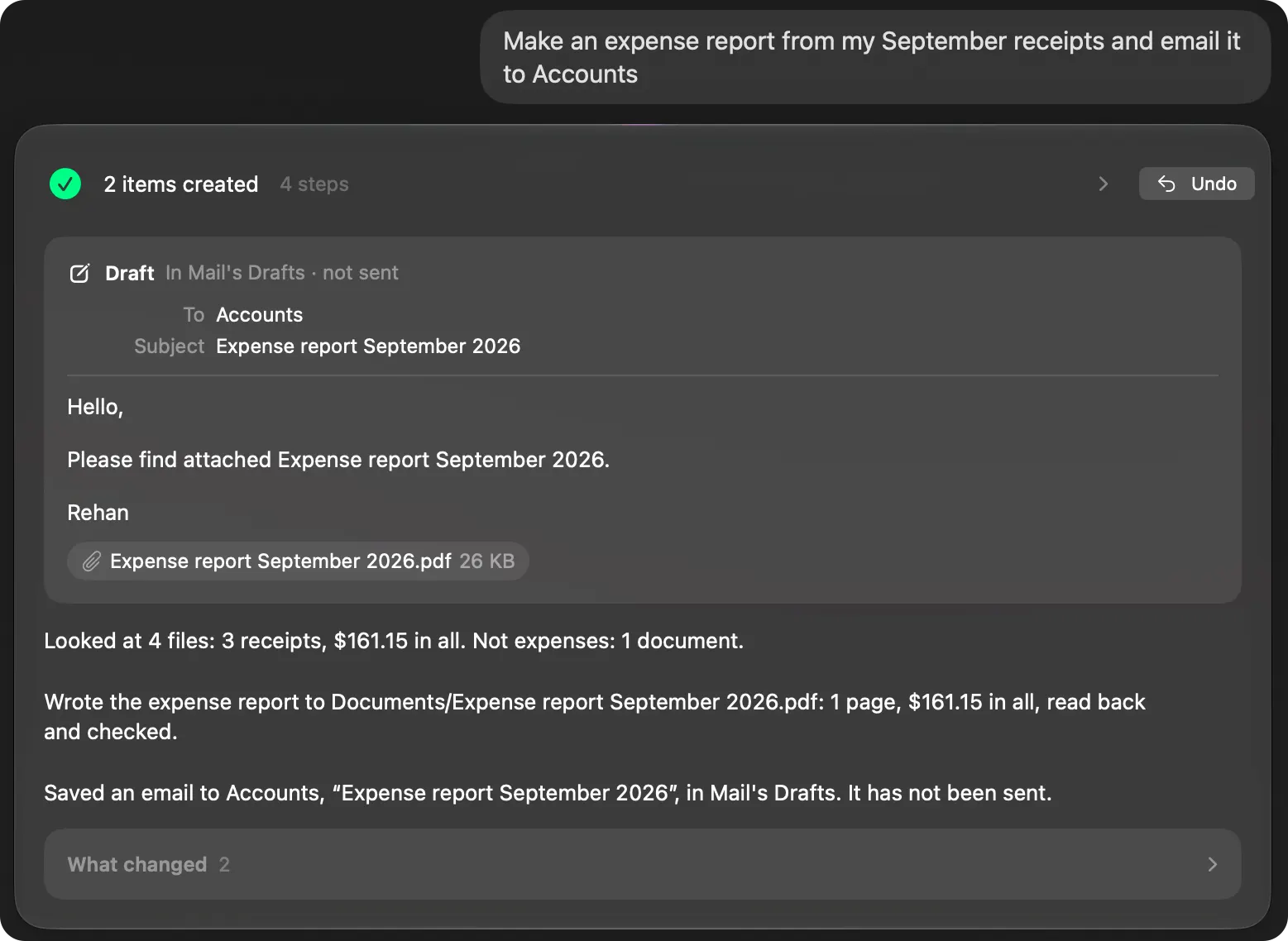
| “Turn these receipts into an expense report and draft the email to accounting” | The agent | A PDF report read back and checked, and an unsent email draft with it attached, for you to send from Mail. |
| “Keep my Mac awake for 2 hours” | Settings by asking | A cup and the time left beside Brello PI’s icon in the menu bar; it ends on time, on Let It Sleep, or when Brello PI quits. |
| “What’s using my memory?” | Health, with the agent | A plain answer from the live readings, naming the app and the reading behind it. |
| “Every Friday at 5, put this week’s receipts into an expense report” | Routines | A routine read back to you to confirm, then run each Friday while Brello PI is open. |
| ⌥Space, then part of a file’s name | The popup | Files as you type, from any app. Return opens one, ⌘Return shows it in Brello PI, ⌥Return in Finder. |
What Brello PI never does
It never deletes, sends or quits anything without your yes, and never touches a file you didn’t name. It never sends an email itself: it writes a draft, and you press Send in Mail. It never empties the Trash, sleeps, restarts or shuts down your Mac without asking first, and none of those happen with nobody at the Mac.
It never sends your files, their names or your requests to us. There is no account, and no analytics or crash reports. The model that reads your requests is Apple’s, on your Mac; Brello PI never uses Apple’s cloud model or another company’s AI. When a request needs the internet, only the words you typed leave, after Brello PI asks once, and every request is written to the Privacy page (⌘6) before it is sent.
It never changes what macOS keeps for you alone, such as FileVault, the firewall, passwords or which apps may see your files. For those, it opens the exact pane in System Settings and says so.
Getting started
Download Brello PI, drag it to Applications and open it. Before it reads anything, Brello PI shows what it reads and why. Then it asks for your license key: paste it and choose Activate. macOS asks whether Brello PI may see your Desktop, Documents and Downloads; choose Allow for each folder you want in Home. Brello PI opens on the Agent page with the keyboard in its Ask bar, or on Home on a Mac where the agent can’t run. The first launch guide walks through each step.
Where it works
Runs on macOS 14 or later, on Apple silicon and Intel. Brello PI’s agent needs a Mac with Apple silicon, macOS 27 and Apple Intelligence. Home, search, Health, Clean up and Quick Search work on every Mac, and Brello PI’s agent shows exactly what a Mac needs.
Questions
Is Brello PI a chatbot?
No. Brello PI is an agent: it works on your Mac. It finds your files, measures your disk, reads your Mac’s health and changes settings, and the agent turns a sentence into finished work, such as a report from receipts or a tidy Desktop. Answers about the wider world are a small part of it.
What does Brello PI need from me to start?
A license key, pasted once, and your yes when macOS asks whether Brello PI may read your Desktop, Documents and Downloads. There is no account to make.
Which AI model does Brello PI use?
Apple’s on-device model, the one built into macOS 27 with Apple Intelligence. It runs on your Mac. Brello PI never uses Apple’s cloud model or another company’s AI service, and much of what Brello PI does is decided by its own code before any model is asked.
Can Brello PI delete my files?
Only after your yes. Before anything is deleted Brello PI names every file and its size and waits. Deleted files go to your Mac’s Trash, as Finder moves them there, and ⌘Z or Undo puts them back while they are still in the Trash.
Does Brello PI work without the internet?
Yes. Home, Health, Clean up, Quick Search, settings and the agent’s work on your files all run on your Mac. A request goes online only when it needs something from outside, such as a place on Apple Maps or a Wikipedia article, and Brello PI asks once before the first one.
What happens on an Intel Mac or an older macOS?
Runs on macOS 14 or later, on Apple silicon and Intel. On a Mac where the agent can’t run, the Agent page says exactly what that Mac is missing, and Home, search, Health, Clean up and Quick Search work as on any other.
How much does it cost?
Brello is $20, one time. Brello PI is $30 at launch, then $50, one time. Each is for up to 3 Macs, with refunds within 30 days and no reason needed. There is no subscription. See Pricing.
Guides
- How to check storage on your Mac, find large files, and know what’s safe to deleteStorage and clean up
- How to check your Mac’s healthHealth and performance
- How to find a file on your Mac, even without its nameFinding and organizing
- How to keep your Mac awake, with caffeinate or withoutHealth and performance
Read more
Newsroom ›Why we built Brello
Today we’re launching Brello for Mac, native intelligence for your Mac. What it does, the bar we hold it to, and the rules that came from it.
6 min read
Introducing Brello for Mac
Native intelligence for your Mac: Home for your files, Mac Health, Clean up, settings by asking, and an agent that does the busywork, on Apple’s on-device model.
3 min read
Keep your Mac healthy in the agentic era.
One-time purchase · $20, one time · 30-day money-back guarantee, no reason needed