Brello for Mac › Mac Health
A health check and task manager for your Mac.
Know what every app and AI agent costs your Mac, keep the load balanced, and help it last.
$20, one time · up to 3 Macs · 30-day money-back guarantee


Its health, at a glance.
- 86A scoreOut of 100, from eight areas.
- 3A verdict“3 things need your attention.”
- 1What to doOne button for each finding.
Agents
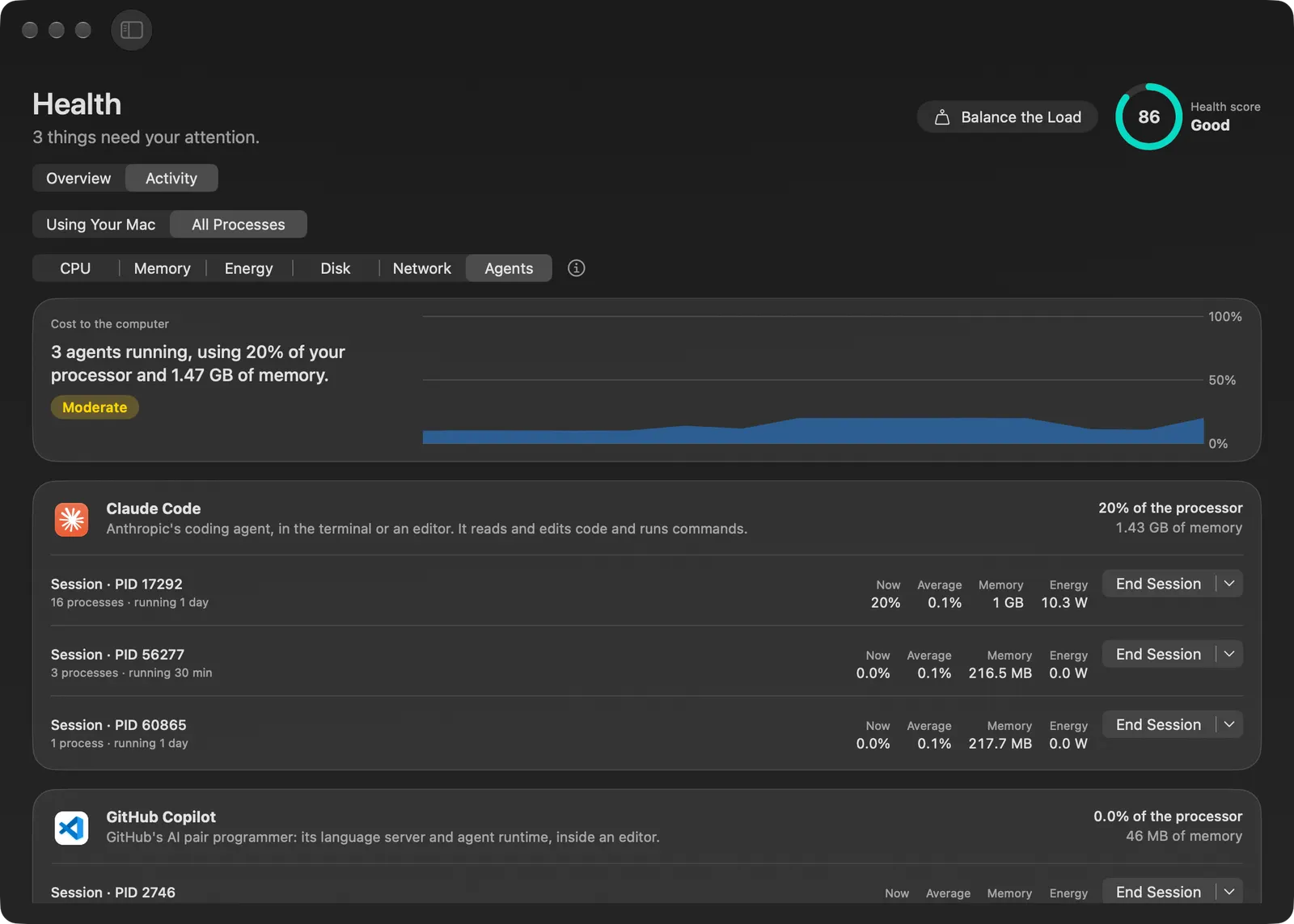
Know what your AI agents cost.
Coding agents and local models run all day. See each one’s share of your Mac, with every process it started.
Activity
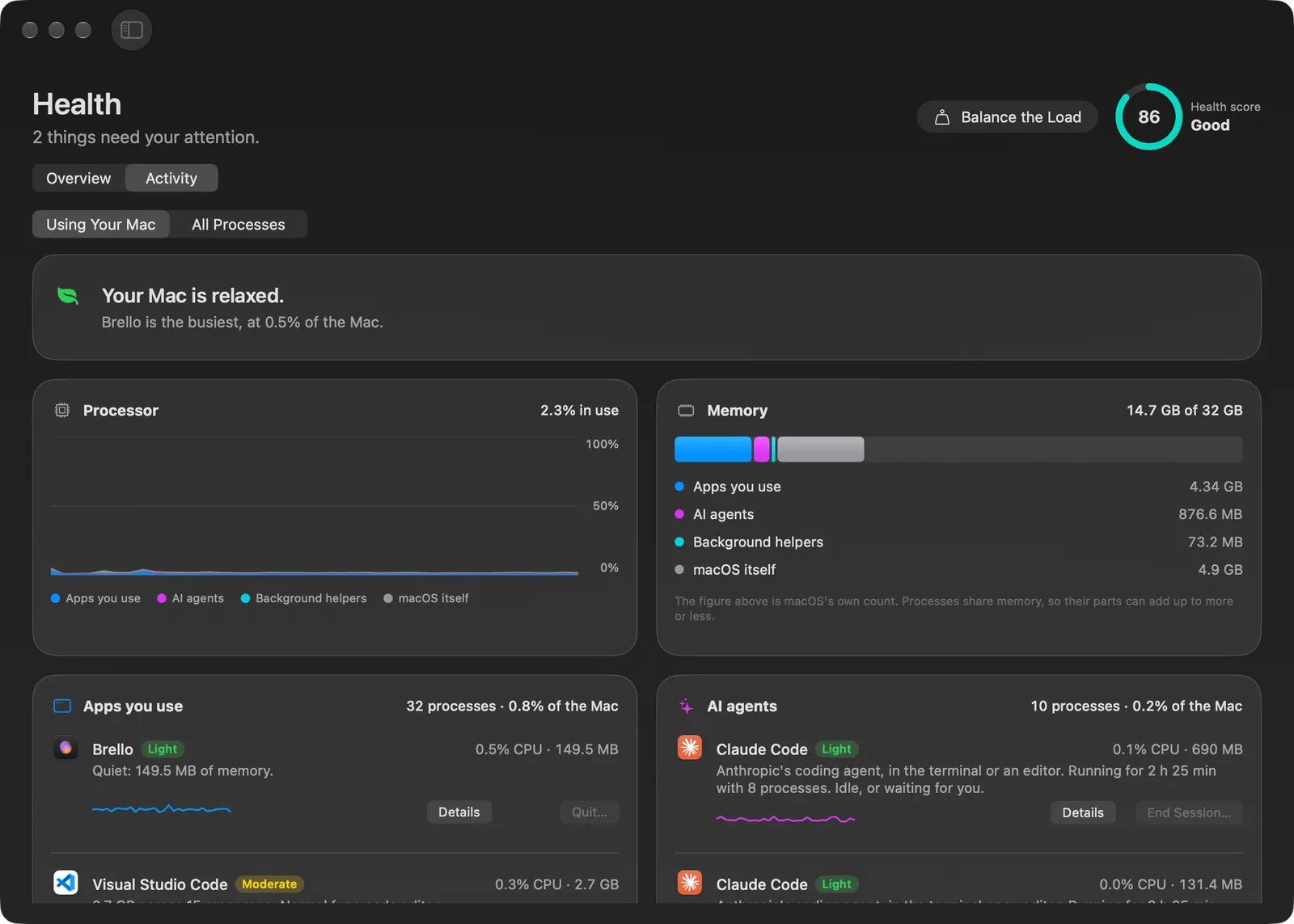
See the whole load, in plain words.
Apps, agents, background helpers and macOS itself, each with its share and a word for it.
Balance the Load
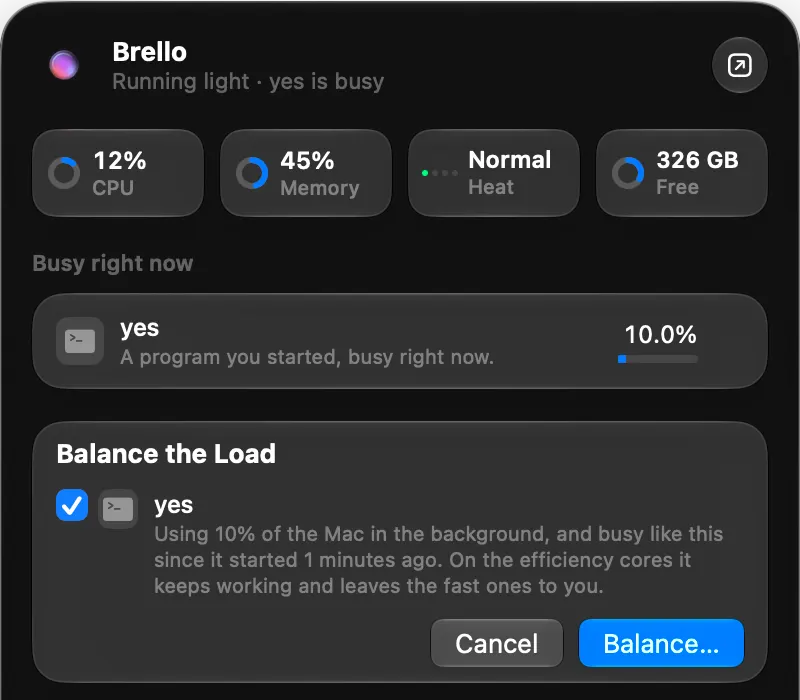
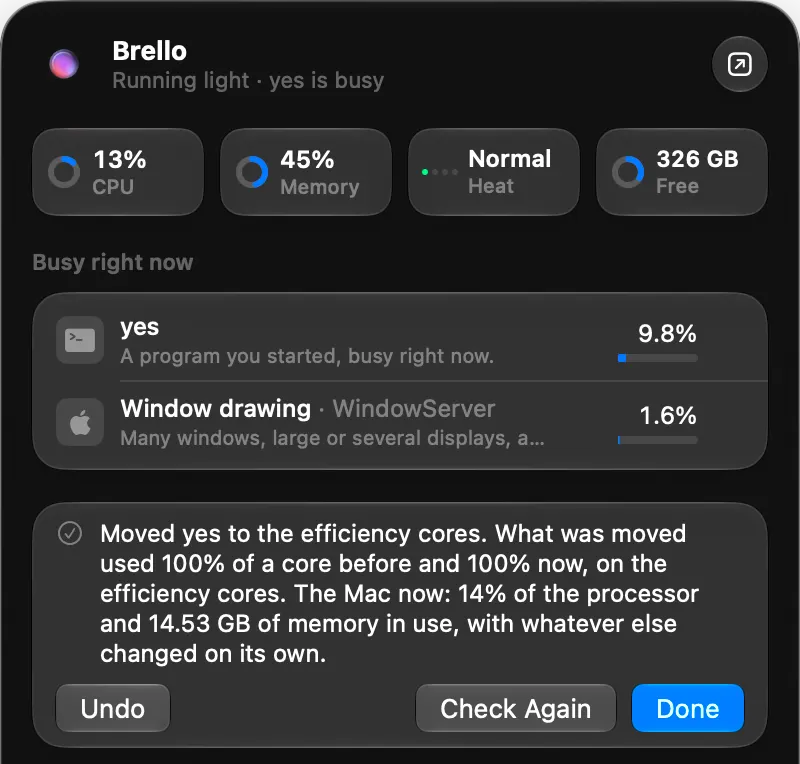
Keep the load balanced.
It moves runaway background work to the efficiency cores and offers to quit idle apps. It asks first.
A healthy Mac, for longer.
Longevity
Help it last.
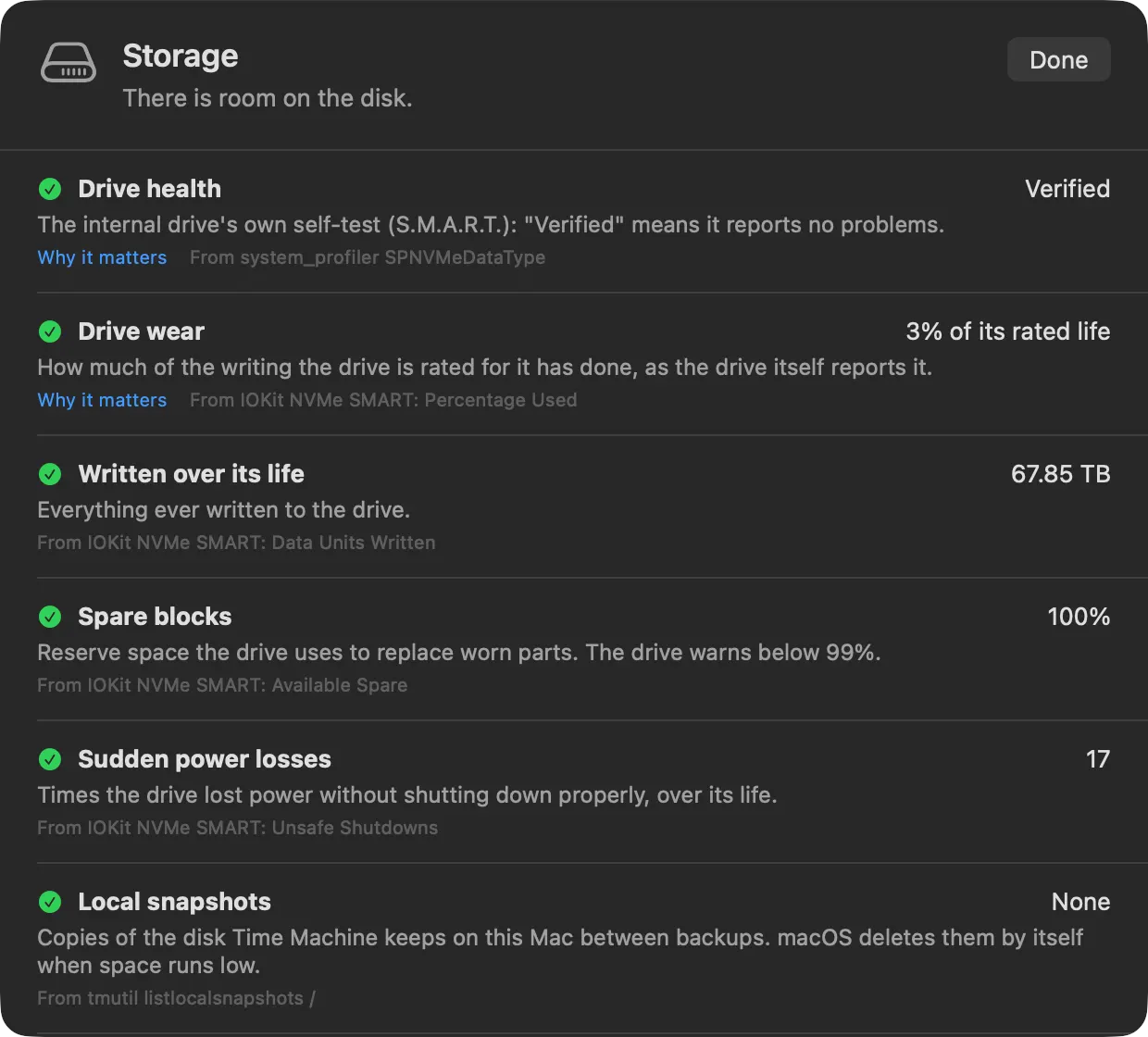
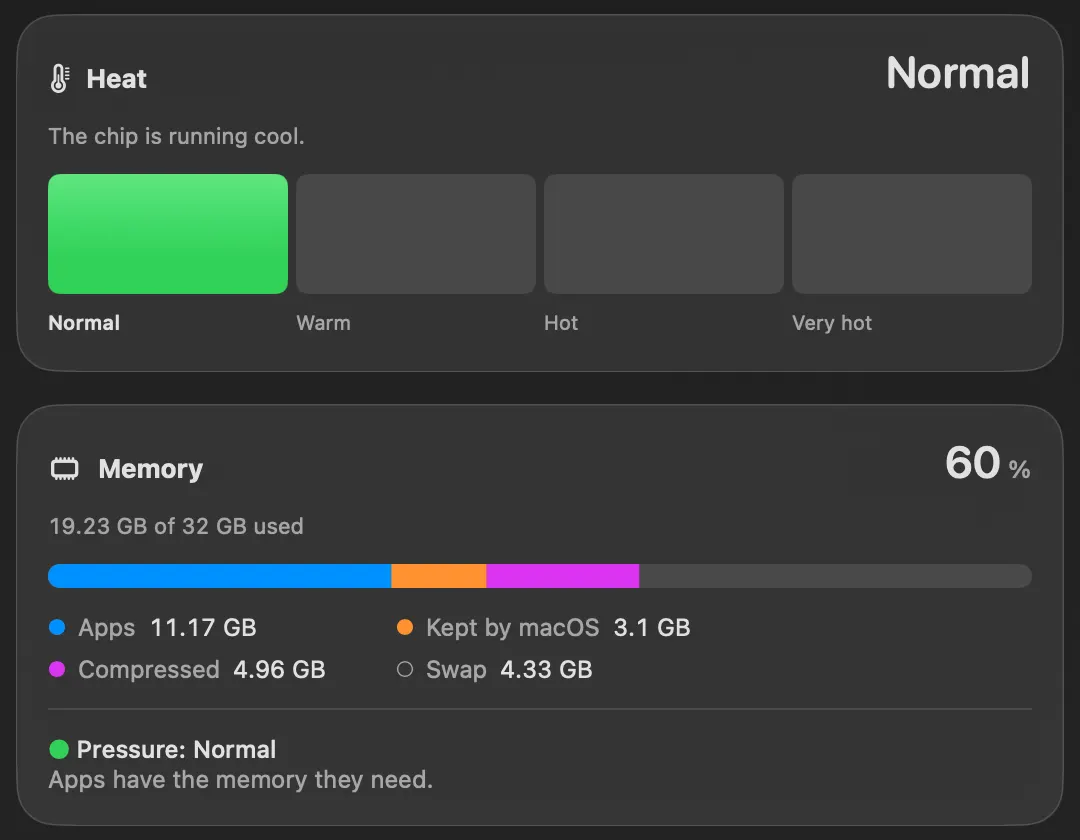
Drive wear, heat, memory and swap, and battery health on a laptop: the readings that show how your Mac is aging.
Protected
Protected, backed up, up to date.
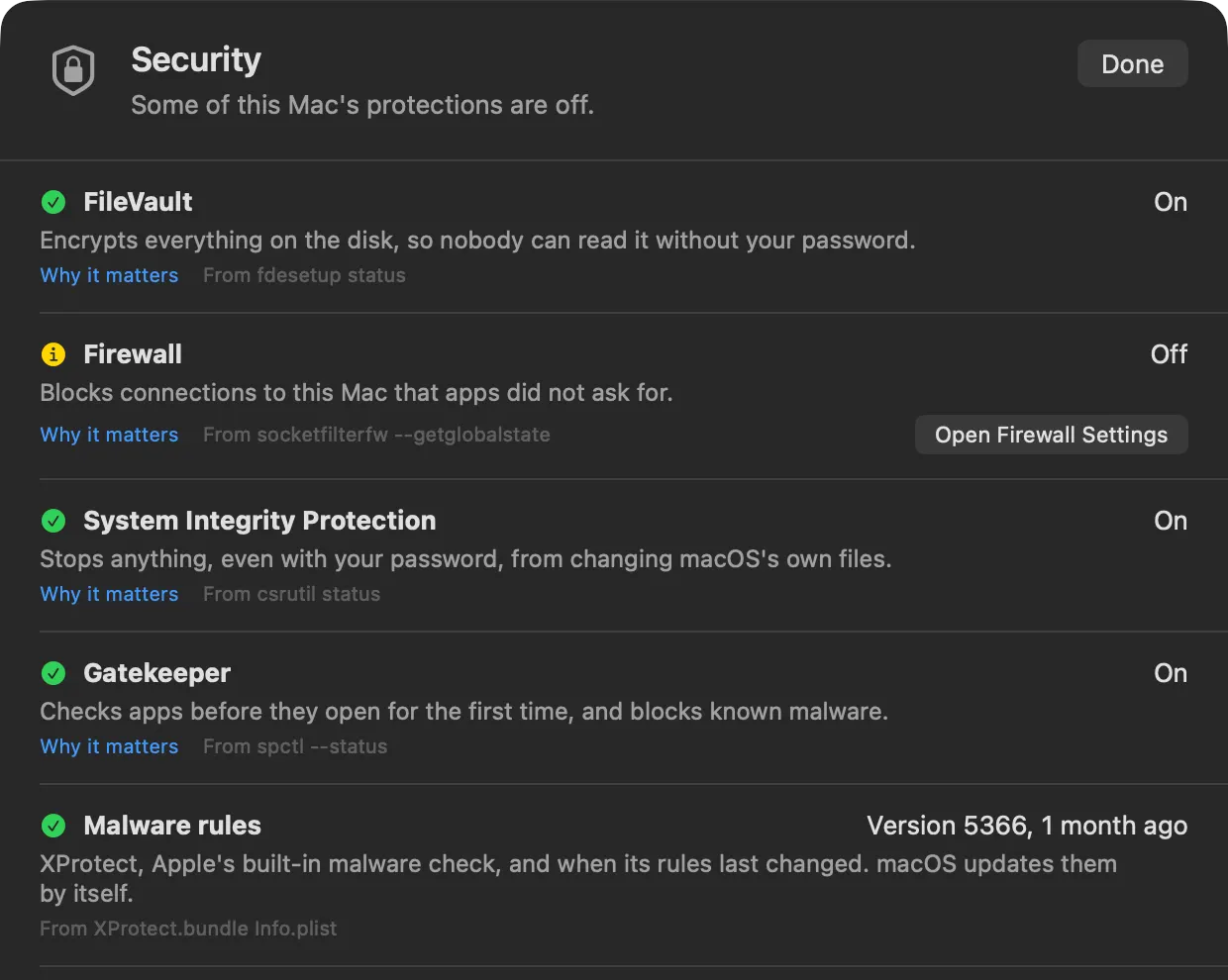
Security, Time Machine and updates, checked, each with the button that deals with it.


The menu bar
Always a glance away.
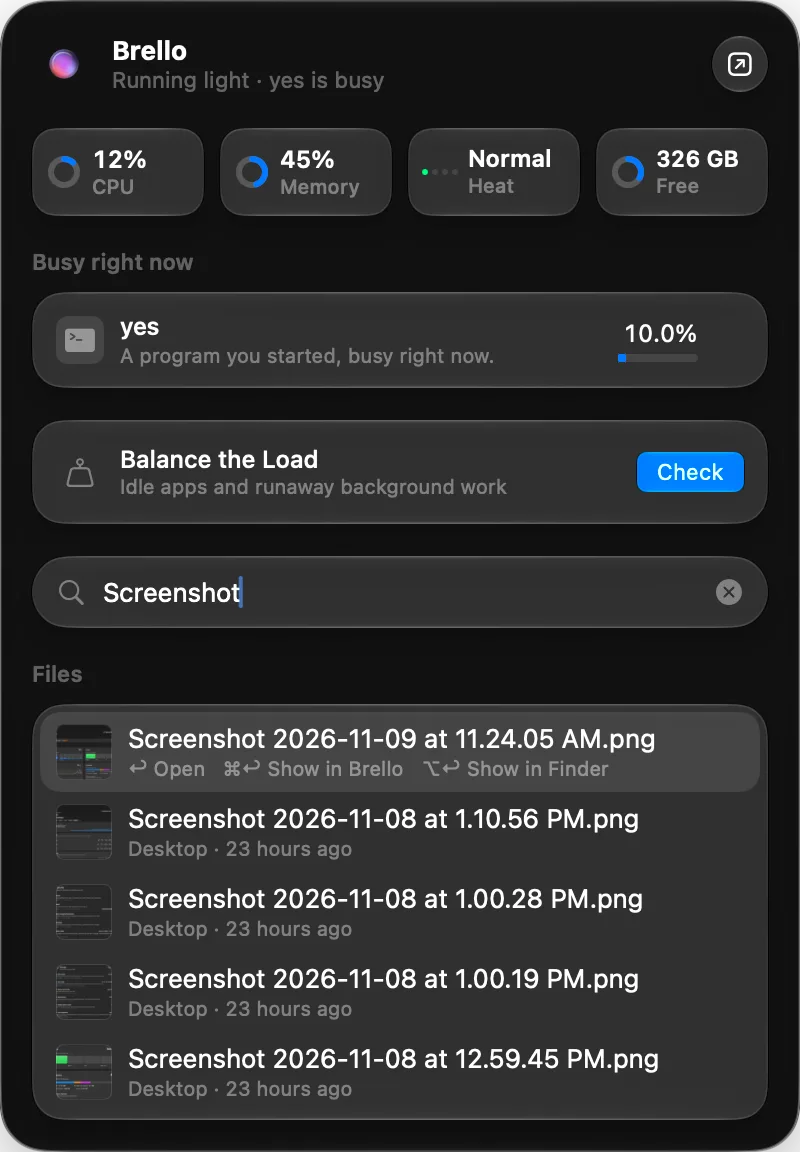
Click the menu bar or press Control-Option-Space. Your Mac’s vitals, what’s busy, and Quick Search for any file.
Light and private
Light on your Mac. Private by design.
It reads only what’s on screen, and nothing about your Mac leaves it.
- About 2.2 s
- of processor time in its first minute, from a cold launch
- About 100 MB
- of memory in use
- About 1%
- of one core in the background
- About 1.6%
- of one core with the menu bar panel open
Measured on Brello 0.1.0’s release build and in real-world checks, on Apple silicon. Your Mac will differ a little.
- Read on your Mac. By code, with no AI model and no administrator password.
- Sent nowhere. It goes online only for your license and updates.
- No account. The score’s history stays in Brello’s own folder.
Brello or Brello PI?
Brello
$20
Home and Health, for every Mac.
- Health, Activity and Agents
- Balance the Load and Clean up
- The menu bar panel and Quick Search
- macOS 14 or later, Apple silicon or Intel
Brello PI
$30
Everything in Brello, plus the agent.
- Type a sentence, get finished work
- Settings by asking, and routines
- $30 at launch, then $50
- Apple silicon, macOS 27 and Apple Intelligence
Brello
$20
One time. No subscription.
- On up to 3 of your Macs
- Refunds within 30 days, no reason needed
- No account, no AI needed
- macOS 14 or later, Apple silicon or Intel
Questions
Will it run on my Mac?
Yes, on every Mac with macOS 14 or later, Apple silicon and Intel. Brello has no AI model in it, so it doesn’t need Apple Intelligence.
Does it need my administrator password?
No. Every reading comes from what macOS gives any app: its public interfaces and the tools it ships with.
Can it break anything?
Nothing changes without your yes. Quit, Force Quit, End Session and Balance the Load each ask first, with the name in the question. A process macOS needs, another user’s, and Brello itself are refused, with a sentence saying why.
Does it show temperatures and fans?
It shows the Mac’s heat in words, from macOS’s own reading, and the battery’s temperature. Not the processor in degrees or the fans: macOS gives apps no public way to read them.
Is Brello a task manager for Mac?
Yes. All Processes lists everything running on your Mac on five tabs, CPU, Memory, Energy, Disk and Network, with Quit and Force Quit, which ask first. The Mac’s built-in one is Activity Monitor; Brello adds what each process is in plain words, a Health score and Balance the Load.
Does it replace Activity Monitor?
For most people, yes: every process, the same five tabs, Quit and Force Quit, in plain words. Health and Activity Monitor compared.
Is it a subscription?
No. $20, one time, on up to 3 Macs, with refunds within 30 days. There’s no account.
What does Brello PI add?
An agent: type a sentence and get finished work. It needs Apple silicon, macOS 27 and Apple Intelligence. Brello and Brello PI compared.
Every reading
How the score is counted
It starts at 100. Eight areas each take points from their own readings, up to their share: performance 20, storage 20, memory 15, security 15, battery 10, stability 10, updates 5, backups 5. Its grade is Excellent, Good, Fair or Poor. Click it for the breakdown and its history, kept on your Mac.
Battery
Maximum capacity against 80%, where Apple considers a battery worn. Cycles, capacity in mAh, condition, temperature, charge and time left, and the charger’s watts. When macOS recommends service, Health says so first.
Storage and the drive
Free space as Finder counts it, with a warning below about 10%. Where the drive reports it: its wear, everything written to it, spare blocks and sudden power losses. Local Time Machine snapshots too.
Memory and swap
Memory pressure, which matters more than memory used, and swap, memory written to the disk because it didn’t fit. When pressure rises, Health names the apps holding the most.
Processor, heat and sleep
Every core, performance and efficiency apart. Heat in words, from Normal to Very hot. What keeps the Mac awake, and each app’s energy.
Stability
App crashes, hangs and restarts after a problem in the last 30 days, by app. Show in Finder opens the newest report.
Security
FileVault, the firewall, System Integrity Protection, Gatekeeper and XProtect’s version. Each one that is off has a button to its pane.
Updates and Time Machine
A macOS update waiting, automatic security fixes, and when Software Update last checked. Whether Time Machine is set up and how old the last backup is: a week is worth a look, two weeks needs you.
Startup and background items
Launch agents and daemons, signed or not. One left behind by an app you removed is named, and Turn Off moves your own out of the way, with Undo.
Wi-Fi, uptime and Spotlight
Wi-Fi signal in words and dBm, noise and link speed. After two weeks without a restart, Health suggests one, and always asks first. Spotlight’s indexing, and the Mac’s model, chip and memory.
Every process
All Processes lists everything on the Mac on five tabs, CPU, Memory, Energy, Disk and Network, each with a live chart. Sort, search and group helpers under their app. Open any process for what it is in plain words.
A healthy Mac, for longer.
$20, one time · up to 3 Macs · 30-day money-back guarantee · Runs on macOS 14 or later, on Apple silicon and Intel.