Thank you for buying Brello PI.
Your license key is in your purchase at Polar, and the email Polar just sent you links straight to it. Download Brello PI below, open it, paste the key and choose Activate.
Brello PI
Download Brello PI.
Open it, paste your license key, and give it your first request. That’s the whole setup.
Runs on macOS 14 or later, on Apple silicon and Intel.
Brello PI’s agent needs a Mac with Apple silicon, macOS 27 and Apple Intelligence.
Brello PI 0.1.0 · 60 MB · SHA-256 ad50039d817d85a99b53d139d23c2984b43c6b0797e261b87709696d34694bd6
Brello PI runs on a Mac. Open this page on your Mac to download it, or email yourself the link.
Set up in a minute.
- Open the disk image and drag Brello PI to your Applications folder.
- Open Brello PI. It shows what it reads before it reads anything.
- Paste your license key from Polar and choose Activate.
- Type what you need, or press Option‑Space from any app.
What you need.
A Mac running macOS 14 or later, with Apple silicon or Intel. Home, search, Health, Clean up and Quick Search work on every Mac, and Brello PI’s agent shows exactly what a Mac needs.
The agent needs a Mac with Apple silicon, running macOS 27, with Apple Intelligence turned on in System Settings ▸ Apple Intelligence & Siri. It turns on by itself as soon as Apple Intelligence is ready.
Brello PI is a direct download, signed with Developer ID and notarized by Apple, so it opens like any app you trust. To check the download yourself, run shasum -a 256 ~/Downloads/Brello-PI-0.1.0-9.dmg in Terminal: it prints the SHA-256 above.
What macOS will ask.
The first time you open Brello PI, macOS says it’s an app downloaded from the internet and asks whether to open it: choose Open. Then Brello PI explains what it reads, and macOS asks once before Brello PI can see your Desktop, Documents and Downloads. Choose Allow for each folder you want in Home. Everything else, such as notifications or Full Disk Access, is asked only if you turn on what needs it. What each permission is for.
What to try first.
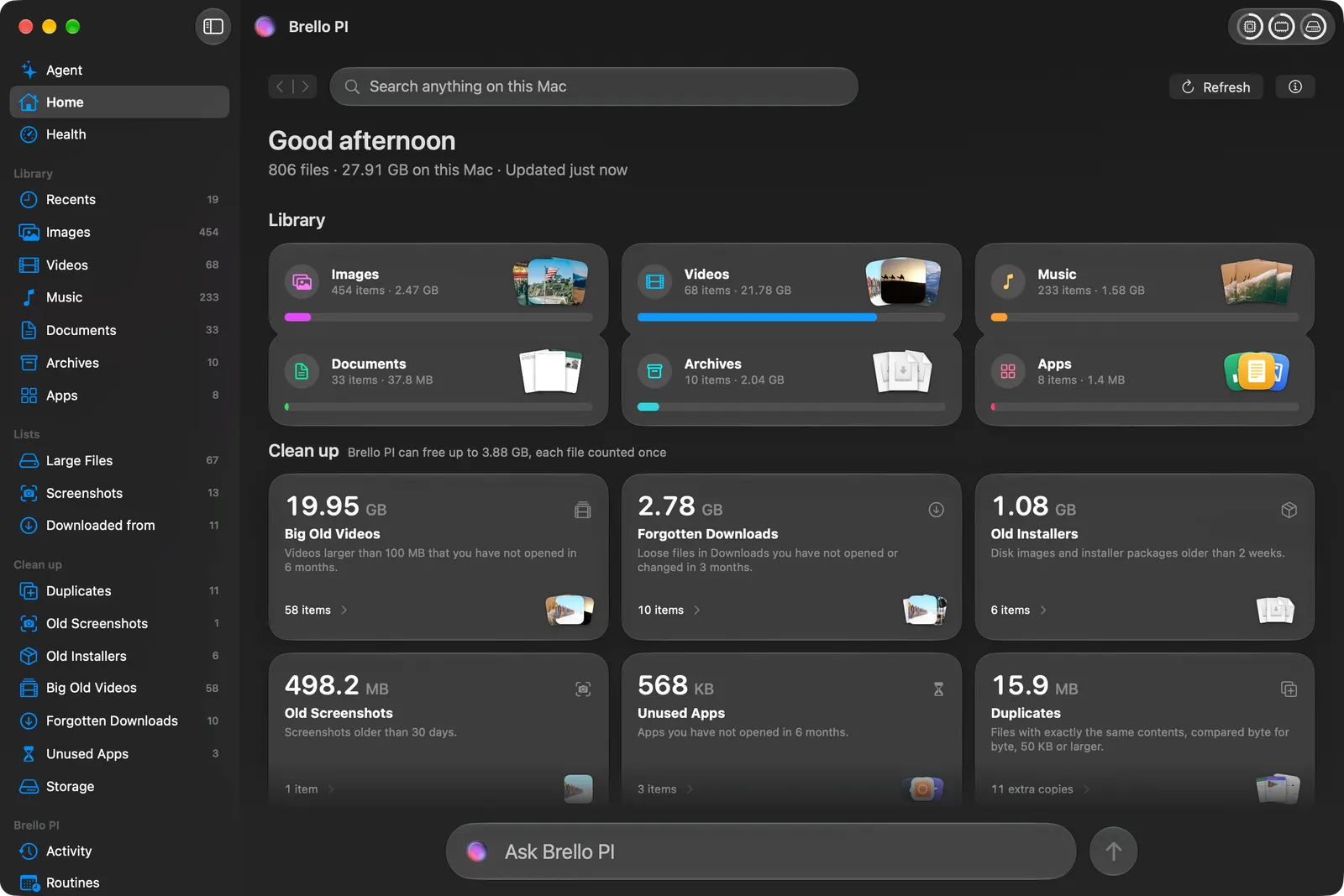
Look at Home: every kind of file on your Mac with its count and size, and what Clean up found. Press ⌘4 for Health, your Mac’s readings live. Press Option‑Space in any app and type part of a file’s name. With the agent, type “Tidy up my Desktop” or “Keep my Mac awake for 2 hours”, and see what changed, with Undo. Your first launch, step by step.
New versions.
New versions of Brello PI are posted here, each with its version, size and SHA-256. Download it, replace Brello PI in Applications, and open it: your license key, settings and Brello PI’s folder stay as they are. Brello PI’s Settings shows the version you have, under Updates.
Need your license key?
It’s in your purchase at Polar. The email Polar sends after you buy links to it. Still stuck? Write to hey@brello.ai.
Haven’t bought Brello PI yet?
Brello PI is $20 at launch, then $50, one time, for up to 3 Macs, with refunds within 30 days and no reason needed. Brello PI asks for a license key when it first opens, and the license step has Buy Brello PI too. Brello PI · Pricing · Does it work on my Mac? · How to uninstall