Brello for Mac › Settings by asking
Set up your Mac in one sentence.
Ask for as many settings as you like in one sentence. Brello PI changes each one itself, reads it back from your Mac, says what your Mac now reports, and one Undo puts them all back.
$30 at launch, then $50 · 30-day money-back guarantee, no reason needed
Finder, set up the way you work.
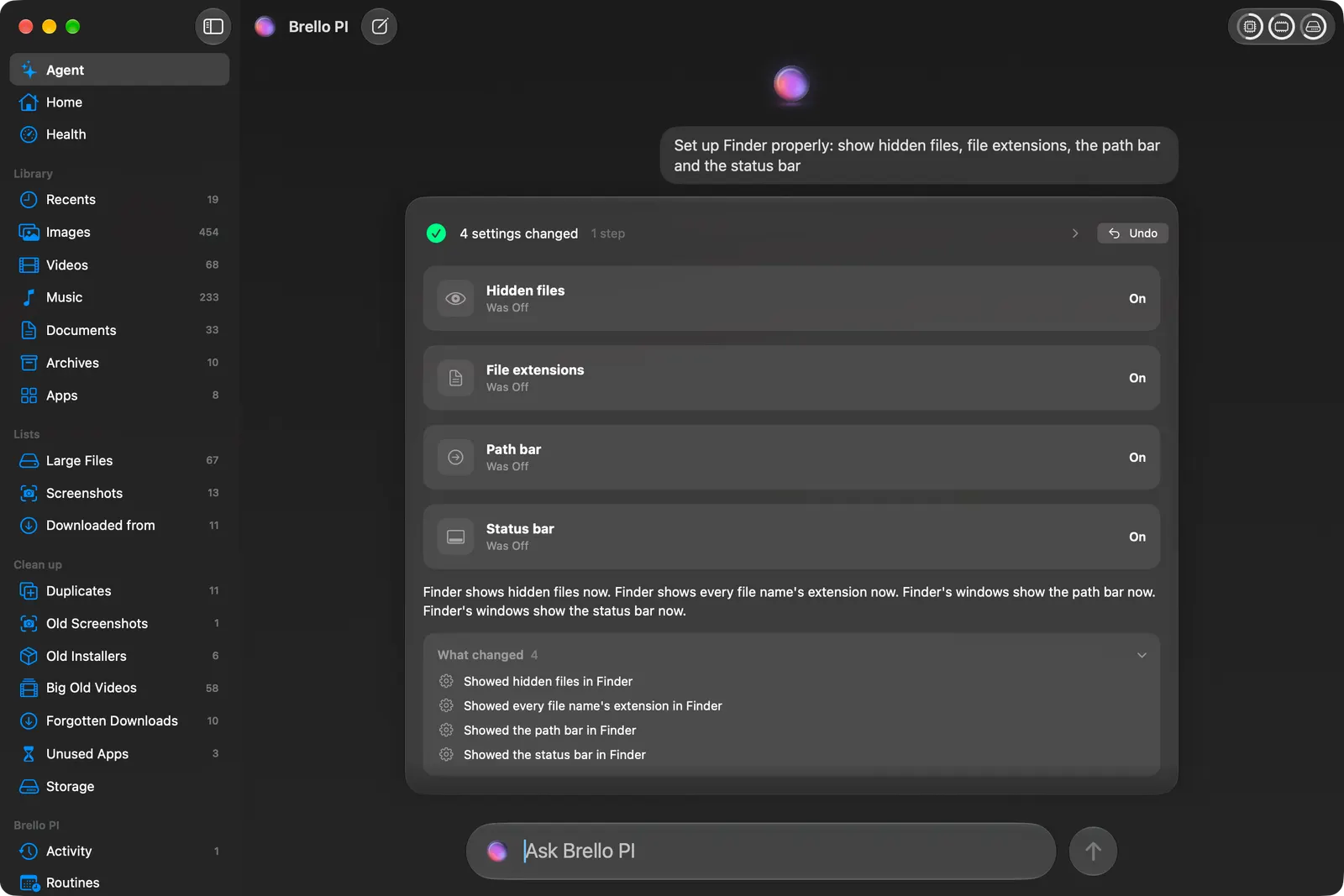
“Set up Finder properly: show hidden files, file extensions, the path bar and the status bar.” Four changes, each read back from Finder, with one Undo.
Ask how, and it offers to do it.
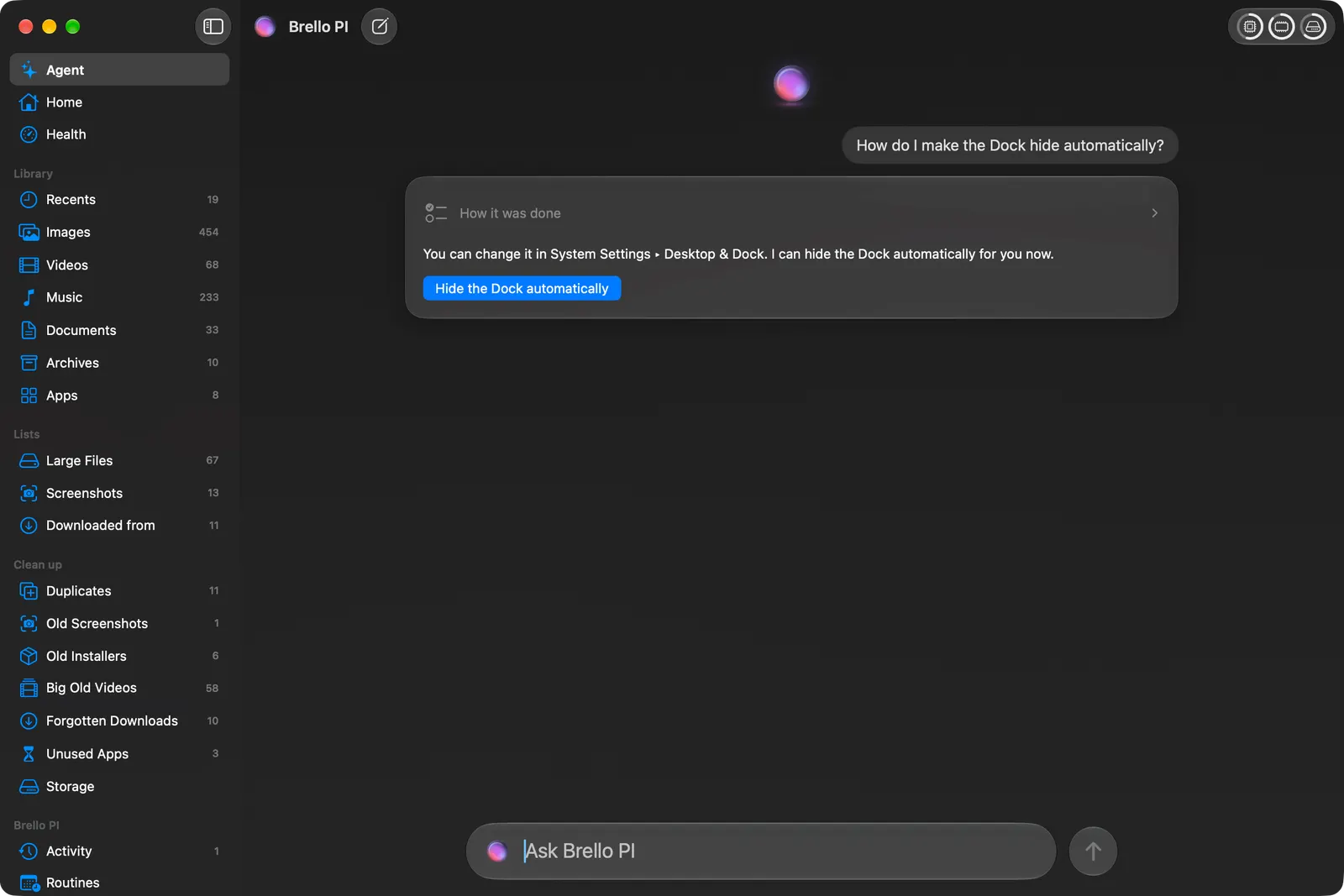
Ask “how do I make the Dock hide automatically?” and Brello PI answers in one line, with a button that does it. Ask “is dark mode on?” and it tells you.
Keep your Mac awake.
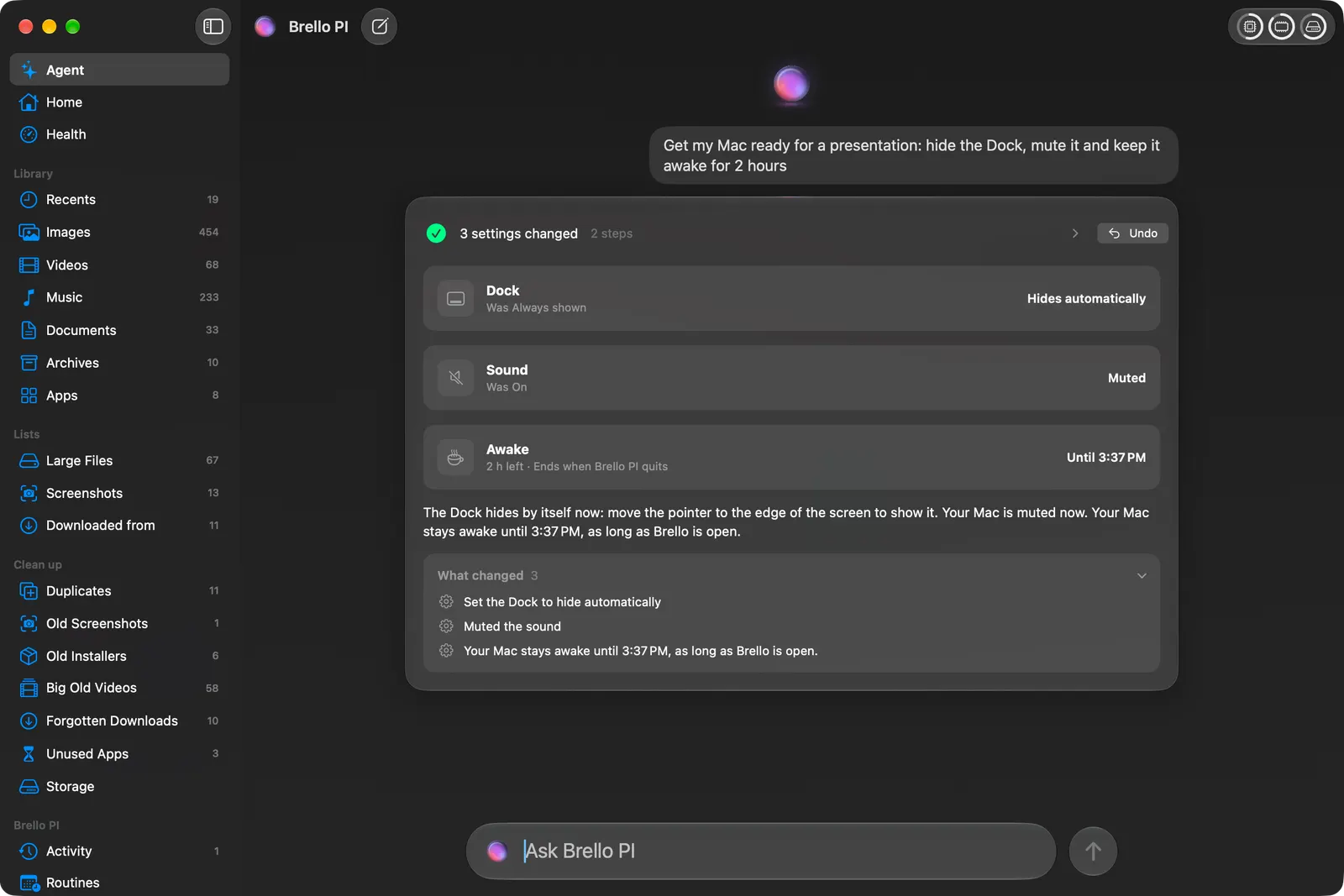
“Keep my Mac awake for 2 hours”: a cup and the time left appear beside Brello PI’s icon in the menu bar, and it ends when the time is up, when you choose Let It Sleep, or when Brello PI quits.
Dark Mode, the Dock, the volume and more.
Light and Dark, the volume, the Dock, your wallpaper, Finder’s views and where screenshots are saved. Each change is read back from your Mac, and Undo puts back the value it was before.
The big ones ask first.
Sleep, restart, shut down and emptying the Trash wait for your yes, and the Trash’s question says how many items and how much space. None of them runs with nobody at the Mac.
What macOS keeps for you.
Some settings no app may change: brightness, Bluetooth, Night Shift, a Focus, the accent color, Auto appearance, the firewall, FileVault, passwords and apps’ access. For these, Brello PI opens the exact pane in System Settings and says so.
How it works
Brello PI’s own code reads your request whole by its words, so “turn on dark mode”, “make the Dock smaller” and “keep my Mac awake for 2 hours” are understood without a model guessing. It changes the setting through macOS’s own public mechanisms, the same ones System Settings and Finder use, then reads it back from macOS and says only what macOS now reports.
Before changing anything, Brello PI reads the value as it was, so Undo can put it back exactly. Reversible settings act at once; sleep, restart, shut down, log out and emptying the Trash ask first, and never run with nobody at the Mac.
What you can ask for
| Setting | Say | Undo |
|---|---|---|
| Keep awake | “keep my Mac awake for 2 hours”, “until the download finishes” | Let It Sleep |
| Dark and Light | “turn on dark mode” | Back as it was |
| Volume and mute | “set the volume to 30%”, “mute” | Back as it was |
| Wi-Fi | “turn off Wi-Fi” | Back as it was |
| The Dock | “hide the Dock”, “move the Dock to the left” | Back as it was |
| Finder’s views | “show hidden files”, “show file extensions” | Back as it was |
| Screenshots | “save screenshots to Documents” | Back as it was |
| Wallpaper | “set this picture as my wallpaper” | The picture before |
| Default browser | “make Safari my default browser” | macOS asks again |
| The screen | “lock the screen”, “turn off the display” | An act |
| Power and the Trash | “restart”, “empty the Trash” | Asks first; can’t be undone |
Where it works
Asking for settings needs the agent: a Mac with Apple silicon, macOS 27 and Apple Intelligence. macOS asks once before Brello PI may change settings through System Events and Finder.
Questions
Will macOS ask me anything?
Once, the first time you ask for a setting that goes through System Events or Finder: whether Brello PI may control them. Locking the screen may ask for Accessibility on a Mac whose display doesn’t lock as soon as it sleeps.
How do I know a change really happened?
Brello PI reads each setting back from macOS after changing it and says only what macOS reports. If a change didn’t take, it says so and puts it back.
Can I stop Brello PI from changing settings?
Yes. Turn off Open and quit apps in Brello PI’s Settings, and Brello PI changes no settings and opens no apps.
Guides
Read more
Newsroom ›Private intelligence for your Mac.
One-time purchase · $30 at launch, then $50 · 30-day money-back guarantee, no reason needed