Who makes MacKeeper?
Clario Tech FZCO. MacKeeper describes itself as “an all-in-one Mac maintenance app” with cleaning, security, optimization and privacy features: malware removal, disk cleaning, ad blocking, ID-theft protection and speed optimization. Its site lists pricing from $10.95 a month, a free version, and macOS 10.15 or later, as read on October 30, 2026.
Is MacKeeper notarized by Apple?
MacKeeper’s site says so, and explains that notarization “is not an app review, but a verification” that the app is free of malicious components. Apple puts it the same way: a notarized app “indicates that Apple checked it for malicious software and none was detected.” macOS’s Gatekeeper uses this to warn you before you open software that isn’t from a trusted developer. Notarization doesn’t judge what an app deletes, or how it sells.
What about its malware detection?
MacKeeper’s site says it passed an independent AV-TEST comparison with a 99.7% detection rate, in a macOS Sequoia test from March 2025. That’s the company’s own summary of a third-party test; AV-TEST publishes its reports on its own site.
What to check before you clean with any Mac cleaner
- Back up first with Time Machine: System Settings ▸ General ▸ Time Machine.
- Review every list before you confirm, especially large files and anything in your own folders.
- Read the plan’s price and renewal before you subscribe.
- Download only from the maker’s own site, never a copy from elsewhere.
- Know what caches are. Apps make them again as you use them, so clearing them frees space only for a while.
How to check the app you downloaded
Make sure the copy on your Mac is the maker’s own, signed and notarized, before you open it. In Terminal, run spctl on it, with the app’s name as it appears in Applications:
spctl -a -vv "/Applications/MacKeeper.app"accepted with source=Notarized Developer ID means Apple has checked it for known malicious content and the origin= line names who signed it. Anything else, such as rejected or a name you didn’t expect, is a reason not to open it. The command changes nothing.
Permissions to think about
A maintenance app that cleans, scans for malware and blocks ads needs wide access, and macOS asks you for each kind separately: Full Disk Access to read every file, Accessibility to act in other apps, a network extension or VPN configuration to filter web traffic, and background items to run all the time. All of them are listed under System Settings ▸ Privacy & Security and General ▸ Login Items & Extensions, where you can turn each off. Grant only what the features you’ll use need.
Removing MacKeeper later
Apps of this kind run helpers in the background and may add a network filter. To remove one completely, use its own uninstaller or uninstall option if it has one, then check Login Items & Extensions and Network in System Settings for anything it left, and remove that too. See how to uninstall apps completely.
Do you need malware protection on a Mac?
macOS has protection built in: Gatekeeper checks apps you open, notarization checks them before they reach you, and XProtect, which Apple updates on its own, finds and removes known malware. Most people are well served by those, by keeping macOS up to date, and by downloading apps only from the App Store or their makers’ own sites. Extra protection can make sense if you handle many files from strangers or need a company’s security policy met.
MacKeeper or CleanMyMac?
Both are subscription maintenance apps that clean, scan for malware and optimize. As their sites say on October 30, 2026: CleanMyMac, by MacPaw, starts at $3.33 a month with a 7-day trial and needs macOS 11 or later; MacKeeper starts at $10.95 a month, with a free version, and needs macOS 10.15 or later. See Is CleanMyMac safe? and CleanMyMac alternatives.
Other ways to free space and speed up a Mac
- macOS’s own tools, free: System Settings ▸ General ▸ Storage for space, and Activity Monitor for what’s busy. See Mac health.
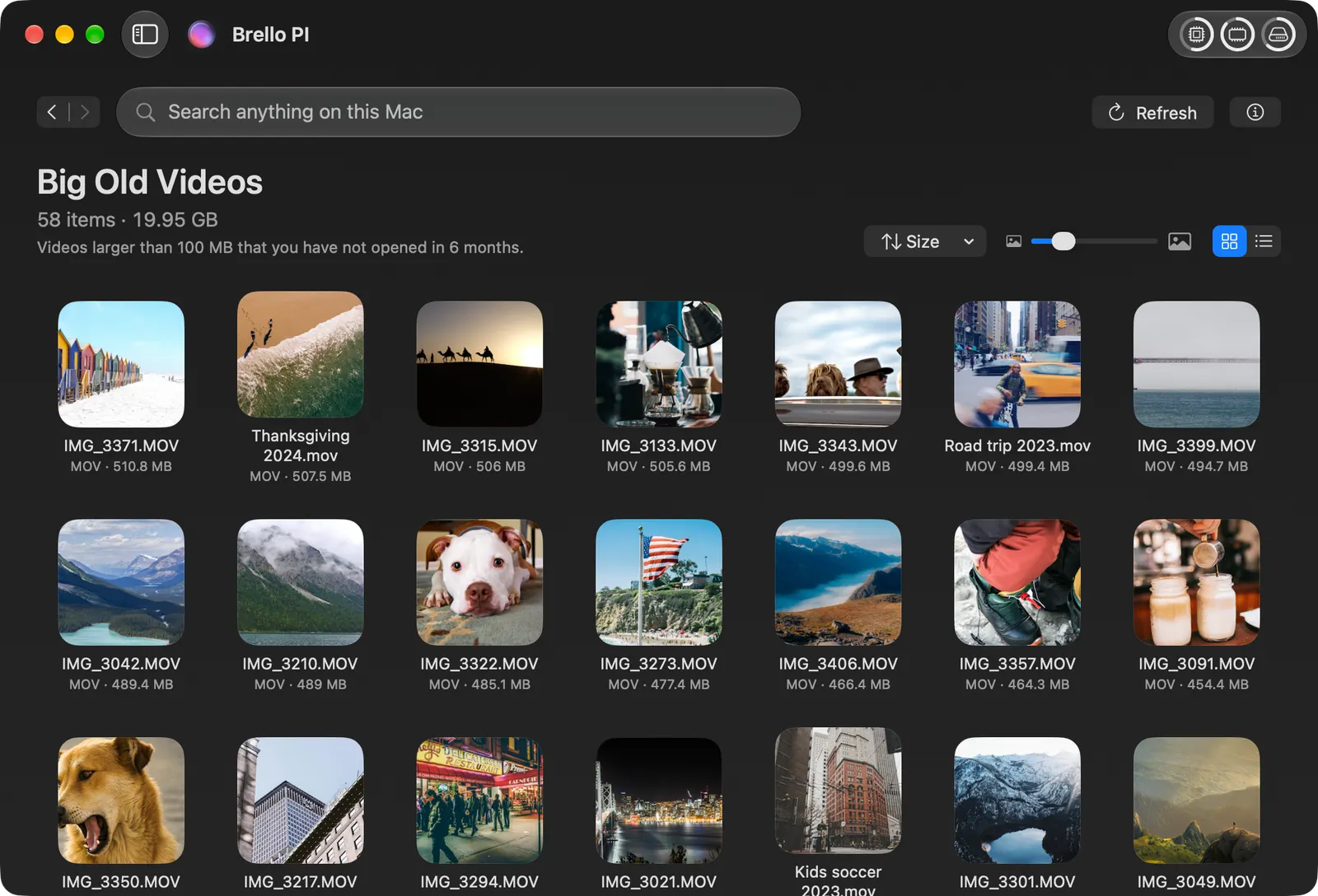
- Brello PI, an AI agent for your Mac, one time at $29.99 for a limited time, then $49.99. Its Clean up lists big old videos, forgotten downloads, old installers, old screenshots and duplicates by name and size. Nothing goes until you say yes to a list that names every file, then it goes to the Trash, and Undo puts it back. Mac Health shows what’s busy in plain words, with Balance the load. Ask Brello PI to “free up space” or “clean my mac” and it also clears the caches apps make again, developer tools’ caches, and crash reports and app logs older than 30 days, after one question that lists each with its size; those are deleted for good, since apps rebuild them, and macOS’s own caches are left to macOS. It doesn’t scan for malware. Clean up and Health work on any Mac with macOS 14 or later.
Checked on macOS 27.0.1, November 2, 2026. Menu names can change with a macOS update.
Sources: MacKeeper (Clario Tech); Safely open apps on your Mac (Apple Support); CleanMyMac (MacPaw).
In Brello’s help: Clean up, and tidy rules, Delete files, and put them back.