Who makes CleanMyMac?
MacPaw, a software company that makes Mac apps. CleanMyMac clears system junk, scans for malware and uninstalls apps. It needs macOS 11 or later, and pricing starts at $3.33 a month, with a 7-day free trial, as MacPaw’s site says on October 30, 2026.
What does “notarized by Apple” mean?
MacPaw says CleanMyMac “is notarized by Apple as a malware-free application.” Apple explains notarization this way: an app that has been notarized “indicates that Apple checked it for malicious software and none was detected.” macOS’s Gatekeeper uses this to warn you before you open software that isn’t from a trusted developer. Notarization is about malware; it doesn’t judge which files an app deletes.
Can CleanMyMac delete something I need?
MacPaw says it deletes only files that are safe to remove. Any cleaner deletes files, though, so treat it as you would deleting by hand:
- Back up first. Turn on Time Machine in System Settings ▸ General ▸ Time Machine.
- Review before you clean. Look through what each scan lists, especially large files and anything in your own folders, and untick what you want to keep.
- Download it from the source. Use MacPaw’s own site or the Mac App Store, never a copy from elsewhere.
- Know what caches are. Caches that apps make come back as you use them, so clearing them frees space only for a while.
How do I tell whether any Mac cleaner is safe?
- It opens without a warning from macOS, because it’s notarized, or it’s on the Mac App Store.
- It names its maker and how to reach them.
- It shows you what it will delete before it deletes anything.
- It puts what it deletes in the Trash, or tells you plainly when it doesn’t.
Check any app’s signature yourself
You don’t have to take a maker’s word for its notarization. In Terminal, run spctl on the app in your Applications folder, replacing the name with the app’s own:
spctl -a -vv "/Applications/CleanMyMac.app"A notarized app downloaded from its maker answers accepted, with source=Notarized Developer ID and an origin= line naming the developer that signed it. An app from the Mac App Store says source=Mac App Store. rejected, or an origin you don’t recognize, means stop and find out why before you open it. The check reads the app and changes nothing.
What a cleaner asks for, and what that lets it do
Cleaners ask macOS for more access than most apps, because their job is to look everywhere. Before you say yes, know what each permission means:
| Permission | Where you see it | What it lets the app do |
|---|---|---|
| Full Disk Access | System Settings ▸ Privacy & Security ▸ Full Disk Access | Read every file on the Mac, including Mail, Messages and Safari’s data |
| Accessibility | Privacy & Security ▸ Accessibility | Control other apps and read what’s on screen |
| Login items and background items | General ▸ Login Items & Extensions | Run when you log in, and keep running with no window open |
| An administrator password | A macOS dialog | Install a helper that runs with full privileges |
Each is reasonable for a tool that does what it says. Each is also a reason to choose a maker you trust, and to turn the access off in System Settings if you stop using the app. You can see and revoke every one of them there at any time.
How to remove a cleaner completely
Cleaners usually install a menu bar helper and background items. Quit the app and its menu bar icon, then look for its own uninstaller or an Uninstall item in its menu; if there isn’t one, drag it to the Trash and turn off what’s left in Login Items & Extensions. See how to uninstall apps completely.
Does a Mac need a cleaner at all?
Not to stay healthy. macOS clears its own caches and logs as needed, frees purgeable space when an app needs room, and has built-in malware protection that Apple updates on its own. What a Mac can’t do for you is decide which of your own files you no longer need: old downloads, big videos, duplicate copies. That’s where any tool, a cleaner or Finder’s own search, actually helps. See how to free up space.
Other ways to free space
- macOS’s own Storage settings, free and built in: System Settings ▸ General ▸ Storage.
- DaisyDisk, OnyX and AppCleaner, each for one job. See CleanMyMac alternatives.
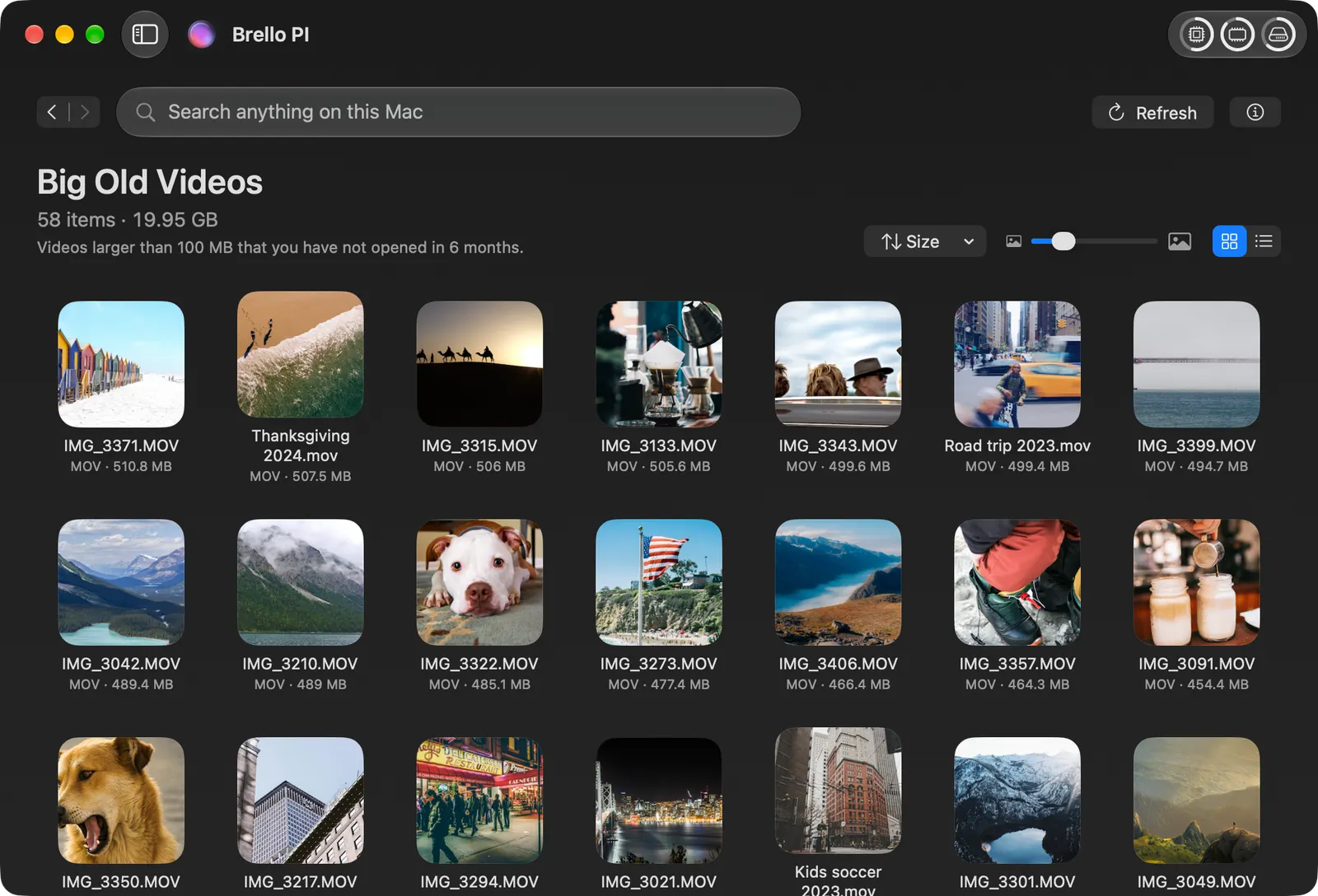
- Brello’s Clean up, which lists big old videos, forgotten downloads, old installers, old screenshots and duplicates by name and size. Nothing goes until you say yes to a list that names every file, then it goes to the Trash, and Undo puts it back. Ask it to “free up space” or “clean my mac” and it also clears the caches apps make again, developer tools’ caches, and crash reports and app logs older than 30 days, after one question that lists each with its size; those are deleted for good, since apps rebuild them, and macOS’s own caches are left to macOS. It doesn’t scan for malware. It works on any Mac with macOS 14 or later. See Brello and CleanMyMac.
Checked on macOS 27.0.1, November 2, 2026. Menu names can change with a macOS update.
Sources: CleanMyMac (MacPaw); Safely open apps on your Mac (Apple Support); Free up storage space on Mac (Apple Support).
In Brello’s help: Clean up, and tidy rules, Delete files, and put them back.