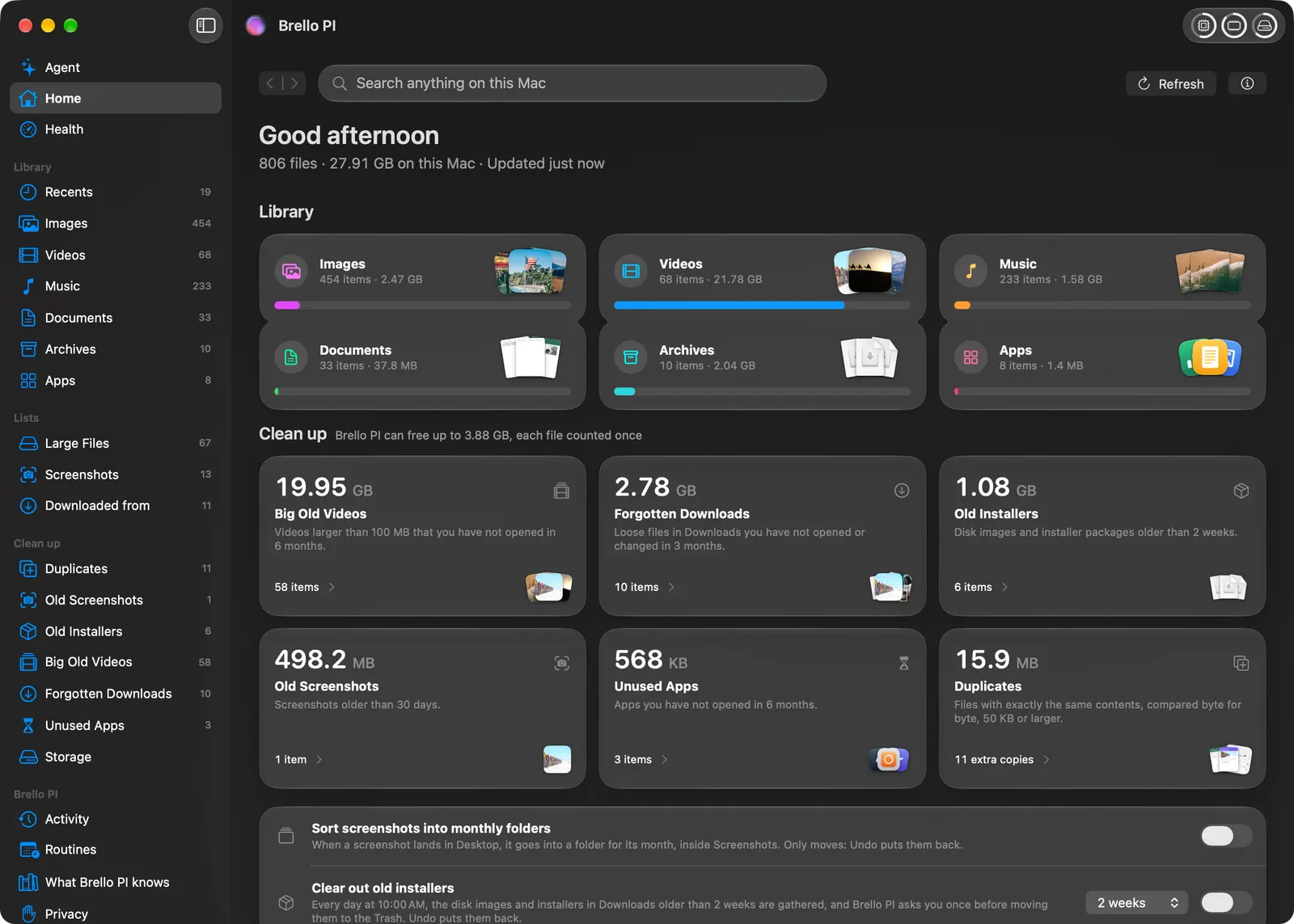
Brello for Mac is native intelligence for your Mac. The shortest way to describe it is the sentence we kept coming back to while we built it: you type, and your work gets done.
That sentence sounds simple. Living up to it took most of what we learned this year. This is the story of what Brello is, the bar we hold it to, and the rules we wrote to meet it.
The Mac has every answer, in a different place
Your Mac already knows almost everything about itself. Finder knows your files. Spotlight can find a name. Activity Monitor knows what’s busy. System Settings knows every switch. But each one answers a piece of the question, and you do the joining up yourself.
And when you ask a chatbot for help with your Mac, you get instructions. Numbered steps, menu paths, a Terminal command you’re not quite sure about. Then you go and do them.
We wanted one app that knows your Mac and does the work on it, built the way the Mac itself is built. That’s Brello PI. It thinks with Apple’s on-device model, on the Mac itself, and it acts through macOS’s own mechanisms: Finder’s Trash, the values System Settings reports, your Photos library, and drafts that Mail opens. It’s four things that belong together:
- Home, your whole Mac sorted by kind, with a search that understands “the contract I signed in March”, where every download came from, and duplicates proven byte for byte.
- Mac Health, read every second and said in plain words, with one health score worked out in the open and a button that balances the load when it drops.
- Clean up, lists of what you don’t need: big old videos, forgotten downloads, old installers. Each file is named before anything goes.
- The agent, where one sentence becomes finished work: a tidy Desktop, an expense report from a folder of receipts, a setting changed, a routine every Friday at 5.
And a popup on Option-Space, from any app, that finds files as you type and takes requests right there.
The bar we hold it to
On October 19 we sat down and typed into our own app the way a new person would. “Can you open Cursor” brought Brello itself to the front. “Who is Elon Musk” got a refusal. “Can you write an email?” got a warning card.
The app technically worked. It just wasn’t useful. That evening we wrote down 166 first requests, phrased the way new people actually type, and played each one on the real product. It handled 76 of them well.
We had been looking at the wrong numbers. Our benchmarks were scripted, and the scripts had been written by people who already knew what the app could do. A new person doesn’t. They type “can u tidy my desktop pls” or “make my mac stop sleeping”, and the first answer decides whether they type a second thing.
Two rules came out of that night, and they shaped everything after.
Ask, don’t fail. If a request is missing something only you can say, who an email is to, which files, which Sam, Brello asks one short question and changes nothing until you answer. Your next message carries on with the same request. No warning cards, ever.
Test what people use. A day later we found follow-up questions broken in the app’s window while they worked on the command line, because our tests only played the command line. Since then every request is played through both paths. Before launch, the suite held 310 first requests, and Brello handled all 310, in the window and on the command line.
The app technically worked. It just wasn’t useful. That was the evening the bar changed.
“If it can’t do that, it’s useless”
The other turning point was settings. When we decided what Brello should do with them, we set a plain rule: if it can’t change a setting when you ask, the app is useless. That was a hard line to hold, because macOS is careful about which settings an app may touch, and for good reason.
So we found every setting an app is allowed to change through public means, and made Brello PI change those itself, as many as you like in one sentence. “Get my Mac ready for a presentation: hide the Dock, mute it and keep it awake for 2 hours” does all three. Finder’s views, where screenshots go, the wallpaper and Dark Mode work the same way. Brello PI changes each one, reads it back from macOS, says only what macOS reports, and one Undo puts the lot back.
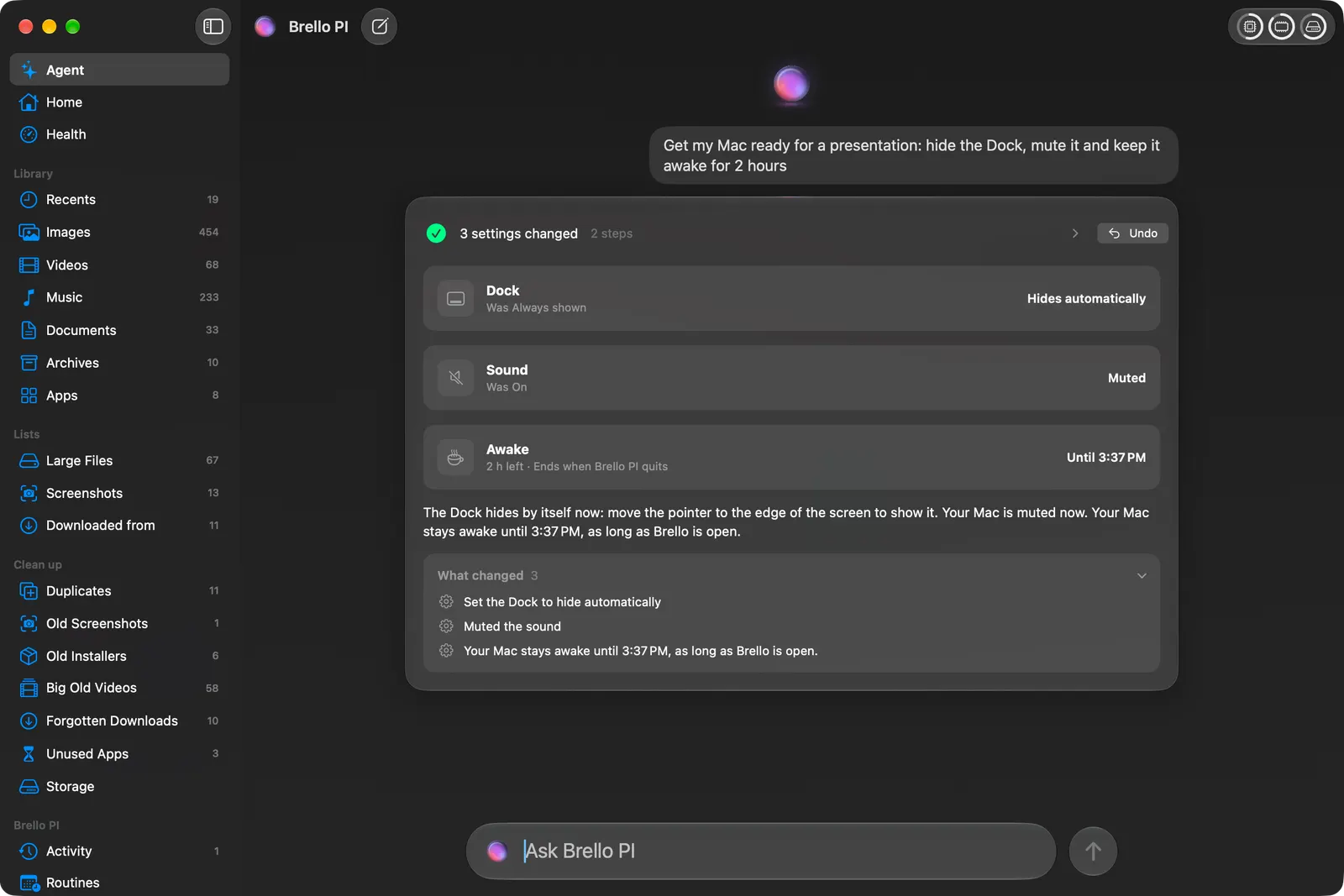
For the settings no app may change, like brightness, Bluetooth or FileVault, Brello PI opens the exact pane in System Settings and says so in one sentence, instead of pretending it did something it didn’t.
Lead with what it does for you
We rewrote our own headlines more than once. The first version of our Health section was about speed. But a Mac’s health is about more than that: everyone’s Mac has one, and most people have no idea what it is. So it became “Know your Mac’s health”, with one score, and keeping the load balanced is one part of it.
The same thinking runs through the app. Brello PI asks before anything risky, shows every file before it deletes one, and keeps Undo for every change it makes. The agent runs on Apple’s on-device model, so your files aren’t sent to a cloud AI, and there’s no account to make. Those things matter a great deal to us. But they’re how Brello PI does the work, not the reason you’d want it. The reason is the work.
The work you’d ask for every week
Once something works from a sentence, the next question is always “can it do this every Friday?” It can. “Every Friday at 5, put this week’s receipts into an expense report and draft the email to accounting.” Brello PI reads the time from your sentence and says it back before it saves the routine.
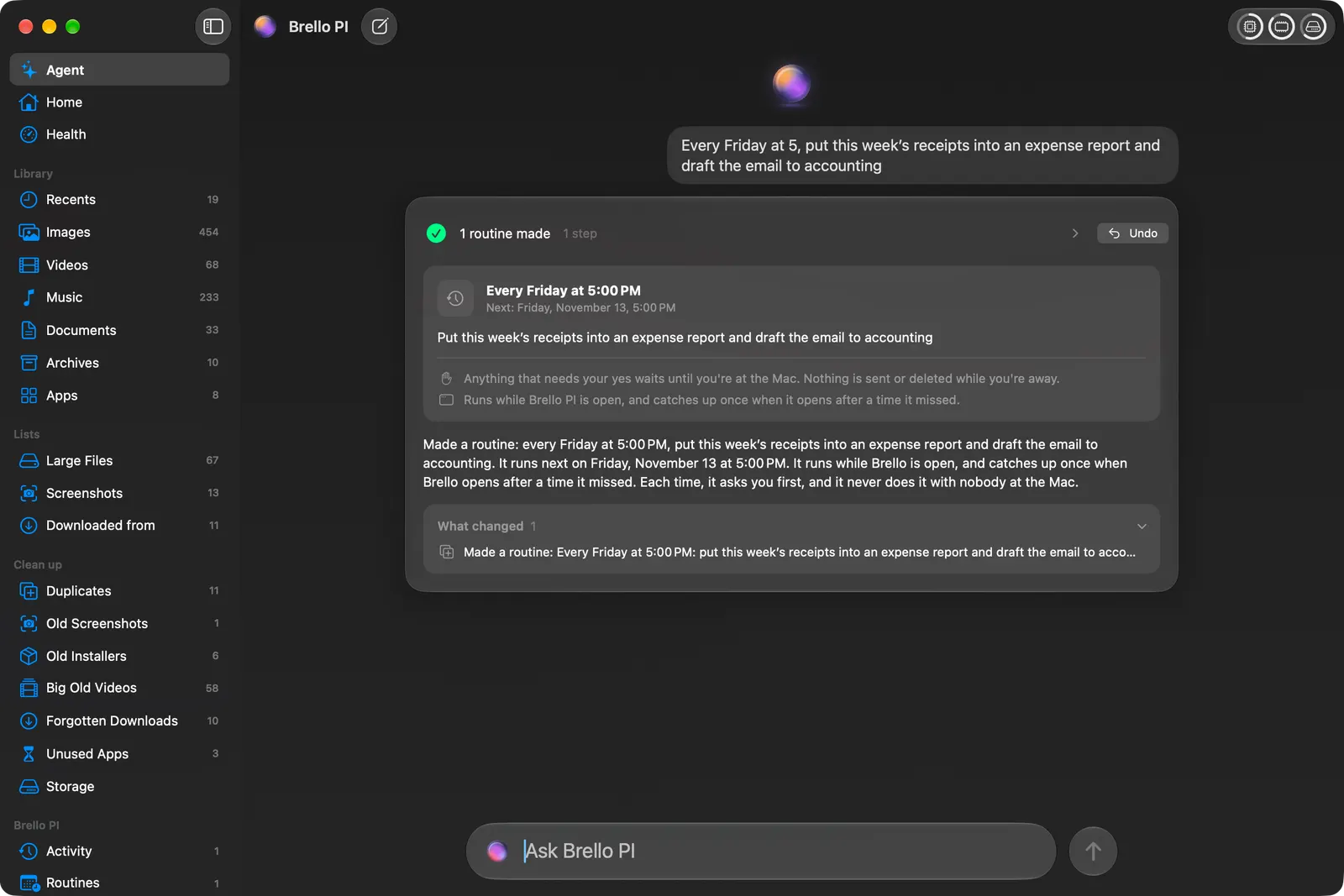
With nobody at the Mac, a routine never deletes, sends or goes online. Whatever needs you waits until you’re back.
Private, because of how it’s built
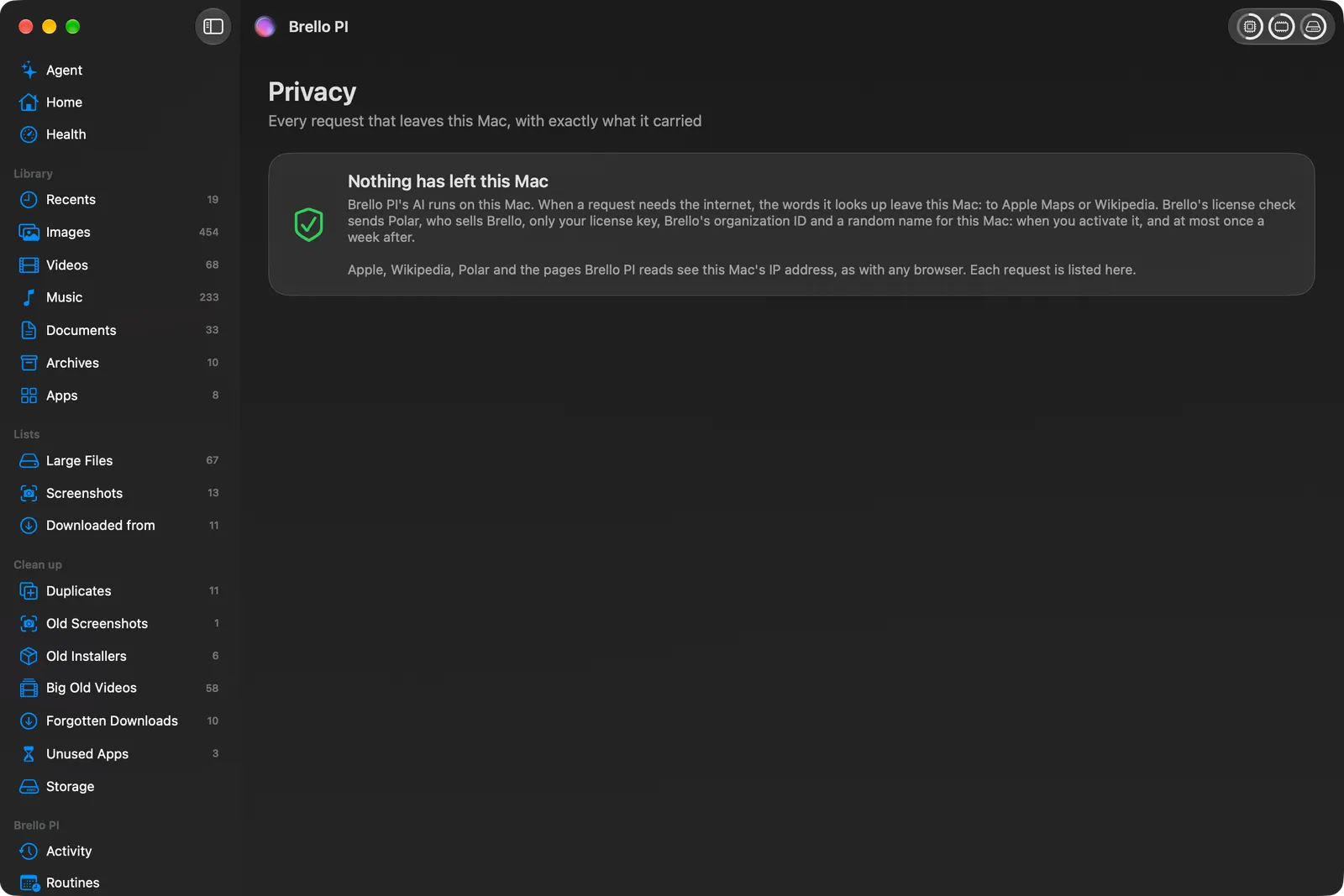
Your files, their names and your Mac’s health history stay on your Mac. When Brello does go online, for a lookup you said yes to or the weekly license check, every request is written to its Privacy page before it leaves, with exactly what it carried. And when a question needs the open web, Brello doesn’t send your words anywhere itself: Search in Safari hands them to Safari, on your click, where your own search engine answers.
What it costs, and what it runs on
Brello PI is $29.99 for a limited time, then $49.99. You pay once, there’s no subscription, and one license covers up to 3 Macs. Refunds within 30 days, no reason needed.
Home, Mac Health, Clean up and Quick Search work on any Mac with macOS 14 or later, on Apple silicon and Intel. The agent needs a Mac with Apple silicon, macOS 27 and Apple Intelligence turned on, and it turns itself on once Apple Intelligence is ready, without a relaunch.
We built Brello for people who want their Mac to do the thing they asked. If that’s you, we’d like to hear what you ask it first.