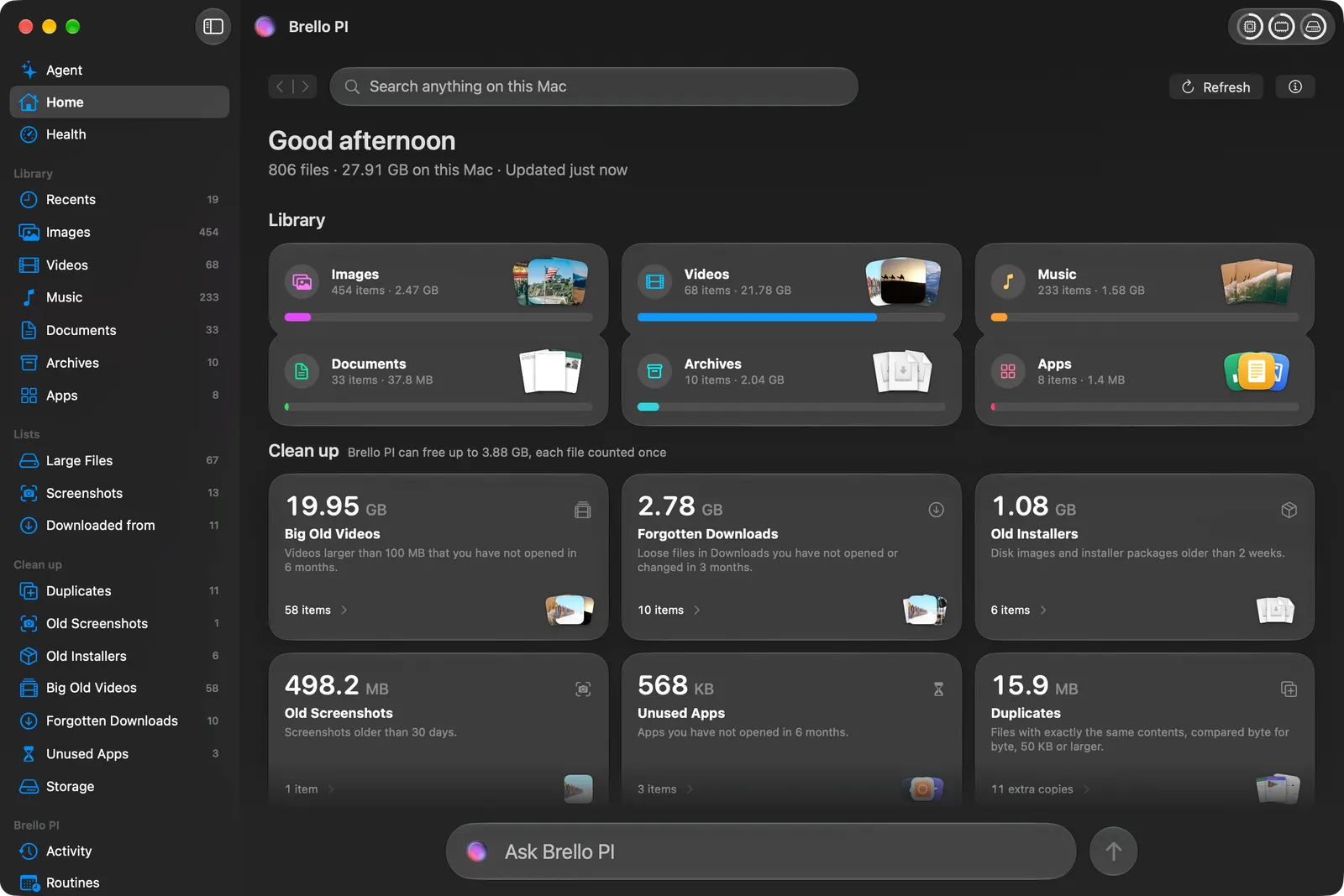
Finder shows you folders. Activity Monitor shows you numbers. Brello PI is native intelligence for your Mac: it tells you what matters, and then gets it done. It thinks with Apple’s on-device model, on the Mac itself, and it works through macOS’s own mechanisms, from Finder’s Trash to the values System Settings reports. Today it’s ready.
Your files, in plain sight
Home shows every photo, video, song, document and download on your Mac as big, clear previews, sorted the way you think. Type what you remember, “the contract I signed in March” or “PDFs from last week over 5 MB,” and it’s there. Duplicates are proven byte for byte before Brello PI offers to clear them. Downloads are grouped by the site they came from. Press Option-Space in any app and files appear as you type.
A Mac that explains itself
Mac Health shows the processor, memory, storage, heat and network, live, and what is using the most. Ask about it and get a straight answer in plain English.
Room to breathe
Clean up measures every kind of file on your Mac and shows what can safely go: big old videos you haven’t opened in six months, downloads you’ve forgotten, old installers, apps you don’t use. Nothing goes without your yes, and what goes moves to the Trash, so Undo puts it back if you change your mind.
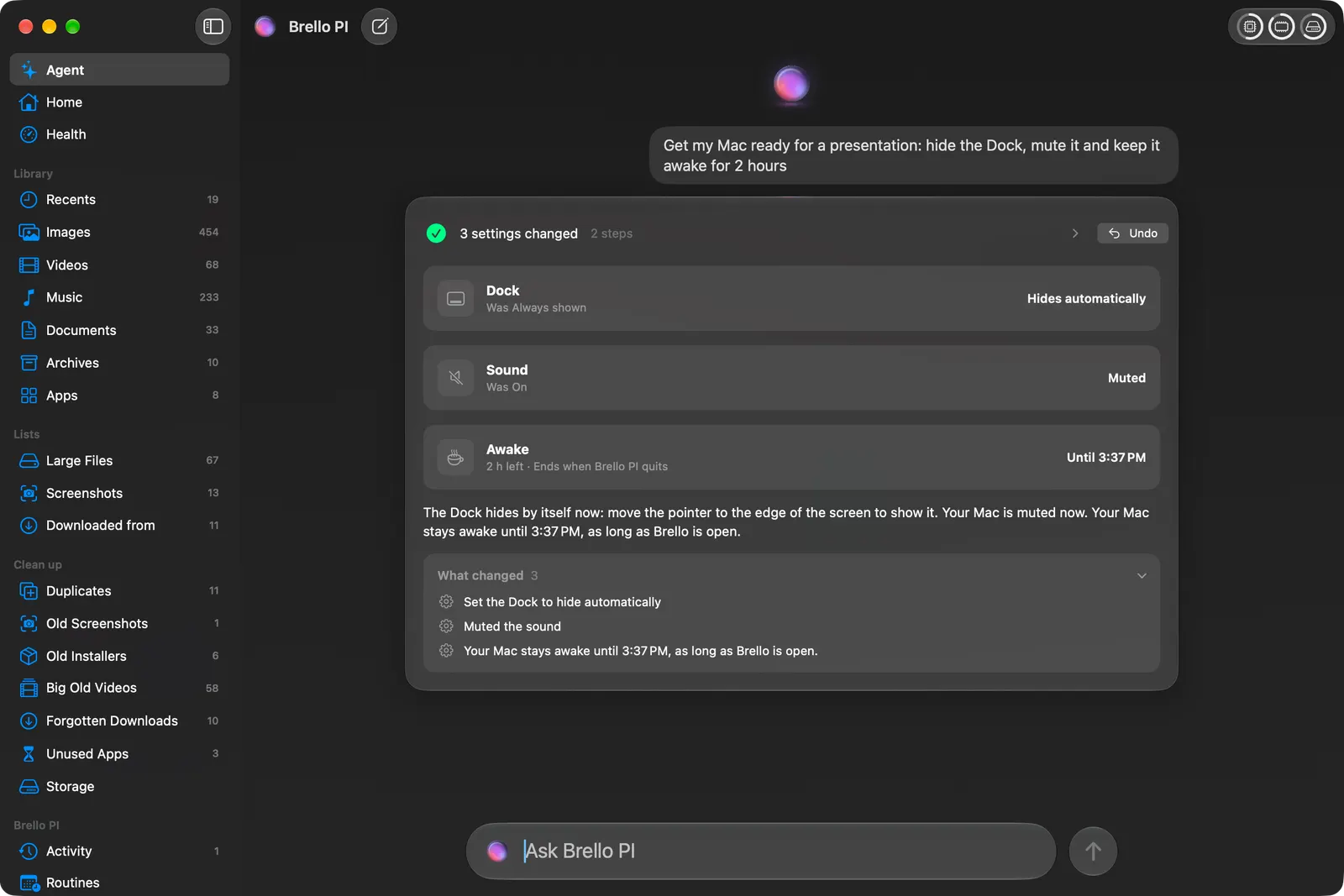
Set up your Mac in one sentence.
“Get my Mac ready for a presentation: hide the Dock, mute it and keep it awake for 2 hours.” Brello PI makes every change itself, checks each one with macOS, and one Undo puts them all back. Sleep, restart and emptying the Trash ask first.
Work, handed off
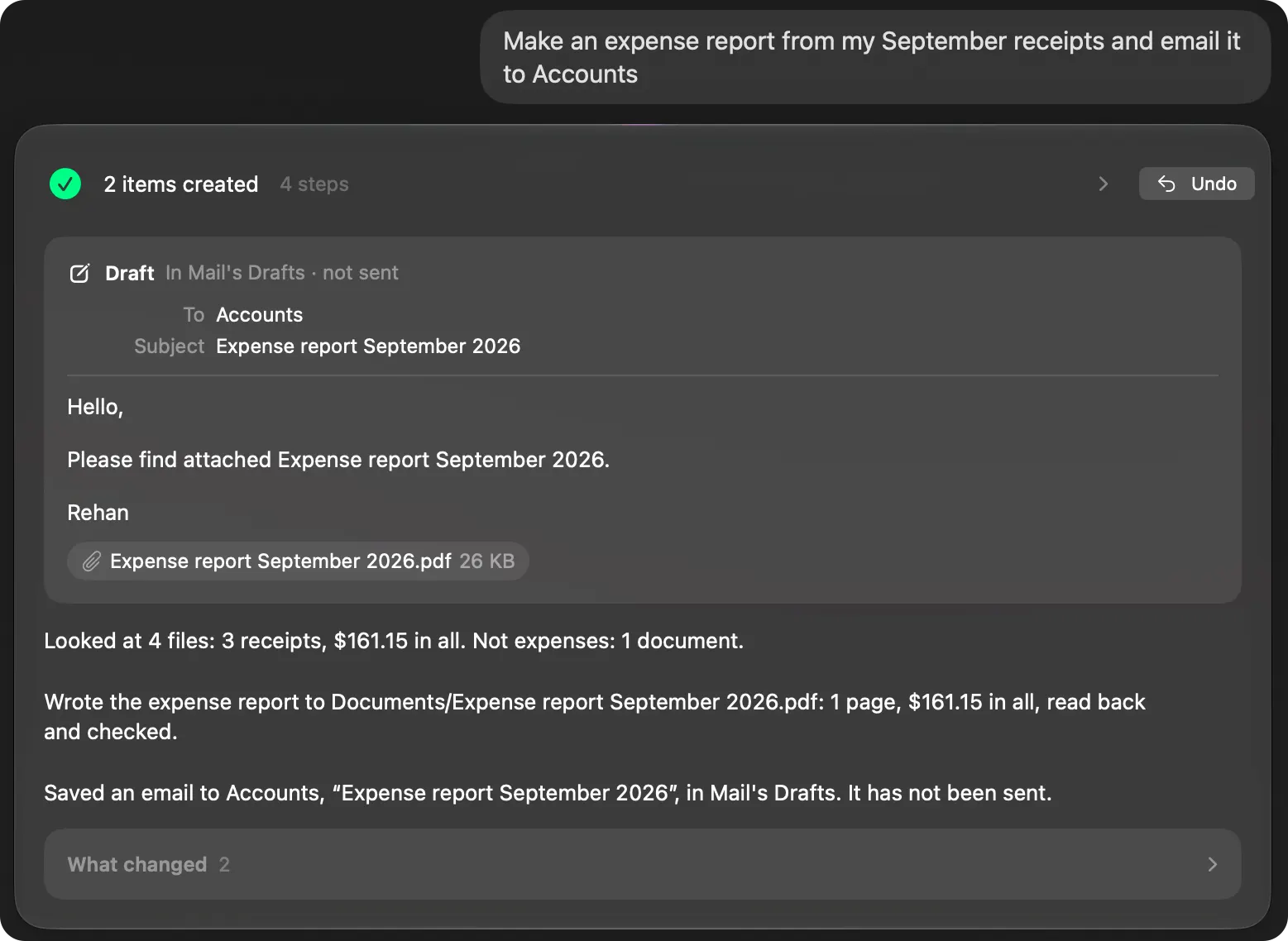
Tell Brello PI what you need, the way you’d tell a colleague. “Turn these receipts into an expense report and draft the email to accounting” gives you a checked PDF, and an email draft with it attached, ready for you to send. Routines take care of the chores that repeat, in your own words: “every Friday at 5.”
Built to be trusted
Brello PI thinks with Apple’s on-device model, and works on your Mac. There’s no account and no cloud AI, and we never receive your files. It asks before anything risky, shows exactly what will change, and Undo puts things back. When a request needs the internet, it asks once, carries only the words you typed, and lists every request on its Privacy page.
We measured Brello PI on what a new person types in their first ten minutes, scored by what each request actually changed: 310 of 310 cases, on the command line and in the app. The system card has every evaluation and every known limit, and our research says how we got there.
Price and availability
Brello PI is $30 at launch, then $50: one purchase, yours to keep, on up to 3 Macs, with refunds within 30 days. Runs on macOS 14 or later, on Apple silicon and Intel. Brello PI’s agent needs a Mac with Apple silicon, macOS 27 and Apple Intelligence. Home, search, Health, Clean up and Quick Search work on every Mac, and Brello PI’s agent shows exactly what a Mac needs. Download it, or buy it from Polar Software, Inc., our merchant of record.
Since November 6, Home and Health also come without the agent, as Brello: $20, one time, on any Mac with macOS 14 or later. Brello or Brello PI?