It asks before anything risky
Before Brello deletes anything, overwrites a file, quits an app, restarts your Mac or empties the Trash, it shows you exactly what will change, every item by name, and waits for your yes. One question covers the whole plan, and a yes covers only what was shown. A no changes nothing. The rules for what needs a yes are written in Brello’s code, not left to a model’s judgment.
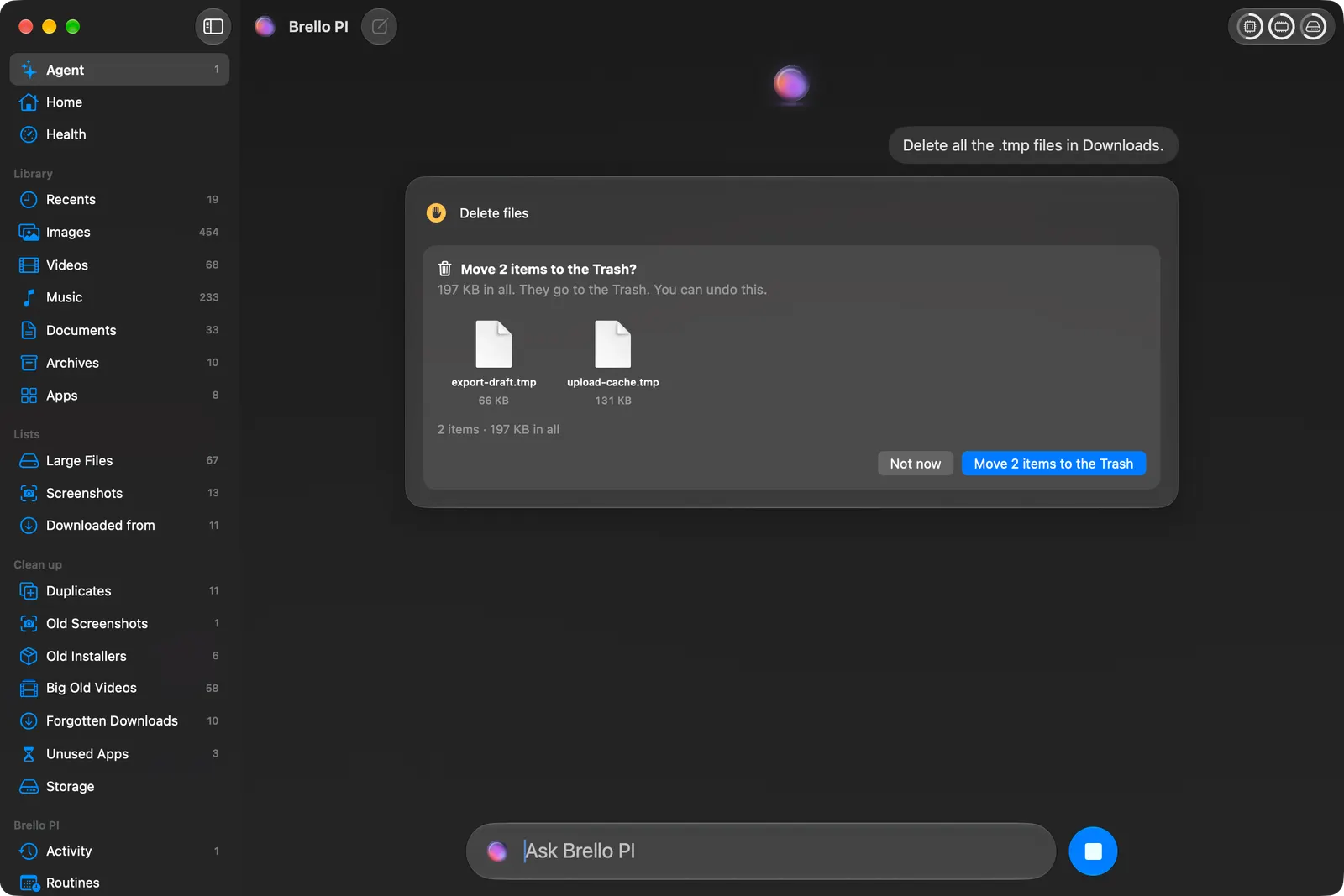
Everything can be undone
Moves, renames, copies, new files, folders, routines and settings can all be undone, even after Brello PI restarts. Files Brello PI deletes go to your Mac’s Trash, as Finder moves them, and Undo puts them back. The few things that can’t be undone, emptying the Trash or restarting, are named as final before you say yes. When Brello PI changes a setting, Undo puts back the value it read before.
Code checks the work
Brello never takes a model’s word for what it did. It checks each change on your disk before it says done, reads every document back before keeping it, reads every setting back from macOS, and finds every quote again in its source. When it can’t tell what you mean, it asks one short question, or says what it couldn’t tell, and changes nothing.
What the model does, and what it never decides
Nothing risky while you’re away
Routines and automations can run when you aren’t at the Mac. Then Brello PI asks nothing, deletes nothing, sends nothing and goes online for nothing. Anything that needs your yes waits until you’re back, and Brello PI tells you what is waiting.
Your files stay on your Mac
Brello PI thinks with Apple’s on-device model. There’s no account and no cloud AI, and we never receive your files. Only one part of Brello PI contains any code that can reach the network, and tests that read every line of Brello PI’s code, on every build, keep it that way.
Every request is listed
The first time a request needs the internet, Brello asks, and says exactly what will leave and where. Each request is written to the Privacy page in the app before it leaves; if it can’t be written, it isn’t sent. A request carries only the words you typed, never your files or their names.
It says what it can’t do
Brello PI changes only the settings macOS lets an app change, and for the rest it opens the right place in System Settings. It doesn’t send email for you; it writes the draft and you send it. We publish what Brello PI was tested on, how it scored and what it still gets wrong, in the system card.
Report a problem
If you find a security issue, or Brello ever does something it shouldn’t, such as a change made without the yes it needed or a request that leaves without its line in the Privacy page, tell us privately at security@brello.ai. Questions about your data go to privacy@brello.ai.