Where does the AI run?
There are three kinds of AI on a Mac today:
- On-device, built into macOS. Apple Intelligence includes a language model that runs on your Mac, and Apple’s Foundation Models framework lets apps use it. Nothing needs downloading, and the model works offline.
- On-device, downloaded. Some apps run an open model you download, such as Perplexity’s fully local mode, which Perplexity recommends for Macs with 36 GB of memory.
- In the cloud. ChatGPT, Claude and most AI apps send your request, and anything you attach, to the maker’s servers, where the model runs.
Cloud models are larger and better at long writing and research. On-device models keep what you give them on your Mac.
How do I turn on Apple’s on-device model?
- Choose Apple menu ▸ System Settings.
- Click Apple Intelligence & Siri.
- Turn on Apple Intelligence. macOS downloads the model the first time; apps can use it once it’s ready.
It needs a Mac with Apple silicon.
How can I tell what an app sends?
- Read where its model runs. An app that uses Apple’s on-device model or a local model should say so plainly.
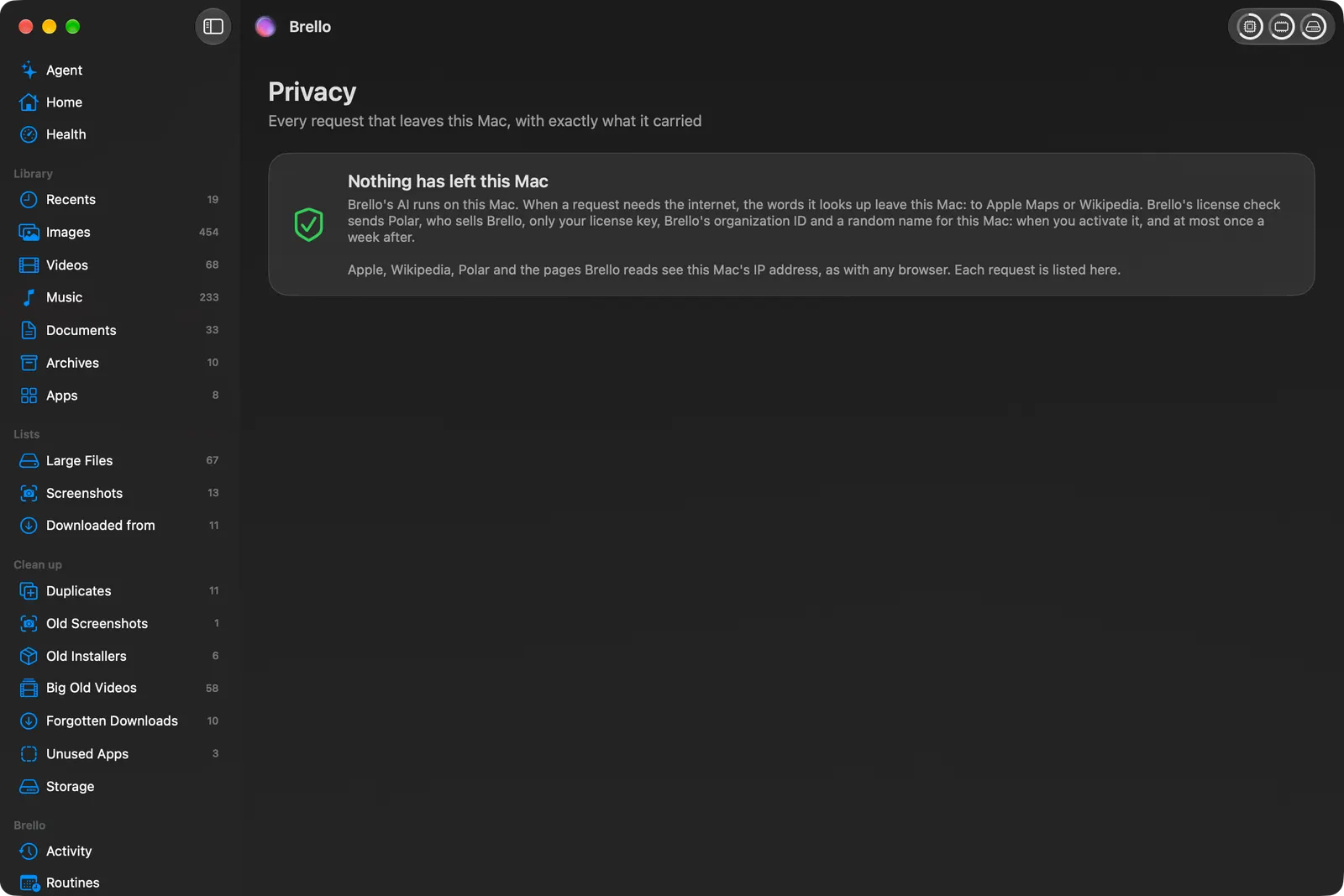
- Look for a list of what leaves your Mac. Brello’s Privacy page lists every request that has left the Mac, written before it’s sent; if a request can’t be written there, it isn’t sent.
- Check what it asks for. macOS asks before an app reads your Desktop, Documents or Downloads, and you can see and change each app’s access in System Settings ▸ Privacy & Security.
- Watch for an account. An app that needs an account usually keeps something on its servers.
A private AI agent for your files
Brello is an AI agent for the Mac built on Apple’s on-device model. It does work on your own files: “Make an expense report from my September receipts and email it to Accounts” reads the receipts on your Mac, writes a checked PDF and drafts the email, not sent. It has no account. Brello never uses Apple’s cloud model or another company’s AI service, and much of what it does is decided by its own code before any model is asked.
Brello goes online only when a request needs something from outside, such as a place on Apple Maps or a Wikipedia article. It asks once before the first one, only the words you typed leave, and every request is on the Privacy page.
What you need
Apple’s on-device model needs a Mac with Apple silicon and Apple Intelligence turned on. Brello’s agent needs macOS 27; Brello’s Home, Clean up and Health work on any Mac with macOS 14 or later.
Checked on macOS 27.0.1, October 30, 2026. Menu names can change with a macOS update.
Sources: Apple Intelligence (Apple); Foundation Models framework (Apple Developer); Run Computer locally on your Mac (Perplexity).
In Brello’s help: When Brello goes online, What macOS asks, and why, Ask the agent.