At a glance
| Claude for Mac | Brello | |
|---|---|---|
| What it is | Anthropic’s Claude, with Cowork and Claude Code | An agent that works on your Mac |
| Where the AI runs | Anthropic’s servers | Apple’s on-device model, on your Mac |
| Account | A Claude account | None |
| Your files and apps | Through connectors and locally installed desktop extensions | Built in: every file by kind, filing, documents, email drafts, settings |
| Checking its work | Not described on its download page | Each change read back from macOS or the disk; one Undo |
| Your Mac’s health and space | No | Health, Balance the load, Clean up |
| Writing, analysis, code | Its strength, with Claude Code in the app | Short drafts and notes; not for long analysis or code |
| Price, as each site says | Free; Pro $20 a month, or $17 a month billed yearly; Max from $100 a month | $20 at launch, then $50, one time, for up to 3 Macs |
Where Claude is the better choice
- Deep work in words and code. Long documents, analysis, research and software, with Claude Code running in the desktop app.
- Connectors. Claude can work with apps, databases and services through connectors, and with your browser through Claude in Chrome.
- Cowork, on paid plans.
- The same Claude everywhere, on the web, your phone and other computers.
Where Brello helps
- Built for the Mac, nothing to set up. No extensions or connectors to install: Brello already knows your Desktop, Documents and Downloads once you allow it, and the Mac’s own settings.
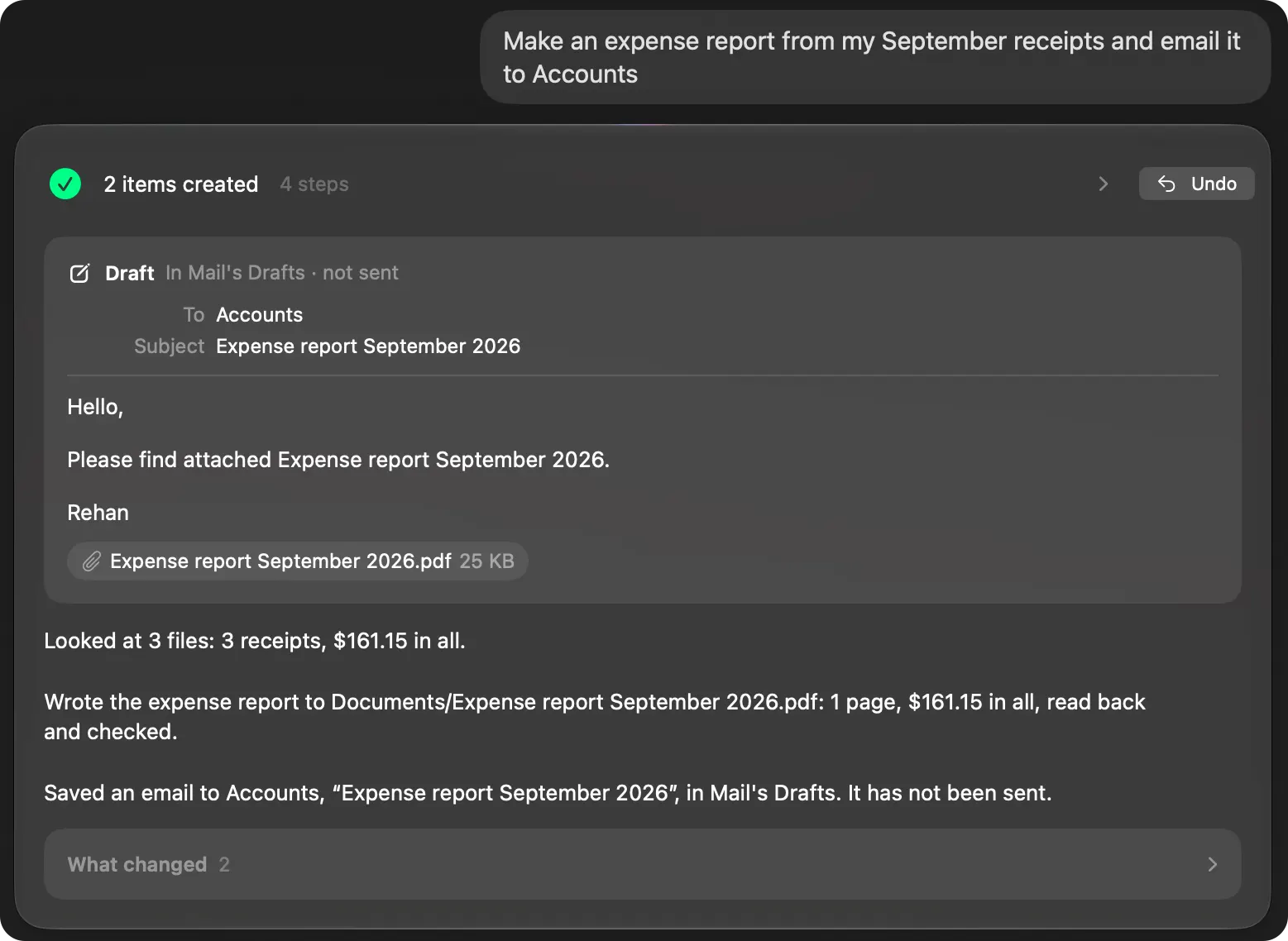
- Your files stay on your Mac. Brello thinks with Apple’s on-device model. “Make an expense report from my September receipts and email it to Accounts” reads the receipts, writes a checked PDF and drafts the email, without your files going to an AI service.
- Several jobs in one sentence, then one Undo. “Put all my 2025 invoices in one folder, zip it and draft an email to my accountant with it attached” finds the invoices across three folders, leaves the 2026 invoice and a 2025 quote alone, and makes the folder, the ZIP and the draft.
- Your Mac’s health and space. Health shows the processor, memory, disk and heat in plain words, with Balance the load, and Clean up lists what’s safe to delete before anything goes to the Trash.
- One price. No subscription and no account.
Can I use both?
Yes. Claude for writing, analysis and code; Brello for the work on your Mac itself: your files, settings, space and health.
Which to choose
- Choose Claude for thinking and writing at length, for code, and for connecting AI to the services you use.
- Choose Brello if you want everyday work on your Mac done from a sentence, with your files kept on your Mac, each change checked and Undo.
What you need for Brello
Home, Clean up and Health work on any Mac with macOS 14 or later. The agent needs a Mac with Apple silicon, macOS 27 and Apple Intelligence turned on.
We make Brello. What Claude does and costs was read from its maker’s own site on October 30, 2026, and may have changed since: