At a glance
| ChatGPT for Mac | Brello | |
|---|---|---|
| What it is | OpenAI’s chat, in a Mac window | An agent that works on your Mac |
| Where the AI runs | OpenAI’s servers | Apple’s on-device model, on your Mac |
| Account | A ChatGPT account | None |
| Your files | The files you open or point it to | Every file on your Mac by kind, found by what you remember |
| Doing things on the Mac | Computer use in its Work mode, with Screen Recording and Accessibility permissions | Built-in actions: filing, documents, email drafts, settings, routines, Clean up |
| Checking its work | Not described on its pages | Each change read back from macOS or the disk; one Undo |
| Your Mac’s health and space | No | Health, Balance the load, Clean up |
| Writing, research, coding | Its strength | Short drafts and notes; not for long research or code |
| Price, as each site says | Free; Plus $20 a month; Pro from $100 a month | $20 at launch, then $50, one time, for up to 3 Macs |
Where ChatGPT is the better choice
- Open-ended thinking and writing. Long drafts, brainstorming, explanations, translation and code, with OpenAI’s models.
- The web. Research and answers from across the internet, with sources.
- Everywhere you are. The same chats on the web, phone and other computers.
- Computer use. In its Work mode it can use the browser and desktop apps for a task you give it.
Where Brello helps
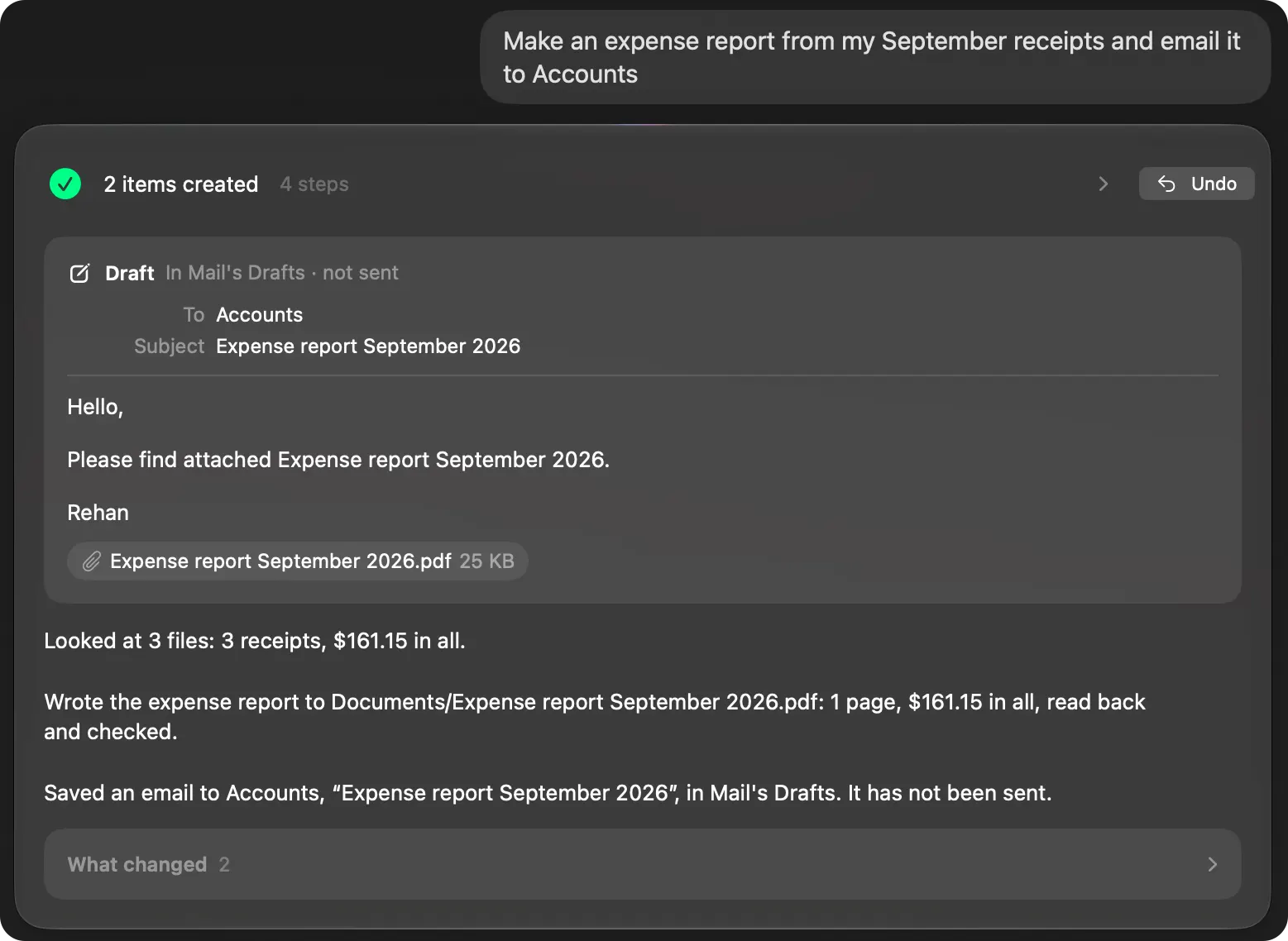
- Work on your own files, kept on your Mac. “Make an expense report from my September receipts and email it to Accounts” reads the three September receipts on your Mac, totals them to $161.15, writes a PDF that it reads back and checks, and drafts the email with it attached. Nothing about your files goes to an AI service.
- Actions that are checked, then undoable. “Get my Mac ready for a presentation: hide the Dock, mute it and keep it awake for 2 hours” makes three changes, asks macOS what each now is, says only that, and puts all three back with one Undo.
- Your Mac, looked after. Home shows every file by kind, Clean up lists what’s safe to delete and deletes only after your yes, and Health says how your Mac is doing in plain words, with Balance the load in one click.
- Rules in code, not in a model. Whether something deletes, sends or goes online is decided by Brello’s own code, and it asks first. A routine running with nobody at the Mac never deletes, sends or goes online.
- One price. No subscription and no account.
Can I use both?
Yes, and many people will. Use ChatGPT for writing and research, and Brello for the work that lives on your Mac: your files, your settings, your Mac’s space and health.
Which to choose
- Choose ChatGPT for conversation, writing, research across the web and coding, and if you want the same AI on every device.
- Choose Brello if you want work done on your Mac, from filing to reports to settings, with your files kept on your Mac, every change checked and Undo.
What you need for Brello
Home, Clean up and Health work on any Mac with macOS 14 or later. The agent needs a Mac with Apple silicon, macOS 27 and Apple Intelligence turned on.
We make Brello. What ChatGPT does and costs was read from its maker’s own site on October 30, 2026, and may have changed since: