The difference in one line
Brello Lite has no agent. Everything that reads, measures and explains your Mac is in both apps. Only Brello does work from a sentence, and that part needs Apple’s on-device model, which runs only on newer Macs.
At a glance
| Brello Lite | Brello | |
|---|---|---|
| Price | $10, one time | $20 at launch, then $50, one time |
| Macs per license | Up to 3 | Up to 3 |
| Refunds | Within 30 days, no reason needed | Within 30 days, no reason needed |
| Runs on | macOS 14 or later, Apple silicon and Intel | macOS 14 or later, Apple silicon and Intel |
| Needs Apple Intelligence | No | Only for the agent |
| Home: every file by kind, search, Duplicates, Downloaded From | Yes | Yes |
| Clean up: old installers, forgotten downloads, big old videos, old screenshots, unused apps | Yes | Yes |
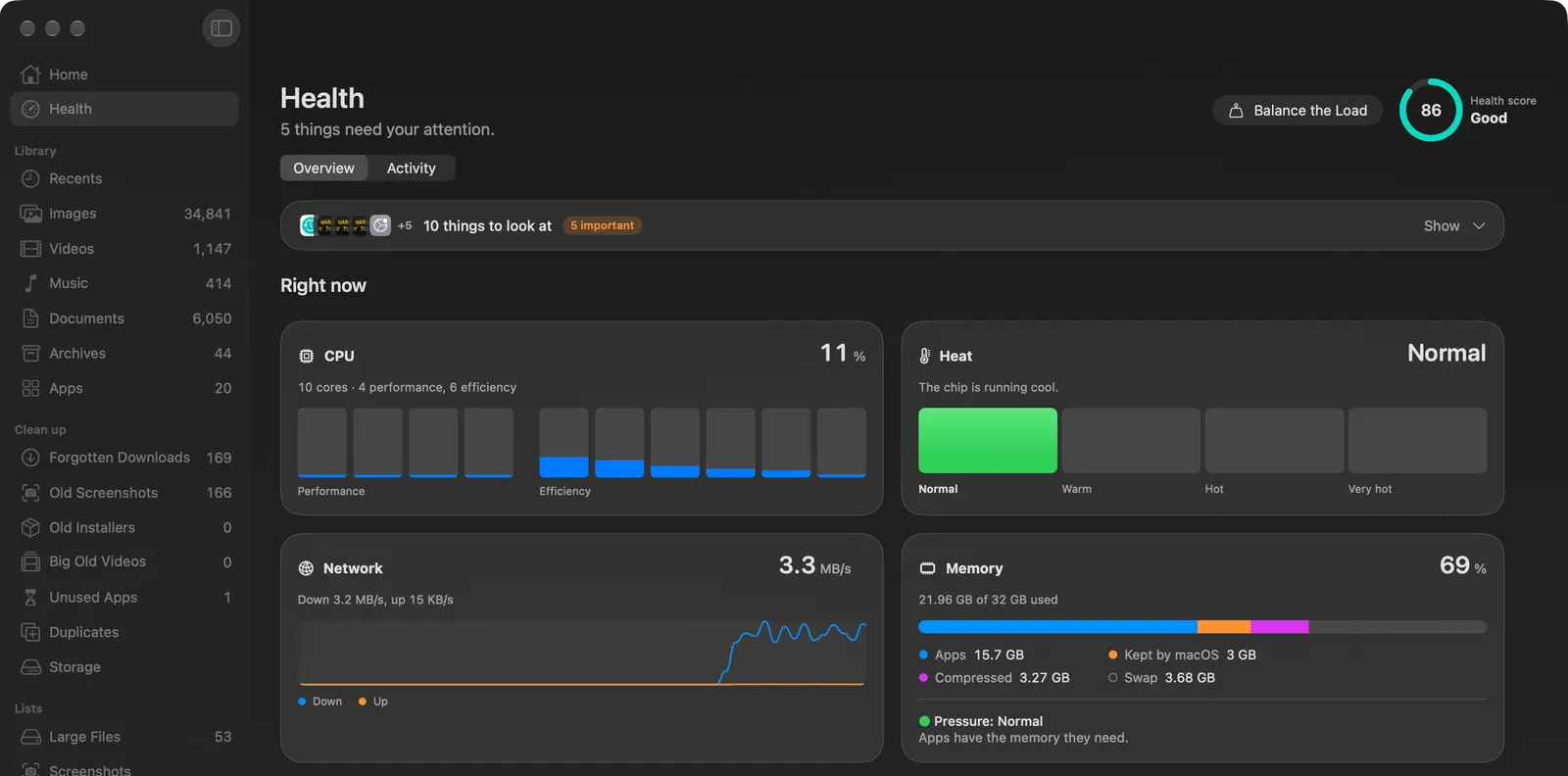
| Mac Health: the score, the checkup, every process, the Agents tab | Yes | Yes |
| Balance the Load | Yes, from Health and the menu bar | Yes, from Health, or by asking |
| Quick Search from any app | The menu bar panel, Control-Option-Space | The popup, Option-Space |
| The agent: finished work from a sentence | No | Yes |
| Settings by asking, routines, Photos search, images with Image Playground | No | Yes, with the agent |
| Download | Its own, from /download/lite/ | From /download/ |
The two licenses are separate. A Brello Lite key activates Brello Lite only, and a Brello key activates Brello only.
Who Brello Lite is for
- Anyone who wants to know how their Mac is doing. The battery, the drive, memory and swap, security, backups and every process, each explained in plain words, with the button that fixes what can be fixed. Everything Health does.
- People with an Intel Mac, or a Mac that can’t run Apple Intelligence. Brello Lite has no AI model, so it does the same on every Mac it supports.
- Developers who run AI agents. The Agents tab shows how many are running and what each one costs the computer, and ends a forgotten session after asking.
- Anyone who wants the utilities without paying for the agent. Home, Clean up, Balance the Load and Quick Search, for $10.
Who Brello is for
- People who want the work done for them. Type “turn these receipts into an expense report and draft the email to accounting”, and Brello writes a checked PDF and an unsent draft with it attached, with Undo. What the agent does.
- People who change settings, tidy folders or file documents often. With the agent, you ask in a sentence and Brello does it, reads it back from your Mac and offers Undo.
- Anyone with a Mac that runs Apple Intelligence who wants one app for all of it. Brello has everything Brello Lite has, too.
Which to pick
| If you want to | Pick |
|---|---|
| See what’s wrong with your Mac and fix it | Either: Brello Lite costs less |
| Watch every process, or your AI agents’ cost | Either |
| Use it on an Intel Mac or on macOS before 27 | Brello Lite, unless you want Brello’s other parts there |
| Turn a sentence into finished work | Brello, on a Mac with Apple silicon, macOS 27 and Apple Intelligence |
| Change settings or set up routines by asking | Brello |
Questions
Is Brello Lite a trial of Brello? No. It’s its own app with its own license, and it keeps working for as long as you use it.
Does Brello Lite have any AI in it? No AI model. It reads your Mac with code, so every figure comes from macOS itself. The Agents tab finds other AI apps running on your Mac; it doesn’t run one.
Does Brello Lite send anything about my Mac? No. It goes online only to activate and check your license with Polar and to look for a new version, and both are listed on its Privacy page.
I bought Brello Lite. How do I get the agent? Buy Brello. The two licenses are separate, and Brello has everything Brello Lite has. Pricing.
Get either one
Buy Brello Lite, $10 and download it, or buy Brello and download it. Both are signed with Developer ID and notarized by Apple.
We make Brello and Brello Lite. What each has, costs and needs is as we sell it today: