What goes in the ledger
One part of Brello PI holds all of its network code, and every request passes through it. Before a request leaves, it is checked and written down; when it ends, the line is completed. Each line says:
| Field | What it holds |
|---|---|
| When | The time it was sent |
| Why | Its purpose: a place on Apple Maps, a fact from Wikipedia, a picture for an answer, your license check, and so on |
| Where | The service or site it went to |
| What it carried | The exact words sent, for a lookup |
| How it ended | Its status, or why it failed in a few plain words, such as “timed out” |
| Size | The bytes sent and received |
| For which request | The request of yours that asked for it |
Requests Apple’s own frameworks make
For Apple Maps, Brello PI asks Apple’s MapKit, which opens its own connections and doesn’t report their size. The ledger still writes down what was handed over (the words, or the place) before the call, and says the byte counts weren’t reported, rather than guessing them.
What can reach the ledger
Only the requests a request of yours needs from outside your Mac, such as a place on Apple Maps or an article on Wikipedia, with the pictures for that answer, and your license check with Polar. Your files and file names never leave. A request that holds an email address, a file path, your user name, a long number or something like a password is refused before it’s sent.
Hand-overs to other apps
Some things Brello PI hands to another app rather than sending itself. Each is written to the ledger before the other app is asked, the same way:
| You choose | What’s handed over | To |
|---|---|---|
| Search in Safari | The words you typed | Safari, which searches with your own search engine |
| A source’s page in a reply | The page’s address | Your browser |
| Open in Maps on a places reply | The place | The Maps app |
| Buy Brello PI in the app | Polar’s checkout address, none of your words | Your browser |
The order of things
- A step of your request needs something from outside your Mac.
- If it’s the first time, Brello PI asks whether it may use the internet, saying exactly what will leave and where.
- The request is checked: it may carry only words you typed, and never an email address, a file path, your user name, a long number or something like a password.
- The line is written to the ledger. If it can’t be written, the request stops here and nothing is sent.
- The request is sent.
- When it ends, the line is completed with how it ended and its size.
Why it’s built this way
A privacy policy says what a company has decided to do; the ledger shows what the app actually did, on your own Mac, where you can check it. Because every request goes through one part of the app, and a test on every build fails if network code appears anywhere else, there is no other way for Brello PI to reach the internet that the ledger wouldn’t see.
How do I see it?
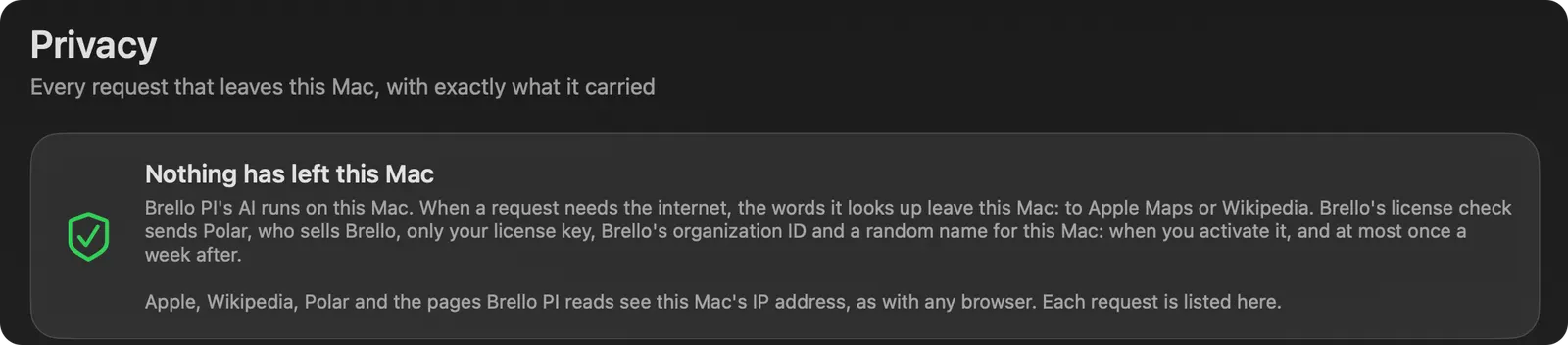
Open Brello PI and choose Privacy in the sidebar, or press ⌘6. On a new Mac it says nothing has left it yet. Every line appears there as it’s written.
Is the ledger sent anywhere?
No. It’s kept on your Mac, in Brello PI’s own folder, and deleted with it. See What Brello PI keeps.
Can I stop Brello PI going online at all?
Yes. Turn off Use the internet in Brello PI’s Settings. Brello PI then makes no requests, not even the weekly license check, and a request that needs the internet says so in one line. Your license keeps working on its last answer.
Updated October 28, 2026. Questions about your data: privacy@brello.ai. A security issue: security@brello.ai.