Why time is code’s
A time read wrong is worse than a time not read. A routine that runs at five in the morning instead of five in the evening, or a date with its day and month swapped, does the wrong thing at exactly the moment you aren’t looking.
So we tried the readers we had. Apple’s DataDetection, in macOS, read “Thursday’s” as a whole day, “Friday afternoon” as a single moment, and “in two hours” as nothing. A language model may read “at 5” one way today and another tomorrow. Neither is wrong for what it was built for; neither is something to schedule by. Brello reads time with code of its own, the same way every time for the same words on the same clock.
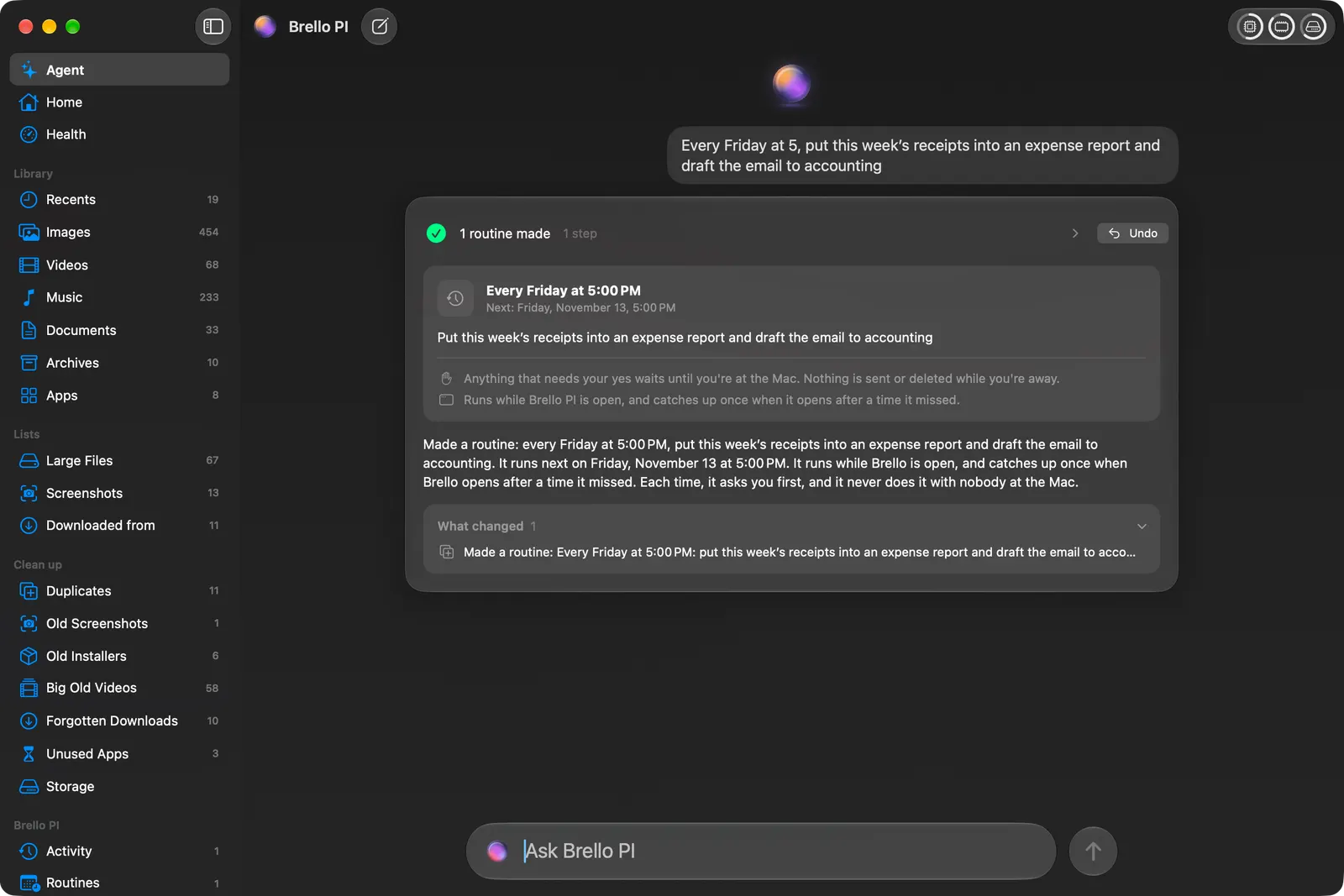
In Brello for Mac that reader sets when your routines run: “every Friday at 5,” “every weekday at 9.” It was built against a made-up week of meetings, which is where it is tested: the same week every time, so a result can be checked to the minute.
The rules
- A weekday alone is the next one, today included. “Next Tuesday” is the one in next week; “this” and “last” mean what they say.
- Parts of the day are spans: morning is 9 to 12, lunchtime 12 to 2, afternoon 12 to 6, evening 6 to 9.
- An hour without “am” or “pm” is read as a working day: 1 to 7 is the afternoon or the evening, 8 to 12 the morning or noon. “At 8 in the evening” is 8 PM, because the words say so.
- A bare number is never a time. “Add 5 decks” has no time in it, and lengths are read wherever they are: “a free hour,” “45 minutes,” “an hour and a half.”
- A weekday with its date must agree with it. “Saturday, November 13, 2026” is not read, because November 13, 2026 is a Friday, and Brello says which.
- The words are kept exactly as typed, so the step that acts on a time can be checked against the request, word for word.
Said, never guessed
The most important rule is the one for what the reader doesn’t know. When a word looks like a day or a time but no rule reads it, the request is unclear: Brello says which word it couldn’t place, changes nothing, and asks for no permission first.
That covers a number that might be a day, an hour or a year (“schedule the call for 4 on Friday”), a month on its own, a time in words (“at half past one”), and “the end of next week.” Each costs you one more sentence. None costs you a wrong time.
The way people say it
A reader that strict is safe and annoying, so on October 15 we taught it the most common things it was turning away, each written to be wrong in one direction only.
- A day and a time said apart are one moment. “Remind me tomorrow to call the bank at 5” is tomorrow at 5 PM. When two days or two times could each go with the other, Brello names them instead of pairing them by a guess.
- A number that counts something is not a time. “A table for 4,” “a party of 6,” “4 of us.” A meal is not on the list: “lunch for 1” might mean one o’clock, so it stays unclear.
- A day inside a name is the name’s. “Fashion Week,” “Monday Club,” “Black Friday,” when the rest of the request already says when. When it doesn’t, Brello asks.
Then we measured it the way we measure everything we tune: 35 new phrasings, written after the changes and committed before their first run. The first run read 33 of the 35 exactly. One placed “next week at 1” on Monday, when “next week” is more than one day; one kept the words “in the” in a reminder’s title. Two more rules fixed both, and all 35 passed.
Three Macs, three regions
Brello is sold in the United States, the United Kingdom and the European Union, and the same digits mean different days in each. So a date you type is read as your Mac’s region writes dates, and holidays are read as the region keeps them.
| Typed | The Mac’s region | Read as |
|---|---|---|
| “lunch with Sam on 10/16 at 1pm” | United States | Friday, October 16 at 1:00 PM |
| “lunch with Sam on 16/10 at 1pm” | United Kingdom | Friday 16 October at 13:00 |
| “a dentist appointment on 11/12 at 9am” | United States | Thursday, November 12 at 9:00 AM |
| “a dentist appointment on 11/12 at 9am” | United Kingdom | Friday 11 December at 09:00 |
| “a meeting with Dana on 20.10.2026 at 14:00” | Germany | Tuesday 20 October at 14:00 |
| “call mom on Thanksgiving” | United States | Thursday, November 26 |
| “a barbecue on Memorial Day at 2pm” | United States | Monday, May 31, 2027 at 2:00 PM |
| “mow the lawn on bank holiday Monday” | United Kingdom | Easter Monday, 29 March 2027 |
The dentist row is the one that matters. “11/12” is November 12 in Chicago and December 11 in London, and both are right. A reader that picked one order for everyone would be wrong for half of its buyers, every time, without a sign that anything had gone wrong.
What Brello writes back
Reading is half of it. Every date, time, unit and currency Brello writes follows the Mac’s locale, in English, and what it writes for you follows your region: British English and British units on a Mac set to the United Kingdom, American English in the United States, metric elsewhere. The rule in the app’s code is never to hard-code a day-month order, a 24-hour clock or a currency in anything a person reads.
| What | United States | United Kingdom |
|---|---|---|
| Dates from Wikipedia | Ada Lovelace: “December 10, 1815 to November 27, 1852” | Elon Musk: “28 June 1971” |
| Money | “$2,134.28”, never “USD 2,134.28” | “£2,134.28” |
| A receipt in its own currency | “€12.70” stays euros, never taken for dollars | “£18.40”, as a British Mac writes money |
| A receipt that names no currency | Counted in dollars | Counted in pounds |
| An oven temperature | About 450°F | About 230°C |
One of these was a real bug. On October 20 an American Mac answered “Ada Lovelace lived from 10 December 1815,” because code copied the article’s dates as Wikipedia writes them. Now a whole date found in any text is rewritten in the Mac’s own form: only the order and the punctuation change, so a date before the Gregorian calendar keeps its day.
What it doesn’t read
- Phrasings nobody taught it. “Every Monday at 9” as a repeating event, “the one after lunch,” “Friday week.” Each is said, never guessed.
- Other languages. The reader reads English. A Mac set to Germany reads German dates written in figures, and English words.
- Names it can’t tell from days. “Add Taco Tuesday at 7” and “Add Gym Friday at 7” look alike to a reader that knows no names, so both are asked about; “Add gym on Friday at 7” is read.
Notes and sources
- The held-out phrasings were written after the changes of October 15, 2026, and committed before their first run, as the held-out wordings in Undo everything were.
- The region cases (22 in all, among them six of money) are played under the locales en_US, en_GB and de_DE, on the command line and in the app window, by the suite in The first ten minutes. The last run, October 21, 2026, passed all of them on both paths.
- Apple’s DataDetection was read in a probe of macOS 26’s framework on October 15, 2026.