An app that watches your Mac’s health has no business weighing on it. An app that runs an AI model on your Mac has to be careful where every millisecond goes, because there’s no data center to hide the cost in. This is the story of how we measure Brello PI’s speed, what we found when we did, and the numbers before and after each fix.
Some of it is flattering, and some of it isn’t. We’ve kept both.
How we measure
Brello PI is measured on made-up homes with real shapes: 40,826 files, and twice that, 81,652, with what a real Mac’s files carry for Spotlight, real duplicate copies, apps and screenshots. Each run launches cold, with the window on screen, tours every page, and does it three times. We record the longest the main thread went without coming back to the screen (a “turn”), the gaps between frames the display drew, and memory as Activity Monitor would count it.
The bar for motion is concrete: no frame over 33 milliseconds while anything moves, at most two single misses in any one animation, and no turn of the main thread over 50 milliseconds. Typing must never drop a key’s frame.
The health page was the busiest thing on the Mac
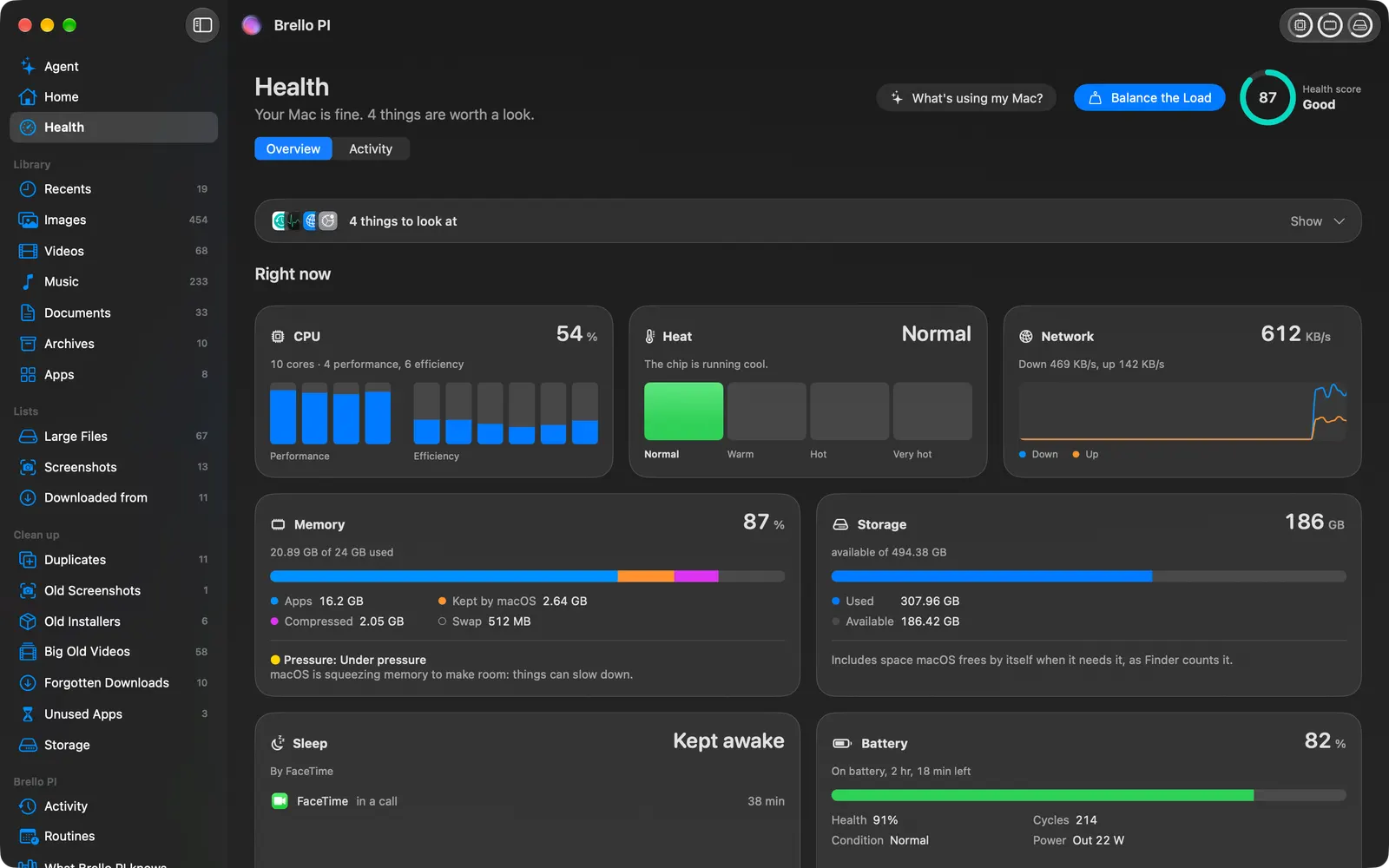
Brello PI’s Health page shows the processor, memory, storage, heat and network live, every second. In October we measured it with the page open: 45 to 60% of one core. The page that tells you what’s busy was the busiest thing on the Mac.
The processor bars were a chart that sprang to each new reading. A Mac’s cores never sit still, so the spring never settled, and the whole page was laid out and drawn sixty times a second. Now the bars are plain capsules that step to each reading, the way Activity Monitor’s do. In an optimized build the page in front costs 3.9% of a core, and 0.3% at rest.
Then we went further. Each reading now changes only the figures that changed, in place: every number, line and chart that moves lies over its own room, so nothing around it is laid out again. Ten readings, a new score and a new minute of history now lay the page out at most once. Late frames while Health settled went from 14 to 5 or 6, none over a single beat.
Pages behind the one in front do nothing
A window with eight pages shouldn’t pay for seven of them. But SwiftUI never tells a page it’s out of sight, and Health kept following the readings and sweeping the busiest processes every second while you were looking at Home. Now it’s given its last readings without following them, and it sweeps processes only while it’s in front. The processor at rest, after visiting every page, went from 12.9% to 2.0%.
The same idea runs through Home. When we first measured the window at rest, it used 6.5% of the processor doing nothing. It’s now under 1%.
A freeze, found at scale
The worst bug of the month showed up only at real scale. After launch, on a home with tens of thousands of files, the window froze with the main thread at 100%. Every sample sat inside SwiftUI’s focus handling, walking the key-view loop round and round, with memory growing about 6 MB a second.
The cause was a race nobody would design. At that scale, the first look for duplicates takes longer than the Agent page’s welcome waits for it, two seconds. So the welcome was read twice, half a second apart, and the second reading arrived in a different order: a suggestion that was still fading in was replaced by another kind of view in the same place, mid-animation. That change of what a place held sent AppKit’s key-view loop round for good. Small homes find their copies in time, so no test had seen it.
The fix: the welcome is one grid from its first frame, its places known by what they hold, and a later reading keeps what’s shown where it stands and adds the new after it. Nothing moves once it’s placed, which is a rule of Brello PI’s interface anyway. It just turned out to be a rule of its stability too.
Nothing moves once it’s placed. That turned out to be a rule of stability, not only of looks.
First opens, made out of sight
The first time you open a page, Brello PI has to build it. At scale, building Health or Home in one go held the main thread for well over a tenth of a second. Now a page shown for the first time is made out of sight behind the one in front, a part at a time, a frame apart, and then cross-faded to. Every change of page also used to rebuild Home behind it, through values that were never equal to their last; those are now made once and kept.
| Page | Before | After |
|---|---|---|
| Home | 94–109 | 60–91 |
| Health | 127–137 | 72–88 |
| Settings | 103–108 | 78–101 |
| Longest turn after launch, anywhere | 129–198 | 82–101 |
Settings is still at the bar, its whole page in one step: held back in steps, AppKit’s switches sent the key-view loop round again. It needs another way, and we haven’t found it yet.
Memory, at twice the scale
Reading 81,652 files ran as one block of work with no autorelease pool, so every folder’s listing lived until the walk ended. The peak was 889 MB. Now each folder gets a pool of its own, a package’s insides are read in pools of 256, and the memory a walk frees is handed back. After launch it went from 683 MB to 500 MB, and the peak from 889 MB to 720 MB, with exactly the same files found. What’s left is mostly memory macOS takes back under pressure.
The private index had its own surprise: a file holding a zero byte in its first 8 KB is not text. A made-up home’s zero-filled files had become 300,546 empty passages, each one encoded, holding a core for minutes. Now they’re skipped, and the index’s work runs at background priority, as Apple asks of indexing.
A click is not a sentence
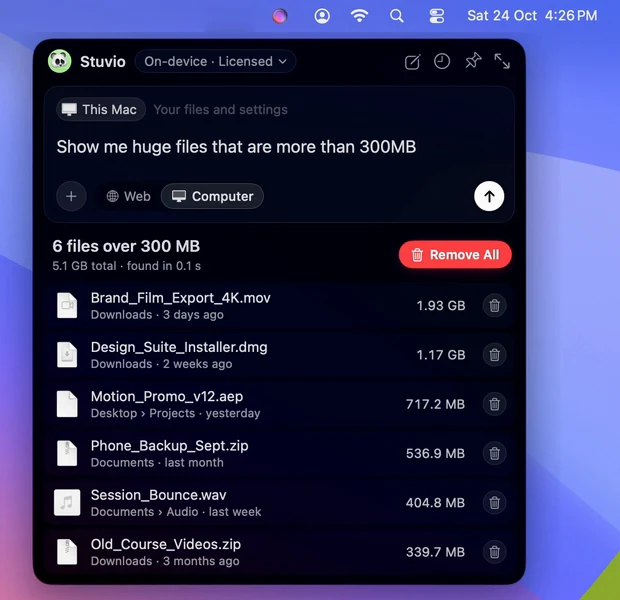
The popup can list your biggest files with a Remove All button. In an early version, nothing moved for 1.8 to 3.5 seconds after that click, because the click was turned into a sentence and sent to the model to work out what it meant. A click already says what it means. Now code reads it, and the files start moving 14 to 28 milliseconds later. The rule we took from it: never ask a model something the interface already knows.
The small things that cost frames
While a step runs, Brello PI shows a small turning indicator. When we recorded the app in use, the window dropped frames whenever it was on screen. SwiftUI was drawing it twice every frame, and the main thread waited on the window server. It now turns in an AppKit image view and appears only after 0.45 seconds. Late frames while working went from 65 and 390, in two takes, to none in either.
The popup’s Send button swapped its arrow for a stop square with a symbol transition that redrew every frame. It now cross-fades the two. The popup’s photo album story went from 15 late frames to 0 or 1.
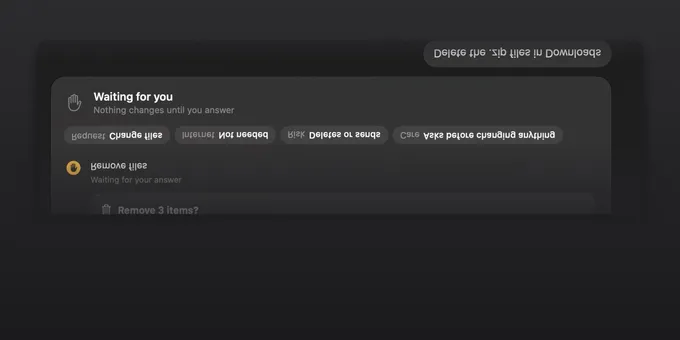
And once, text drew upside down. When the first AppKit-backed view, a button or a progress bar, joined a card already on screen, SwiftUI rebuilt every text layer in it under a new parent, 11 of 31 at one question, and a layer drawn before its parent reached the window came out flipped. Every card now holds an empty AppKit view from its first frame, so it’s built in its final form at once. A script reads captures of the running app, upright and mirrored; at its last check it read 714, and none was flipped.
On your Mac, all of it
All of Brello PI’s inference runs on your Mac. The agent uses Apple’s on-device model, the one built into macOS, as a typed function: code reads what it can read whole, and the model answers the rest as a choice from a short list. The private index uses a small open encoder, bge-small-en-v1.5, at 8 bits, on the processor, 34 MB in all. There is no Brello PI server in between, and no cloud model to fall back on, so every cost above is a cost on your Mac, and we treat it that way.
What’s left
Honestly: Settings’ first open sits at the bar. In a few of our recorded stories, sending a request from the window still has one frame of 49 to 79 milliseconds, as AppKit ends the field’s editing and the first turn is made in one transaction, and nothing we tried has moved it. Duplicates’ confirmation sheet and Quick Look’s first opening each have one visible hitch. They’re on the list, and the method above is how we’ll know when they’re gone.