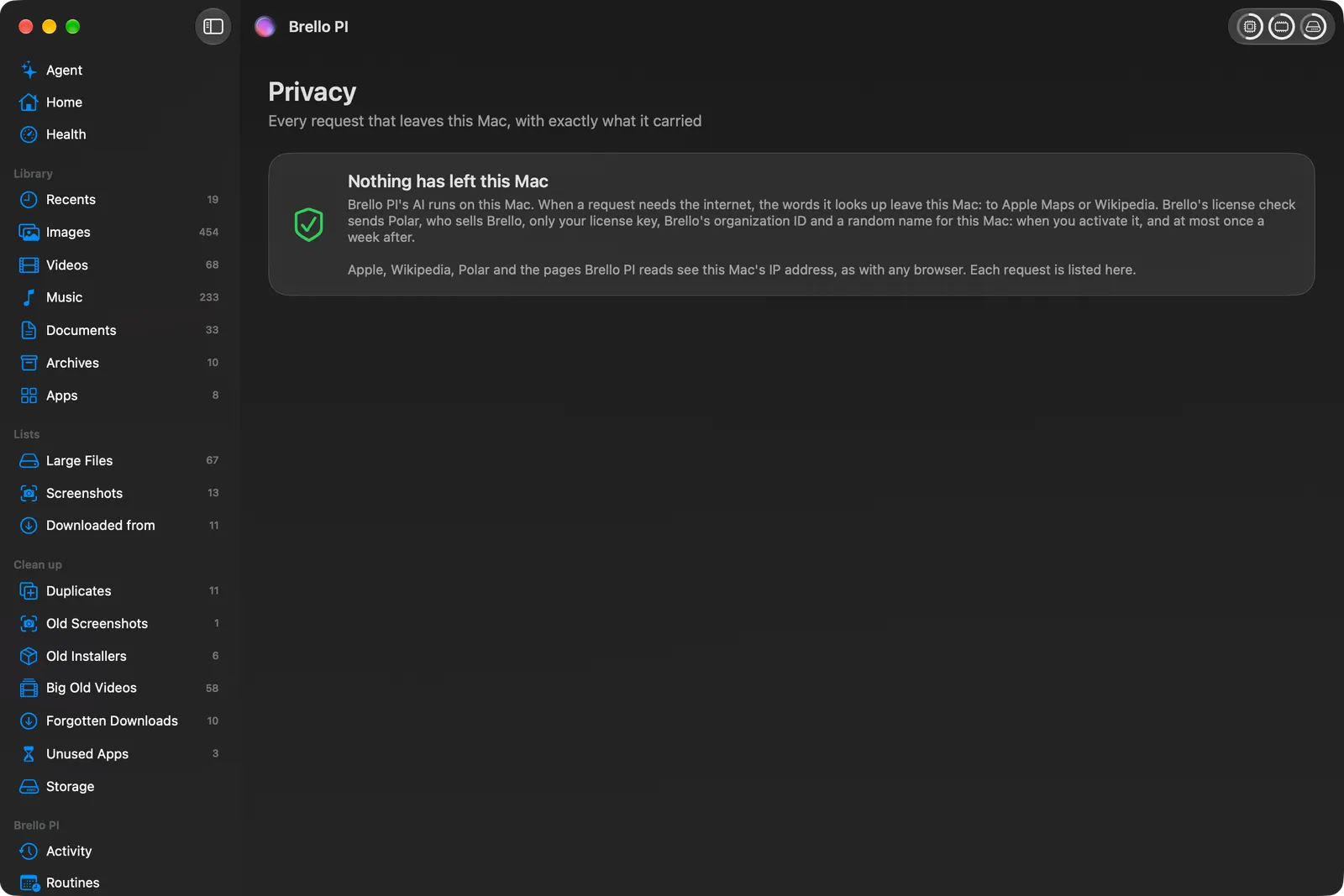
An agent that works on your Mac sees a great deal: your files and their names, what’s on your Desktop, what’s using your memory, which apps you haven’t opened in months. Most of that never needs to go anywhere. In Brello PI, it doesn’t.
Brello PI thinks with Apple’s on-device model, the one built into macOS. Your files, their names, Health’s history and the index of your work stay on your Mac. There’s no account, no analytics, and no crash reports. And for the few things that do need the internet, Brello PI writes each request down before it leaves, and shows you the list.
On your Mac, by design
Privacy promises are easy to write and hard to keep, because any part of an app can quietly grow a network call. So in Brello PI, only one part of the code may talk to the network at all. A test reads every source file on every build and fails if networking code appears anywhere else, or if Apple’s map, weather or location frameworks are imported outside that one part. The same test fails if Apple’s cloud model is named anywhere in the code. Brello PI never uses it, or any other company’s AI.
That one part is the broker. Every request passes through it, and the broker does three things before anything leaves:
- It checks the words. A request that holds an email address, a file path, your user name, a long number or something like a password is refused before it’s sent.
- It writes the line. When, why, where, the exact words carried, and which request of yours asked for it. If the line can’t be written, the request isn’t sent.
- It finishes the line. When the request ends, the ledger records how: its status, or why it failed in a few plain words, and the bytes sent and received.
If the line can’t be written, the request isn’t sent.
The Privacy page
Open Privacy in the sidebar, or press Command-6, and every line is there, newest first, written as it happened. On a new Mac it says “Nothing has left this Mac”, and tells you what would be listed if something did.
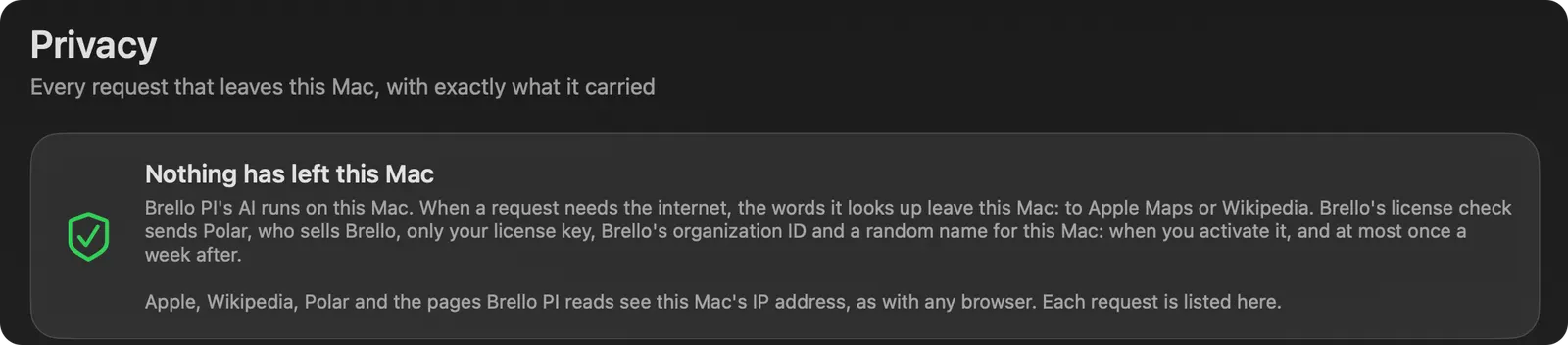
For Apple Maps, Brello PI asks Apple’s MapKit, which opens its own connections and doesn’t report their size. The ledger still writes down what was handed over before the call, and says the byte counts weren’t reported, rather than guessing them. The ledger itself is never sent anywhere. It lives in Brello PI’s own folder on your Mac.
What can leave, and when
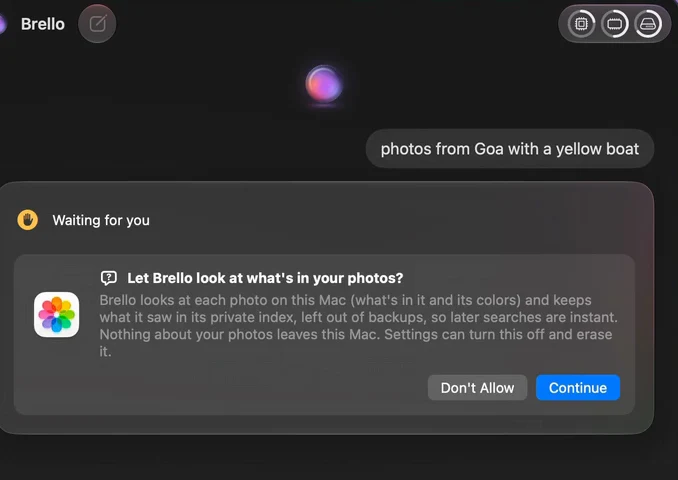
Very little, and only when a request of yours needs it. The first time a request needs the internet, Brello PI asks once, through its own question, saying exactly what will leave and where. Your answer is kept, and Settings can change it. Then:
- A place you asked about goes to Apple Maps, as the words you typed.
- A person, place or thing you asked about goes to Wikipedia, as the words you typed, with the article’s picture fetched from Wikimedia’s own servers.
- A photo search’s place goes to Apple Maps as its name alone, so Brello PI knows the area. No photo, date or position is ever sent.
- Your license is checked with Polar at most once a week, carrying only the key, Brello’s organization ID and a random name for this Mac.
File names you choose in Home never leave. Neither does anything a routine finds: with nobody at the Mac, a routine never goes online at all.
The open web, through Safari
Some questions need the open web, and no free source fits them. For those, Brello PI doesn’t send your words anywhere itself. It says so plainly and offers Search in Safari, which hands your words to Safari, on your click, where your own search engine answers. That hand-off is written to the ledger first, like every other request. What Brello PI answers itself has the details.
What stays, and how to erase it
Everything Brello PI keeps is in its own folder, ~/Library/Application Support/Brello, and each part can be turned off or erased:
- The private index of your work, with a switch for each source, every one off until you turn it on, left out of backups, and Erase.
- Health’s history, left out of Time Machine backups, with Erase in Settings.
- Your routines and the log of their runs.
- The ledger and your answer about the internet.
- Your license, in your login keychain, for Brello PI alone.
Brello PI keeps no copies of your files.
Permissions, asked when they’re needed
macOS asks its own questions before an app may read certain things, and Brello PI asks for each only when a request needs it, never at launch. Photos connects on your click, with Connect Photos. A no is respected, and Brello PI opens the exact pane in System Settings if you change your mind. With nobody at the Mac, nothing is asked at all. The permissions page lists every question Brello PI may cause, and why.
Signed, notarized, and checkable
Brello PI is a direct download, signed with our Apple Developer ID and notarized by Apple, with the hardened runtime. The trust center has the security details, and the network ledger page has every field a line holds.