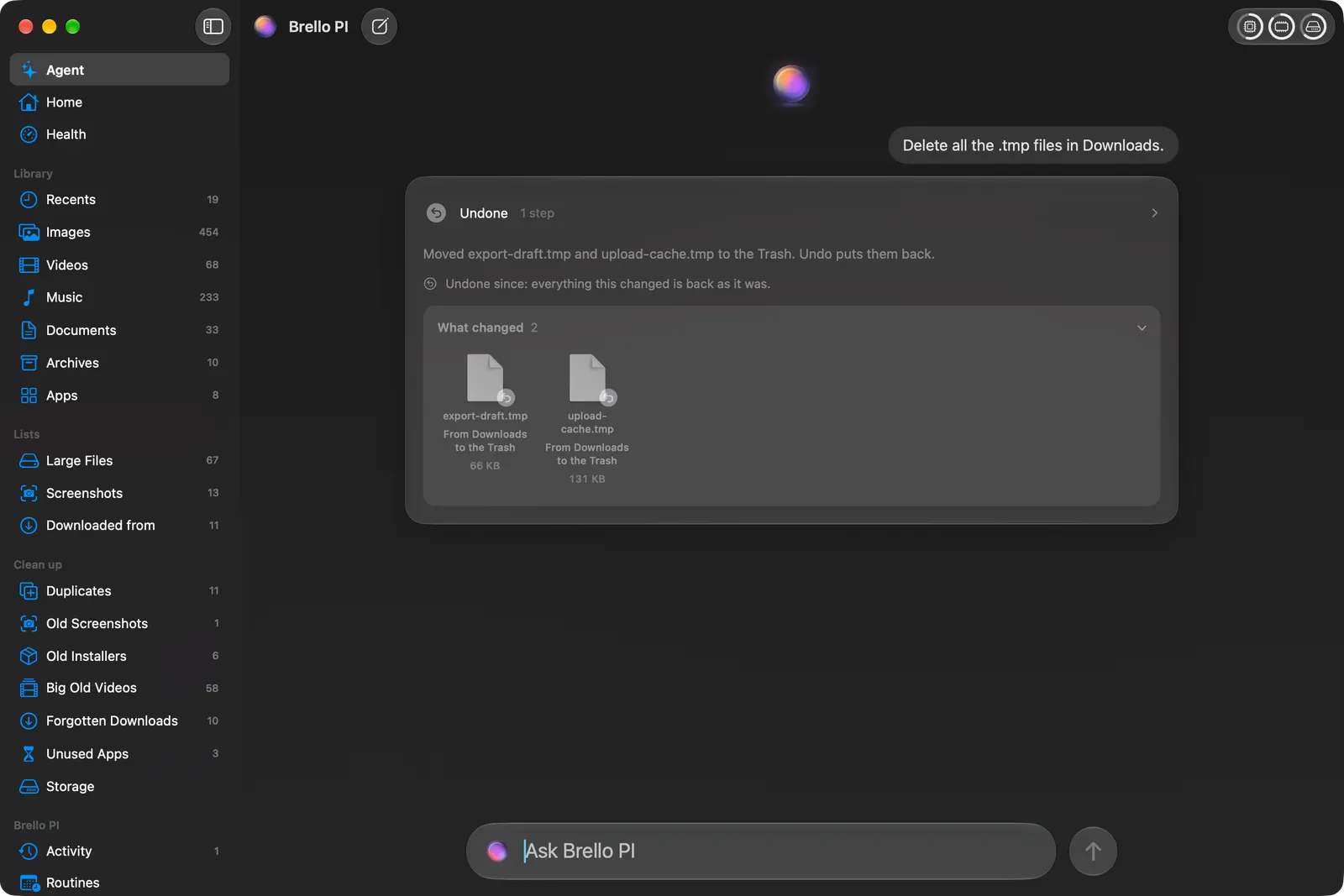
An agent that acts on your Mac will sometimes act on the wrong thing. It will misread a request, or read it right and still be wrong about what you meant. We can make that rarer, and we’ve worked hard to. We can’t make it never. So Brello PI is designed from the other end: anything risky waits for your yes, every change has a way back, and anything that can’t be undone is named before you agree to it.
None of that is left to the model. It’s in code, in the part of Brello PI every step passes through.
Every tool has a risk tier, in code
Each thing Brello PI can do, move a file, change a setting, delete, send, is given a risk tier in code, written beside the tool itself. The gate asks by the tier. A model’s view of the stakes can add a question, but never remove one.
Moving and copying files into a folder you named run without a question, because the plan names each item and Undo puts each back. Settings you can flip back act at once, the way opening an app does. Deleting, emptying the Trash, sleep, restart, shut down and log out always ask.
One question for the whole plan
Before any step runs, every step that would change something is previewed. If any of them needs your yes, Brello PI asks once, for the whole plan, and the question lists exactly what will change: each file by name, with its picture and its size, and where it goes.
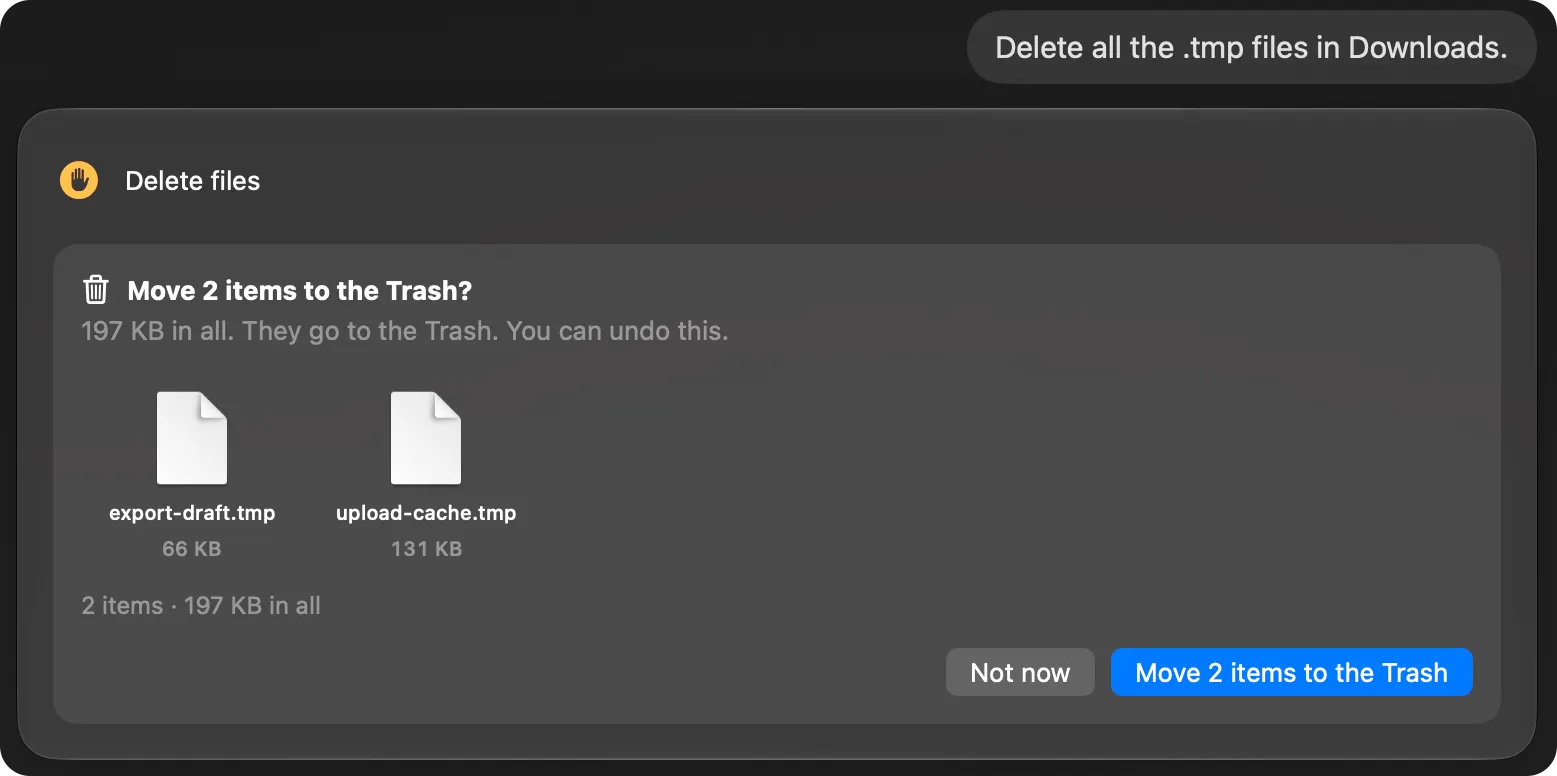
A yes covers what was shown, and nothing more. Each step is looked at again after your yes, and one that would now do something different doesn’t run. A no changes nothing at all.
A yes covers what was shown, and nothing more. A no changes nothing at all.
Into the Trash, and back
Brello PI doesn’t delete your files outright. What it deletes goes to your Mac’s own Trash, exactly as Finder moves it there, and you can watch each file fly into the Trash in your Dock. Undo, or Command-Z, brings it back to where it was, as long as it’s still in the Trash.
Undo, for everything Brello PI changes
As each step runs, Brello PI writes down how to put it back: a file’s old place and name, the folder it made, a setting’s value before. That record is kept on disk, so Undo still works after Brello PI quits and opens again. Each part of Brello PI that changes something has its own way back:
- Files go back where they were, under their old names, and the folders Brello PI made for them are recorded too.
- Settings go back to the value Brello PI read before, and the reply says what it put back.
- Balance the load puts every task back at its usual priority, and offers to reopen what it quit.
- Albums and copies of your photos are removed again; the photos stay in your library.
- Routines can be deleted; what they did stays listed, with its own Undo.
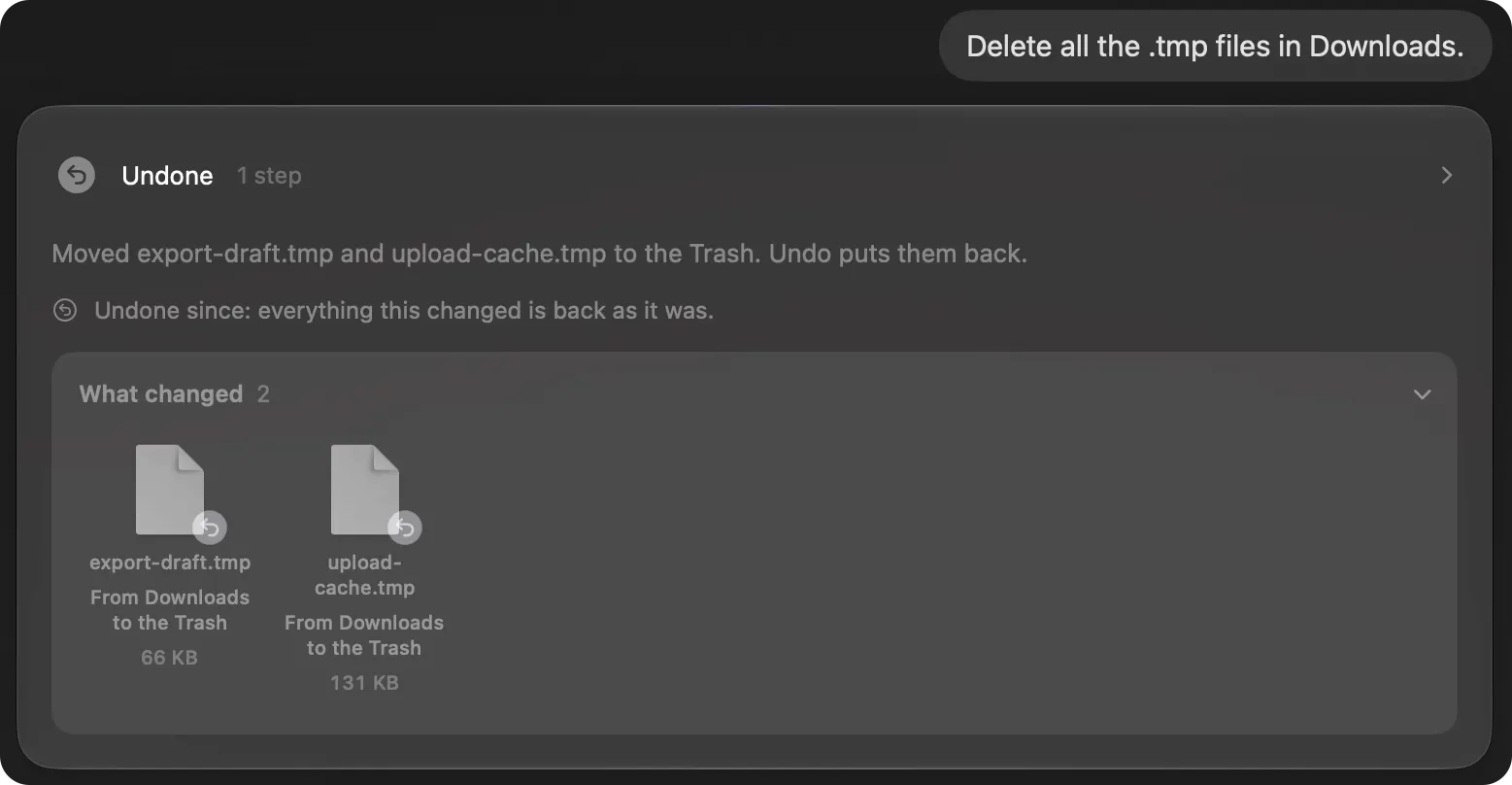
Every change is also listed in Activity, newest first, each with its own Undo. So if you notice something an hour later, you don’t have to remember which conversation it was in.
Measured on the disk, not on the reply
An Undo that reports success isn’t the same as an Undo that worked. So we measure it the way we measure the change itself: by the state of the disk. Brello PI’s benchmark is 65 tasks on made-up homes, files to move, copy, rename and set aside, documents to read, receipts to turn into a report, routines and more, each scored by what it leaves behind.
Played three times each on Apple’s on-device model, every one of the 195 runs reached its goal, none removed or created anything it wasn’t asked to, and Undo restored the starting state exactly, byte for byte, in all 138 runs that had changed something.
With nobody at the Mac
When nobody is at the Mac, during a routine or a Shortcuts automation, nothing is asked. So nothing that needs a yes is done: no file is deleted, nothing is sent, nothing goes online. The run says what’s waiting, and it waits for you.
What can’t come back
A few things are final by nature, and Brello PI says so in the question, not after:
- Emptying the Trash deletes for good, so its question says how many items and how much space.
- Sleep, restart, shut down and log out are acts, not changes. Each asks first.
- What you do outside Brello PI is outside its Undo. A file you delete in Finder is Finder’s.
And when Brello PI can’t tell what you meant, it doesn’t guess and act. It says what it couldn’t tell and changes nothing. A failure that changes nothing costs you a sentence.
Why this isn’t the headline
We’d rather you remember Brello PI for the work it does: the tidy Desktop, the expense report, the setting changed by asking. Asking first and Undo are how that work stays safe to hand over. They’re there so you can be bold with what you ask. The deeper version, with the tiers in a table and the benchmark’s held-out wordings, is in our research post Undo everything.